18
LP8500 ILP8500EN1
In transport mode, the transmitter should be placed
under the rear service cover.
Before start
OPERATION – RADIO REMOTE CONTROL UNIT
1. Open the rear service cover and take out the trans-
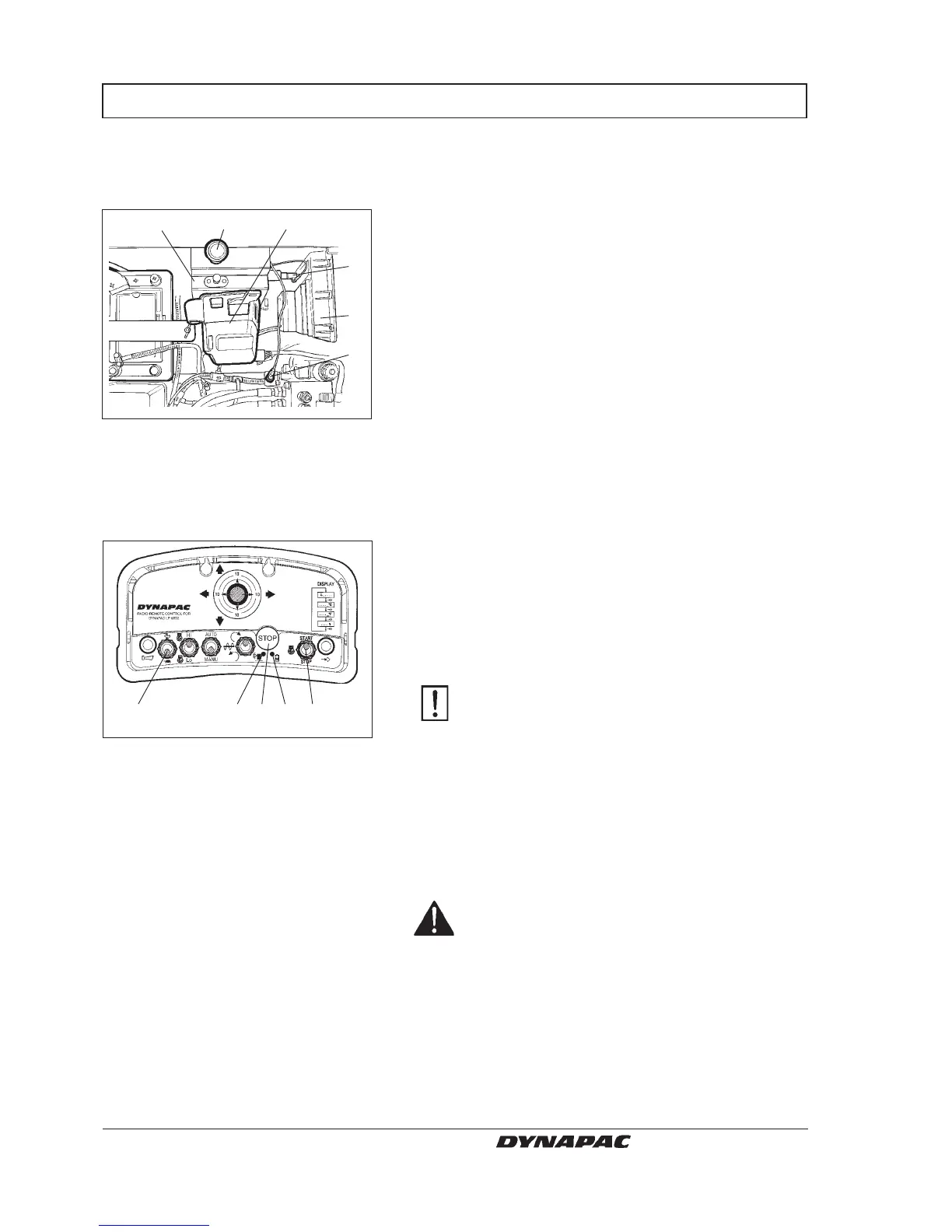
mitter. Insert and turn the battery disconnecter (17)
to locked mode. The beeper sounds (18) when
power is switched on. The beeper stops as the
engine starts.
Check that the display on the reciver shows battery
voltage/hydraulic temp/operation time.
2. Close the service cover and pull out the emergency
stop knob (15) on the machine.
Starting the engine
13. Transmitter
14. Antenna
15. Emergency stop knob
16. Receiver
17. Master switch
18. Buzzer
3. Turn the emergency stop (8), on the transmitter, on.
A green LED (7) indicates when the transmitter is
on.
4. Check the battery status. The low-battery warning
light (9) should not light. Always have an extra fully-
charged battery available.
Wait 4–5 seconds. Press the horn button on
the transimter to open communication with the
receiver. When horn sounds contact is ok.
5. Set the engine revs switch (2) to “low” mode.
6. Press the start/stop switch (10) forward until the
engine starts. Release the start/stop switch as the
engine starts.
7. A new attempt to start can be made after 7 seconds.
Never use start gas.
WARNING
CAUTION
2. Speed switch, High/Low
7. Transmitter indicator, On
8. Emergency stop button
9. Low-battery indicator
10. Start/Stop switch, engine
L000338C
278910
1315
18
16
17
14
L000628A


 To Next Page