14
Setting Up Your Piano
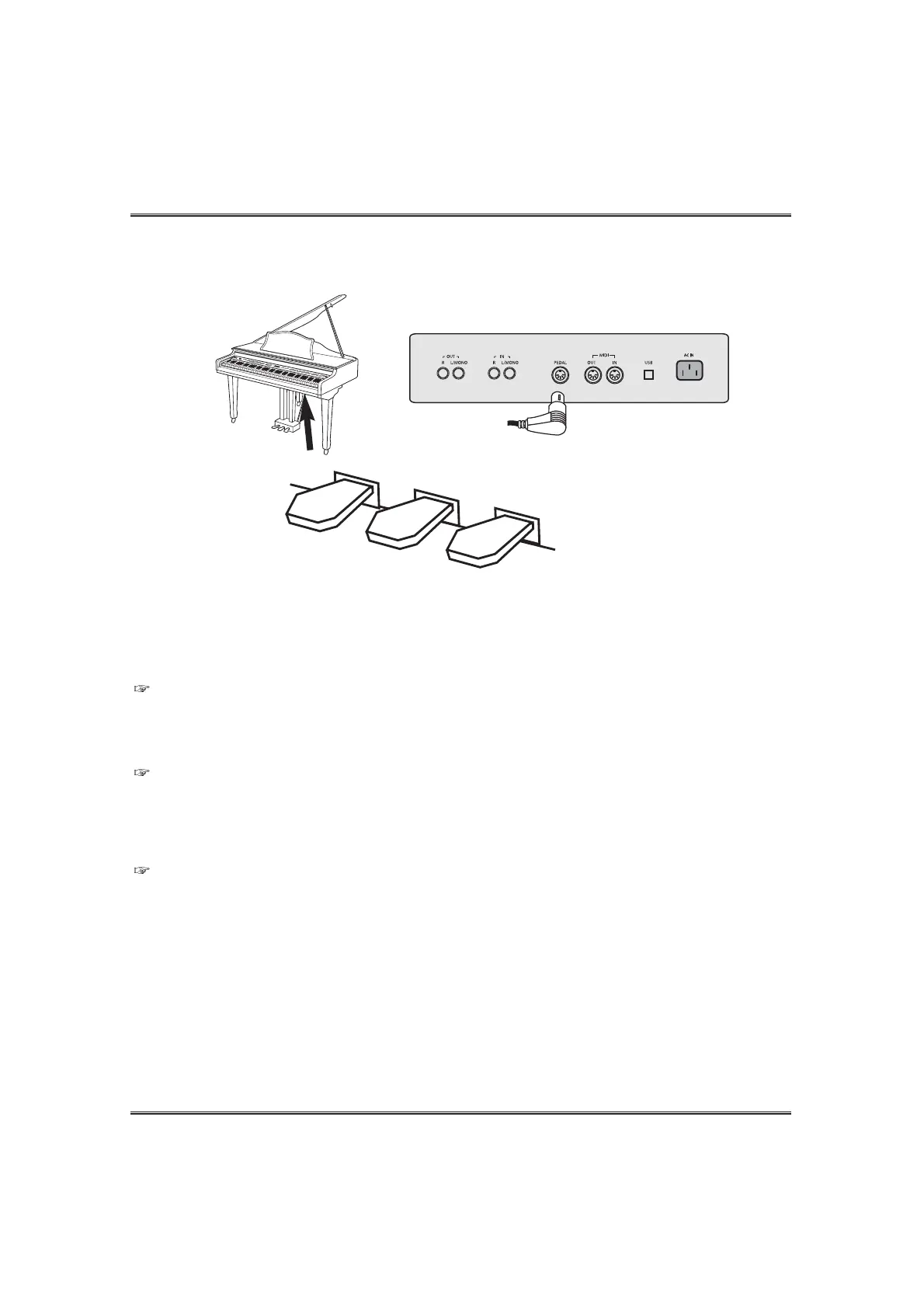
CONNECTING THE PEDAL
Connecting the pedal cord.
Insert the pedal plug into the pedal connector on the bottom panel of the piano.
RIGHT PEDAL (Damper Pedal )
With piano tones, depressing the pedal causes notes to linger, much like a piano's damper
pedal.
With organ tones, depressing the pedal causes notes to continue to sound until the pedal is
released.
CENTER PEDAL (Sostenuto Pedal)
As with the sustain pedal function described above, depressing the sostenuto pedal causes
notes to be sustained. This difference between a sostenuto pedal and sustain pedal is the
timing. With a sostenuto pedal, you press the keys and then depress the pedal before you
release the keys.
Only the notes that are sounding when the pedal is depressed are sustained.
LEFT PEDAL (Assignable Pedal)
This pedal can be assigned to one of following functions. (see the PEDAL section on page 39)
1) Soft Pedal (Default) Depressing the pedal softens the sound of the notes being played.
2) Rhythm Fill1/Synchro Start Pedal In this case, the pedal performs the same function as the Fill1/Synchro button.
3) Rhythm Fill2/Synchro Start Pedal In this case, the pedal performs the same function as the Fill2/Synchro button.
4) Rhythm Variation Pedal In this case, the pedal performs the same function as the Variation button.
5) Rhythm Start/Stop Pedal In this case, the pedal performs the same function as the Start/Stop button.
6) Rhythm Intro/Ending Pedal In this case, the pedal performs the same function as the Intro/End button.
6) Rhythm Fade Pedal In this case, the pedal performs the same function as the Fade button.
7) SETUP function Pedal In this case, the pedal performs the same function as the SETUP button.
PEDAL CORD
RIGHT PEDAL
CENTER PEDAL
LEFT PEDAL



 To Next Page