23
Moving keys Channel
Moving Keys Channel
The moving keys function is operated with the VP Player, the SMF player or the Record function.
It's available to independently set a moving keys channel of each players.
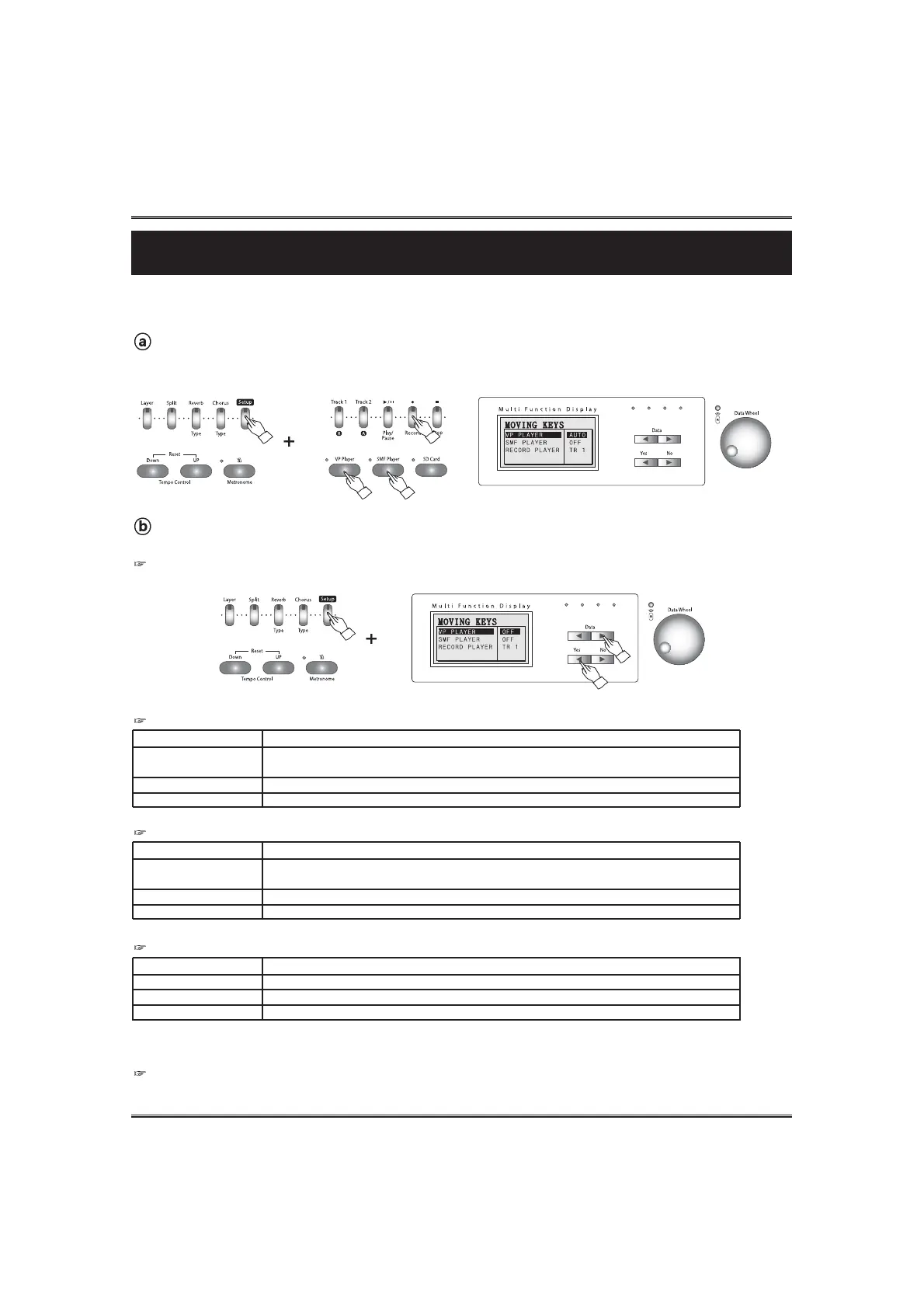
Call up the moving keys pop-up display.
Press and hold the SETUP button and press the VP PLAYER button, the SMF PLAYER button, or the
RECORD button. The moving keys pop-up display appears.
Select the moving keys channel.
Moving key channel can be changed by using the DATA UP and DOWN buttons.
If pressing the YES In the moving key pop-up display, the cursor go to next player menu. If pressig the NO button, the
display returns to the main peformance screen.
Channel Option
Auto (Default)
Manual Ch 1~ Ch16
Off
Description
When a MIDI channel includes voice Grand Piano 1 (Program #0) or MIDI control 29,
automatically the MIDI channel is set as the moving key Channel.
Piano moves keys as the notes of the selected MIDI Channel.
Piano Playbacks a VP music without moving keys.
MOVING KEYS CHANNEL OPTION OF THE VP PLAYER
Channel Option
Auto
Manual Ch 1~ Ch16
Off (Default)
Description
When a MIDI channel includes voice Grand Piano 1 (Program #0) or MIDI control 29,
automatically the MIDI channel is set as the moving key Channel.
Piano moves keys as the notes of the selected MIDI Channel.
Piano Playbacks an SMF without moving keys.
MOVING KEYS CHANNEL OPTION OF THE SMF PLAYER
Channel Option
TR 1
TR 2
Off (Default)
Description
Piano moves keys of the recorded notes of the track 1.
Piano moves keys of the recorded notes of the track 2.
Piano Playbacks a recorded music without moving keys.
MOVING KEYS CHANNEL OPTION OF THE RECORD PLAYER
Piano does not move the key in the layered voice channel, the split voice channel, and accompaniment channels,
even if the recorded track has these data.
NOTE
When using above players with moving keys, the piano does not make sound by playing keyboard.



 To Next Page