37
Setup
Setup
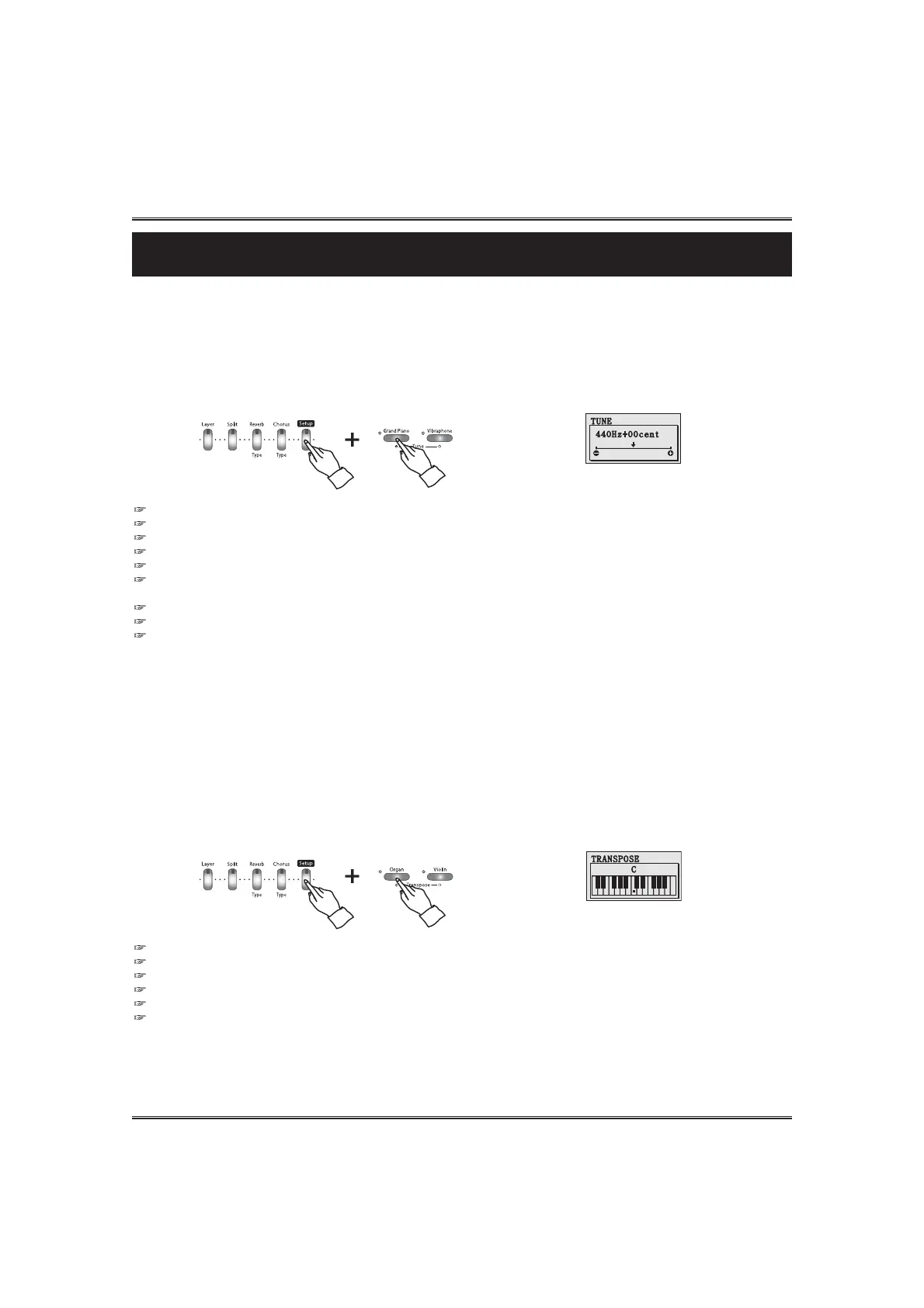
TUNE
The tune function lets you make fine adjustments to the pitch, allowing you to accurately match the
tuning with that of other instruments.
Press and hold down the SETUP button and press the TUNE UP or DOWN button.
The Tune pop-up display appears and shows current value.
The value can be changed by pressing TUNE UP and DOWN buttons.
You can adjust the value by using the DATA buttons or the DATA wheel instead of the TUNE UP and DOWN buttons.
If you press both UP and DOWN buttons at the same time automatically return to the default value.
Range: A3 440Hz ¡¾ 100cents (Default 00)
Hz(Hertz)
The pitch is measured in units of Hertz (abbreviated Hz), which represents the number of times the sound wave vibrates in a second.
Cent Cent is unit of pitch, equal to 1/100 of a seminote.
Backing Up adjusted value. The last adjusted value of each Function can be retained in memory.
If the DISPLAY HOLD is on, the pop-up display does not return to the main menu and the LCD screen shows the current pop-up
display.
TRANSPOSE
The transpose function makes it's possible to shift the pitch of the keyboard in seminote units,
allowing you to match the pitch of the keyboard to the range of other instruments or singers, or
letting you easily play in a different key without having to change your fingering. For example, if the
TRANSPOSE is set F key, playing C results in a pitch of F, or in other words, you can play in the key of C
major on the keyboard and automatically have the pitch transposed to F major.
Press and hold down the SETUP button and press the TRANSPOSE UP or DOWN button.
The Transpose pop-up display appears and shows current value.
The value can be changed by pressing TRANSPOSE UP and DOWN buttons.
You can adjust the value by using the DATA buttons or the DATA wheel instead of the TRANSPOSE UP and DOWN buttons.
Range: -12 seminote ~ 0 ~ 12 seminote (Default 00)
Backing Up adjusted value. The last adjusted value of each Function can be retained in memory.
If the DISPLAY HOLD is on, the pop-up display does not return to the main menu and the LCD screen shows the current pop-up
display.



 To Next Page