36
Using the Metronome
Using the Metronome
START/STOP OF THE METRONOME
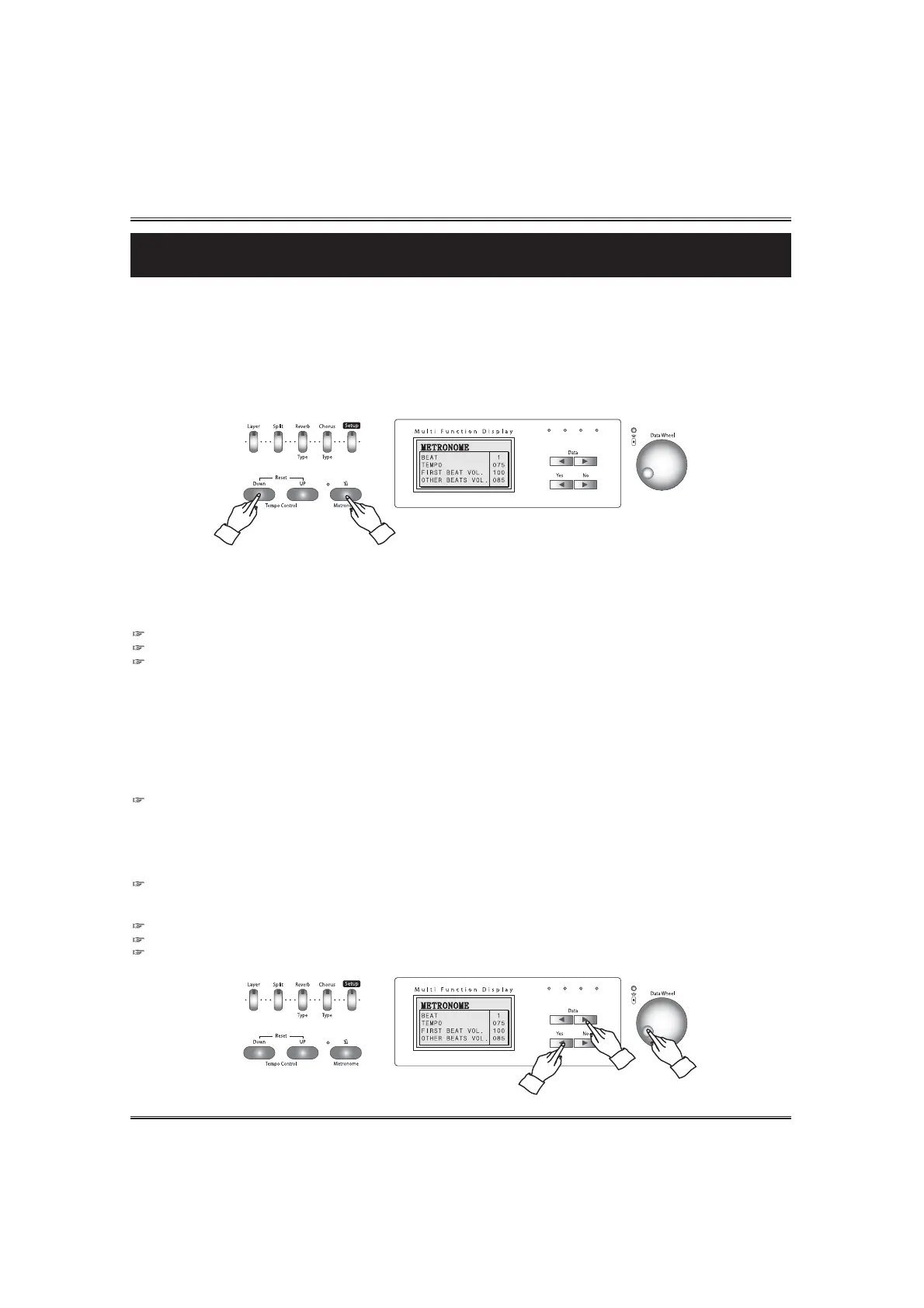
To start the metronome, simply press the METRONOME button. Press the METRONOME button
again to stop the metronome sound. The LCD screen shows the metronome pop-up display.
The piano features a convenient metronome that is ideal for practicing.
ADJUSTING THE TEMPO OF THE METRONOME
You can set the tempo over range 40 ~ 250 beats per minute by using the TEMPO buttons.
Hold the button for continuous decrementing or incrementing.
If you press both UP and DOWN buttons at the same time automatically return to the default tempo of the selected rhythm.
When the performance screen or a value is changed, the tempo may go slow .
SELECTING THE METRONOME OPTIONS
Press the METRONOME button. The LCD screen shows the metronome pop-up display.
Press the YES button in the metronome pop-up display. The cursor goes to the option value and you
can change the selected metronome option by using the DATA buttons or the DATA wheel.
There are 4 options in the metronome options.
1) BEAT This determines the time signature of the metronome.
2) TEMPO This determines the tempo of the metronome.
3) FIRST BEAT VOLUME This determines the volume of the first beat.
4) OTHER BEATS VOLUME This determines the volume of the other beats.
You can call up the metronome pop-up screen by using the SETUP button and METRONOME button.
When the metronome is on, press and hold down the SETUP button and press the METRONOME button.
The Metronome Beat pop-up display appears and shows current beat of the metronome.
Press the button again, the beat is changed.
Beat Range: : 2 ~8



 To Next Page