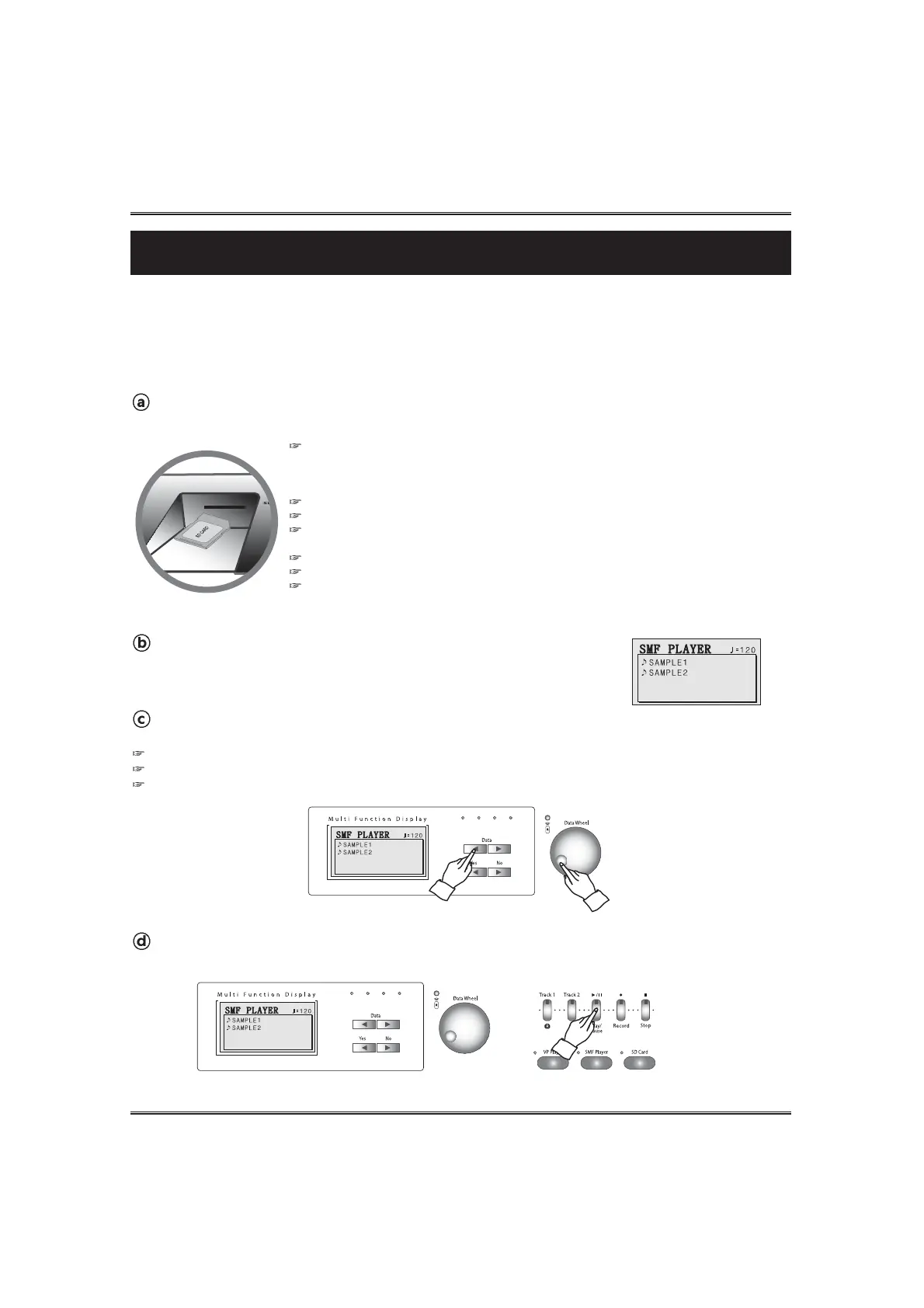
Start Playback of the selected SMF.
Press the PLAY/PAUSE button. Playback of the selected music will start.
54
SMF Player
SMF Player
The letters "SMF" stand for Standard MIDI file, which is a file format that allows MIDI data to be shared
between different software and sequencers. There are actually three SMF formats, named SMF 0, SMF
1 and SMF 2. The piano supports the SMF 0 and SMF 1 format, which are widely used today, and so all
mentions of "SMF data" in this manual refer to SMF 0 format and SMF 1 format.
PLAYBACK OF A STANDARD MIDI FILE
Insert an SD memory card into the SD card slot on the piano.
The SD memory card should have SMF data in SMF_FILE folder.
Select an SMF.
Choose a desired SMF by using DATA buttons or DATA wheel..
PREPARATION
1) Download SMF(*.mid) to your PC at a music website.
2) Save the SMF to your SD memory card from your PC.
- The SMF should saved into 'SMF_FILE' folder in 'SYSTEM' folder of the SD memory card.
The bundle SD memory card has system folder, which has SMF_FILE folder.
Supported SD memory cards: This piano cannot support High Speed SD memory card 'SD HC'
We recommend to use only an SD memory card with this piano. Proper operation is not
guaranteed when any other types of card use.
Be sure to orient the SD memory card correctly when inserting it.
Never try to force an SD memory card into the SD card slot when you feel resistance.
Never remove the SD memory card from the card slot or turn off the piano while card data is
being accessed by a save, read or load operation. Doing so can corrupt the data on the memory
card or even damage the card slot.
Including folder 99 files can be stored into the SMF_FILE folder. If you put over 99 files, piano is not supported.
The piano can playback SMFs in the SMF_FILE folder in SYSTEM folder.
It's available to use folders in SMF_FILE folder. The folder can be created in your PC.
Call up the SMF player pop-up display.
Press the SMF PLAYER button. The SMF player pop-up appears.



 To Next Page