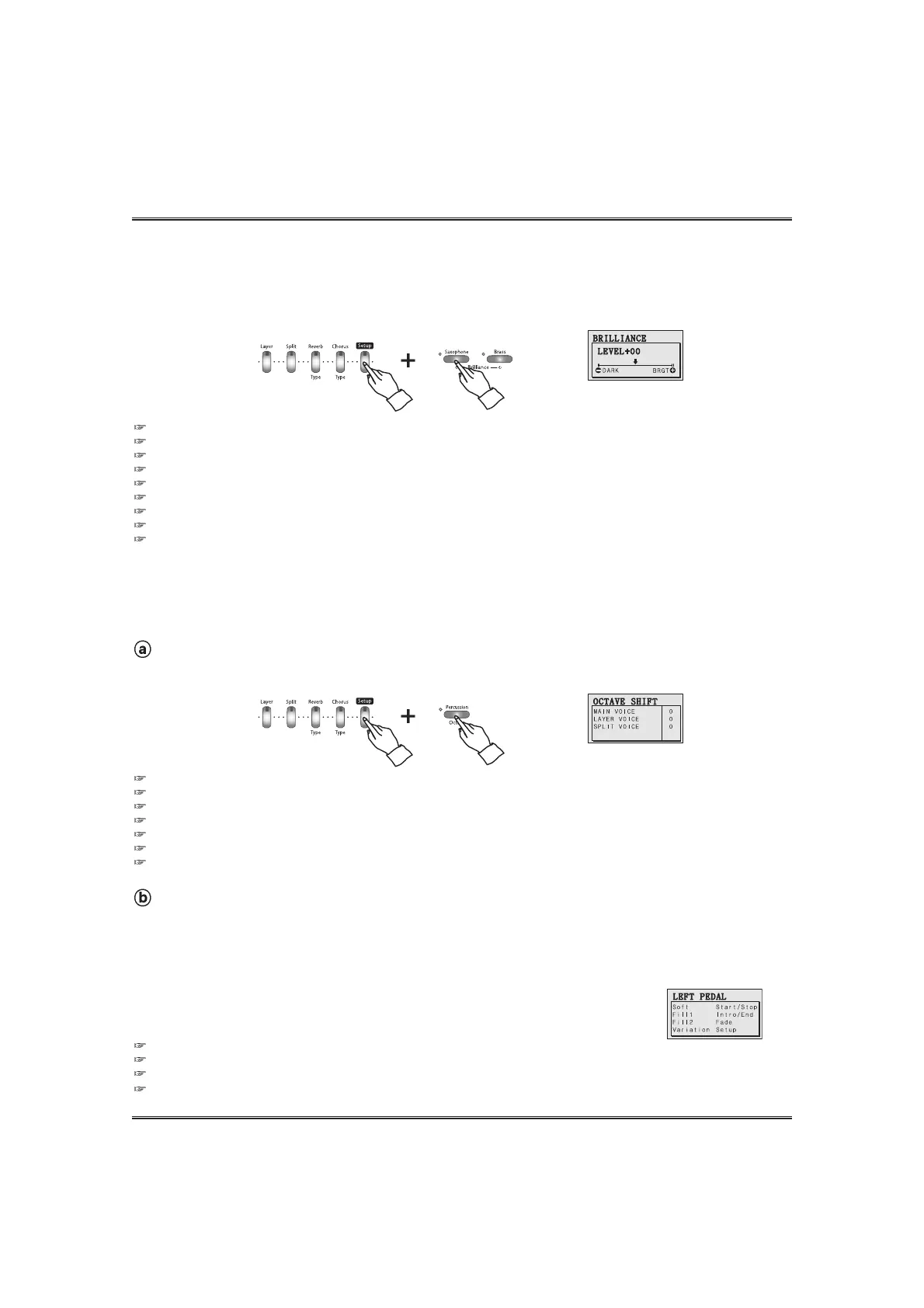
PEDAL
One of 8 pedal-functions can be assigned to the assignable pedal.
Press and hold down the SETUP button and press the PEDAL button.
The pedal pop-up display appears and shows current touch value.
Press the PEDAL button again, the cursor goes to the next pedal function and the selected function is set to the assignable pedal.
Instead of the PEDAL button, the setting value can be changed by the DATA UP and DOWN buttons.
39
Setup
OCTAVE SHIFT
The octave function makes it's possible to shift the octave of the keyboard, allowing you to match the
octave of the keyboard to the range of other instruments.
Changing the octave of the main voice.
Press and hold down the SETUP button and press the OCTAVE button.
The octave pop-up display appears and shows current value.
You can adjust the value by using the DATA buttons or the DATA wheel instead of the OCTAVE button.
The value can be changed by pressing OCTAVE button.
If you press both DATA UP and DOWN buttons at the same time automatically return to the default value.
Range: -1 ~0 ~+1 octave (Default 0)
Backing Up adjusted value. The last adjusted value of each Function can be retained in memory.
If the DISPLAY HOLD is on, the pop-up display does not return to the main menu and the LCD screen shows the current pop-up display.
BRILLIANCE
The sound timbre can be adjusted by using the BRILLIANCE function.
Press and hold down the SETUP button and press the BRILLIANCE UP or DOWN button.
The brilliance pop-up display appears and shows current value.
This function affects all voice parts (main, Layer and split)
The value can be changed by pressing BRILLIANCE UP and DOWN buttons.
You can adjust the value by using the DATA buttons or the DATA wheel instead of the BRILLIANCE UP and DOWN buttons.
The default value is 00, which is normal brilliance.
Whenever press both BRILLIANCE UP and DOWN buttons, default value '00' is set automatically.
If the brilliance is low, the piano makes dark sound and If it is high, the piano makes bright sound.
Backing Up adjusted value. The last adjusted value of each Function can be retained in memory.
If the DISPLAY HOLD is on, the pop-up display does not return to the main menu and the LCD screen shows the current pop-up
display.
Changing the octave of the layered voice ant the split voice.
Press the YES button in the octave pop-up display. The cursor goes to the other part and you can
change the octave of the selected part by using OCTAVE UP and DOWN buttons.
Assignable 8 pedal functions. (see the CONNECTING PEDAL SECTION on page 14.)



 To Next Page