40
EQ
EQ
The Sound timbre can be adjusted by using the EQ.
CHANGING THE MASTER EQUALIZER SETTING
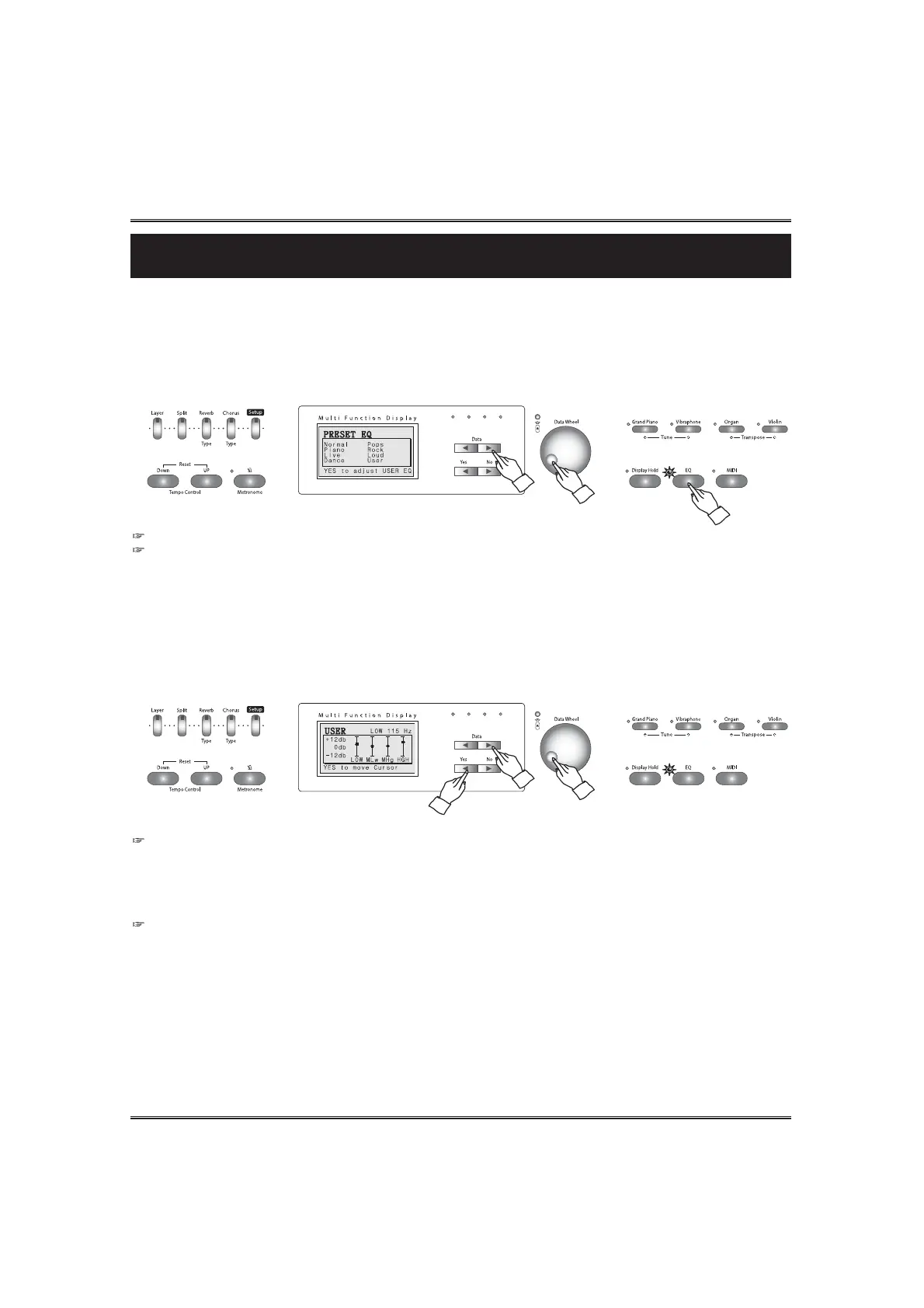
Press the EQ button. The button lamp lights and the EQ pop-up display appears in the LCD screen.
Select the a desired preset EQ by using the DATA buttons or the DATA wheel.
Eight different types are available : Normal, Piano, Live, Dance, Pops, Rock, Loud, and User.
Whenever press the SETUP button with the EQ buttons, the EQ pop-up display appears.
ADJUST THE USER EQ LEVELS
Press the YES button in the EQ pop-up display. The user EQ pop-up appears.
Move the cursor to a desired frequencyband (Low, Middle-Low, Middle-High, High) by pressing the
YES button.
Adjust the level of the selected frequencyband by using the DATA buttons or the DATA wheel.
FREQUENCYBAND
1) High band 2.6KHz
2) Middle high band 1.2KHz
3) Middle low band 300Hz
4) Low band 115Hz
Range of the EQ level -12db ~+12db



 To Next Page