18
Performance Screen
Performance Screen
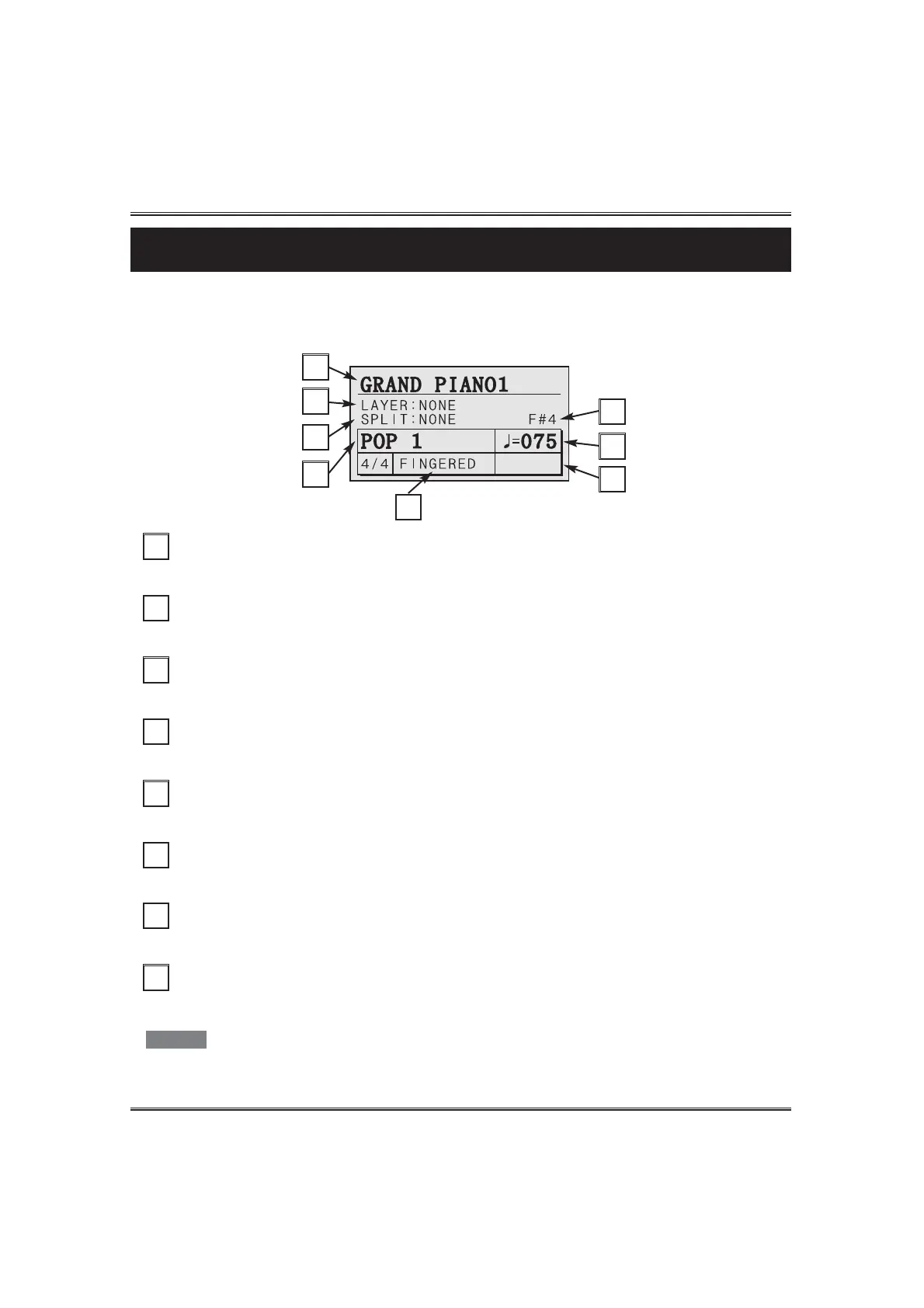
When you first turn on your piano. The power up status screen briefly appears in the display followed
by the Performance Screen. The performance screen shows you all of the most important playing
parameters.
Main Voice
This shows the selected main voice. There are preset 128 voices in this piano.
A
B
A
Layer Voice
This shows the selected layer voice.
B
Split Voice
This shows the selected split voice.
C
Split Point
When using the auto-accompaniment or the split, the keyboard splits on this point.
D
Rhythm
This shows the selected rhythm style. There are 80 available rhythm styles.
E
Tempo
F
Name of the Chord you specified for the Auto-Accompaniment
Example) C, Fm, G
G
Auto-Accompaniment mode
This shows the selected auto-accompaniment mode.
When the performance screen or a value is changed, the tempo may go slow .
H
NOTE
C
E
D
F
G
H



 To Next Page