38
Setup
TOUCH
Touch determines how your playing strength (velocity) affects the volume of the voices.
10 types are available for tailoring the keyboard response to the selected voice, type of song, or your
own playing preference.
Selecting the touch
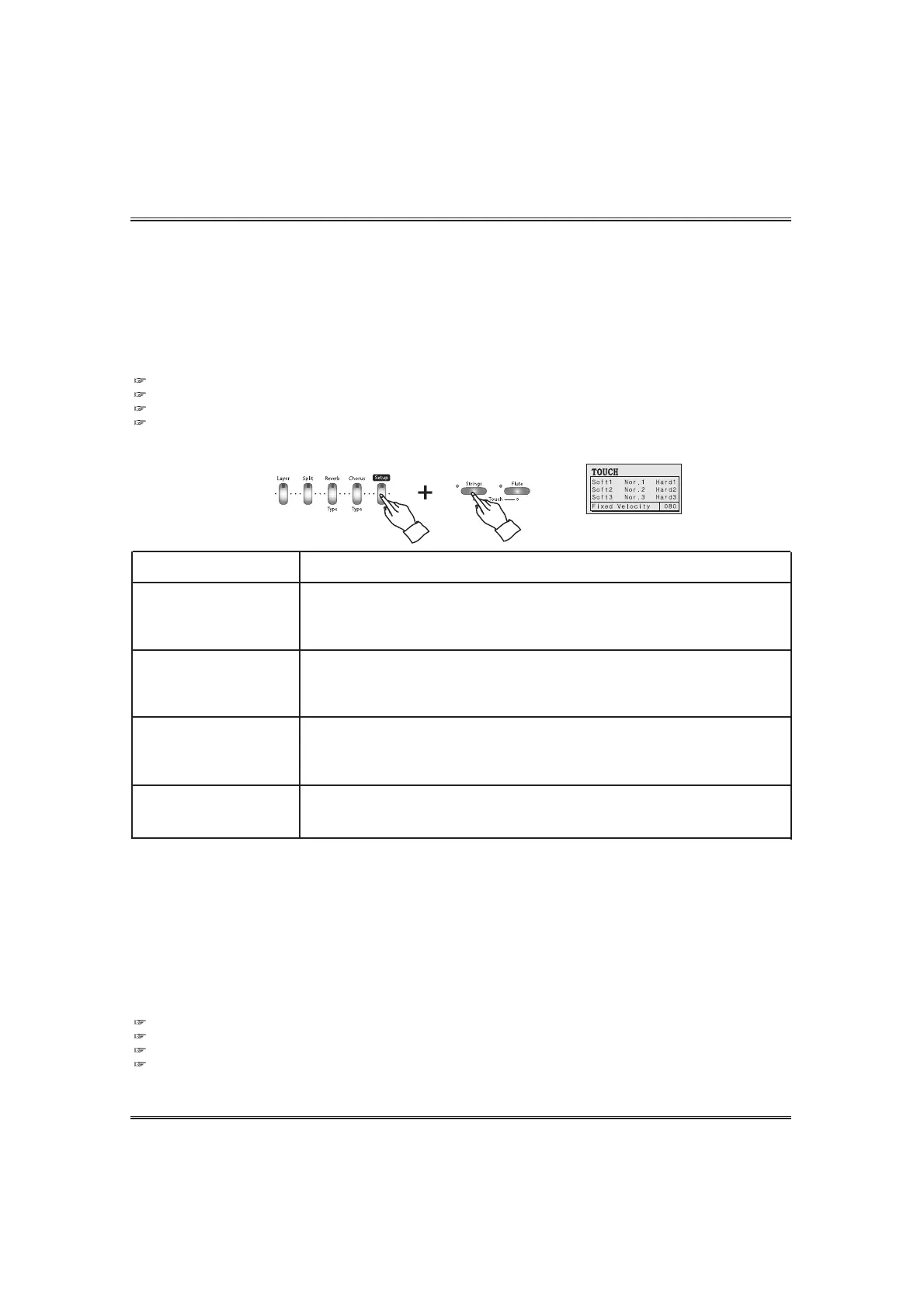
Press and hold down the SETUP button and press the TOUCH UP or DOWN button.
The touch pop-up display appears and shows current touch.
Instead of the TOUCH buttons, the setting value can be changed by the DATA buttons or the DATA wheel.
Backing Up adjusted value. The last adjusted value of each Function can be retained in memory.
If the DISPLAY HOLD is on, the pop-up display does not return to the main menu and the LCD screen shows the current pop-up
display.
Adjusting the fixed touch level.
This determines the level of the fixed velocity touch.
Press and hold down the SETUP button and press the TOUCH UP or DOWN button until the cursor
goes to the 'Fixed Velocity' option.
Press the YES button to move the cursor on the velocity level (default 080).
Adjust the velocity level by using the DATA buttons or the DATA wheel.
Whenever press both the DATA UP and DOWN buttons, default value of the selected voice part is set automatically.
Press and hold the DATA UP or DOWN button for continuous decrementing or incrementing.
Backing Up adjusted value. The last adjusted value of each Function can be retained in memory.
If the DISPLAY HOLD is on, the pop-up display does not return to the main menu and the LCD screen shows the current pop-up
display.
SOFT 1
SOFT 2
SOFT 3
These settings let you produce a relatively loud sound even when playing
the key softly.
DISPLAY
NORMAL 1
NORMAL 2
NORMAL 3
These settings are standard keyboard response and the NORMAL 2 is used as
the basic setting.
HARD 1
HARD 2
HARD 3
These settings require you to play the keys quite strongly to produce maximum
loudness.
FIXED VELOCITY
These settings produce the same degree of loudness, no matter how
strongly or softly you play the keys.



 To Next Page