55
SMF Player
Stop
playback of a music. Press the STOP button.
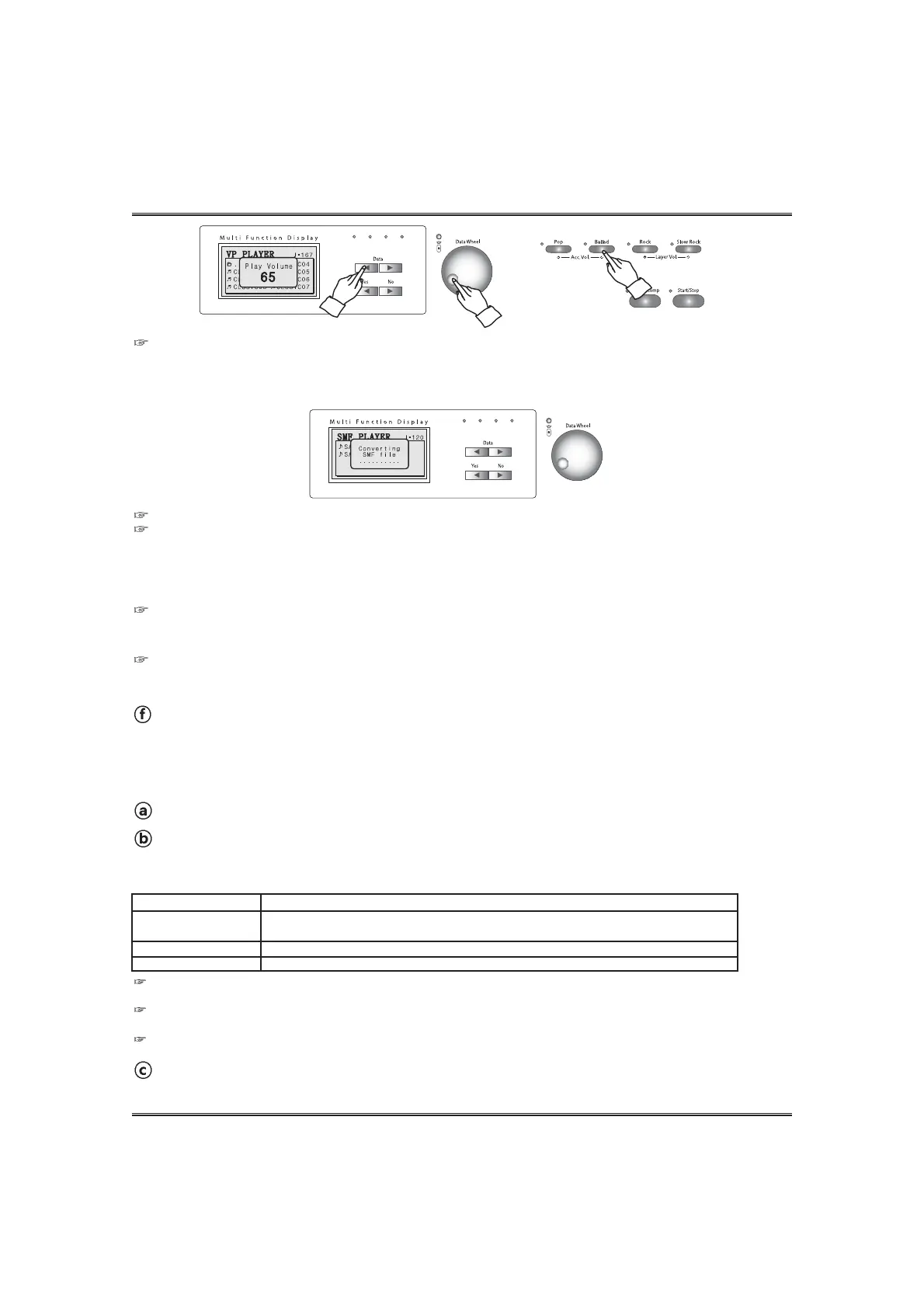
Adjusting volume of the SMF. (Same as the adjusting accompaniment.)
Adjust the player volume by using the ACCOMP VOLUME UP and DOWN buttons .
The volume can be changed by using the DATA buttons or the DATA wheel in the volume pop-up display.
Default volume is 65 (Adjusting range: 0 ~ 100).
This function uses MIDI Control message 11(Expression). If the SMF includes this message, this function does not work correctly.
Converting SMF format 1. When playback of an SMF format 1, it may take 10~60 seconds to convert the SMF.
Adjusting Tempo of the music.
Each SMF has its default tempo. When starting playback of a music, tempo of the
Demo music is set to default tempo. Tempo can be changed during playback of the music by using TEMPO UP or DOWN
button.
1) When repeating a Demo music, tempo goes to default tempo.
2) If you press both TEMPO UP and DOWN buttons, tempo is set to default tempo.
Repeat playback of a tune.
Press the TR1/R button during playback of the music. After finishing of the selected music, playback of the same music
will start automatically again.
Playback of ALL tunes.
Press the TR1/A button during playback of the music. After finishing of the selected music, playback of the next music will
start automatically.
PLAYBACK OF AN SMF WITH MOVING KEYS
The moving keys function can be operated with the SMF player.
Turn on the VP POWER switch in the headphone box. (see the VP POWER SWITCH section page 13.)
Select the moving keys channel. (see the MOVING KEYS CHANNEL section page 23.)
To call up the moving keys pop-up display, press and hold the SETUP button and press the VP
PLAYER button. In the moving keys pop-up display, go to the VP player by using the DATA UP and
DOWN buttons and select the desired moving keys channel by using YES and NO buttons.
Start playback of the SMF.
Start playback of the SMF in the normal way. (see the SMF PLAYER section on page 54.)
Channel Option
Auto
Manual Ch 1~ Ch16
Off (Default)
Description
When a MIDI channel includes voice Grand Piano 1 (Program #0) or MIDI control 29,
automatically the MIDI channel is set as the moving key Channel.
Piano moves keys as the notes of the selected MIDI Channel.
Piano Playbacks an SMF without moving keys.
When turning on the piano, the moving keys channel of the SMF player is set OFF. (Default value is 'OFF') So, If you don't
change the option, the SMF player will work without moving keys.
The selected MIDI channel doesn't have any note events in the manual option, the player playbacks the music without
moving keys.
NOTE When using the SMF player with moving keys, the piano does not make sound by playing keyboard.



 To Next Page