53
Registration
Save the registration data into the SD memory card.
Change the big-character in the box by using the DATA button or the DATA wheel and when a
desired character appears in the character box, press the YES button.
After selecting first character of your desired song name, you can select the next character. The way
of the selecting character is same as above.
If you finish selecting all characters, select '.' and press the YES button.
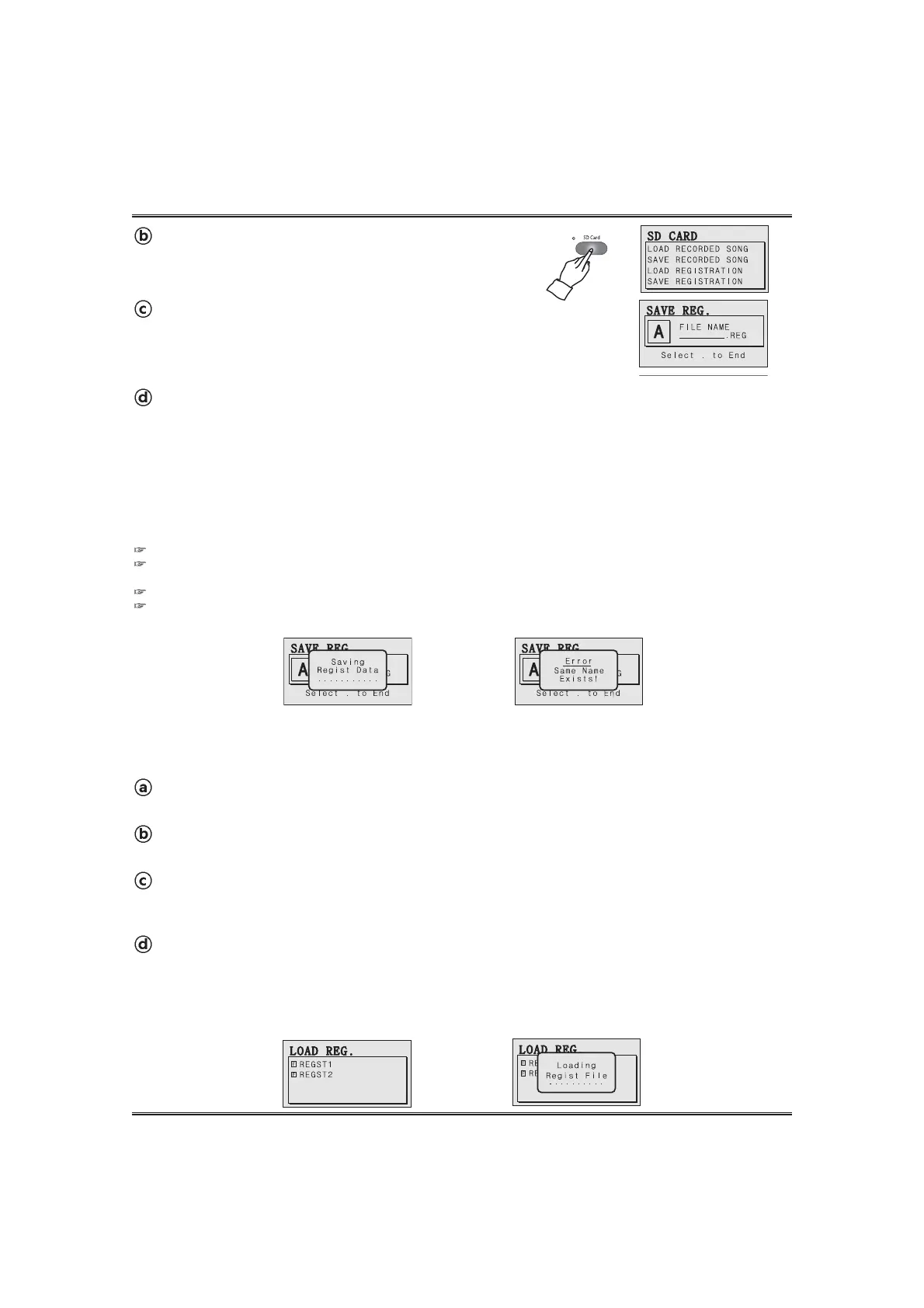
The saving message pop-up appears. The LCD screen goes to main.
It takes 5~15 seconds to save the registration data into the SD memory card.
Never remove the SD memory card from the card slot or turn off the piano while card data is being accessed by a save, read
or load operation. Doing so can corrupt the data on the memory card or even damage the card slot.
If the same name exists, the error pop-up appears and the registration data is not saved. In this case, you need to use another name.
The registration data file is save into the 'REG_DIR' folder in the 'SYSTEM' folder of the SD memory card. These files can be
deleted or copied in your PC.
Call up the save registration pop-up display.
Go to the SAVE RECORDED SONG by using DATA buttons or wheel and press
the YES button.
The save song pop-up appears.
Insert an SD memory card into the SD memory slot.
See the SAVING A REGISTRATION DATA INTO AN SD MEMORY CARD section on page 52.
LOADING A REGISTRATION DATA FROM THE SD MEMORY CARD
The registration data can be loaded from the SD memory card.
Call up the load registration pop-up display.
Go to the LOAD REGISTRATION by using the DATA button or the DATA wheel and press the YES button.
The load regist pop-up appears.
Load a registration data(file).
Select a desired registration data(file) in the regist file list by using the DATA button or the DATA wheel and
press the YES button.
The loading regist pop-up display appears in the LCD screen.
After loading the regist data, the pop-up disappear and the piano is ready to play the recorded song.
Call up the SD card menu.
Press the SD CARD button. The LCD screen shows the SD
card menu.
Call up the SD card menu.
Press the SD CARD button. The LCD screen shows the SD card menu.



 To Next Page