50
Recording
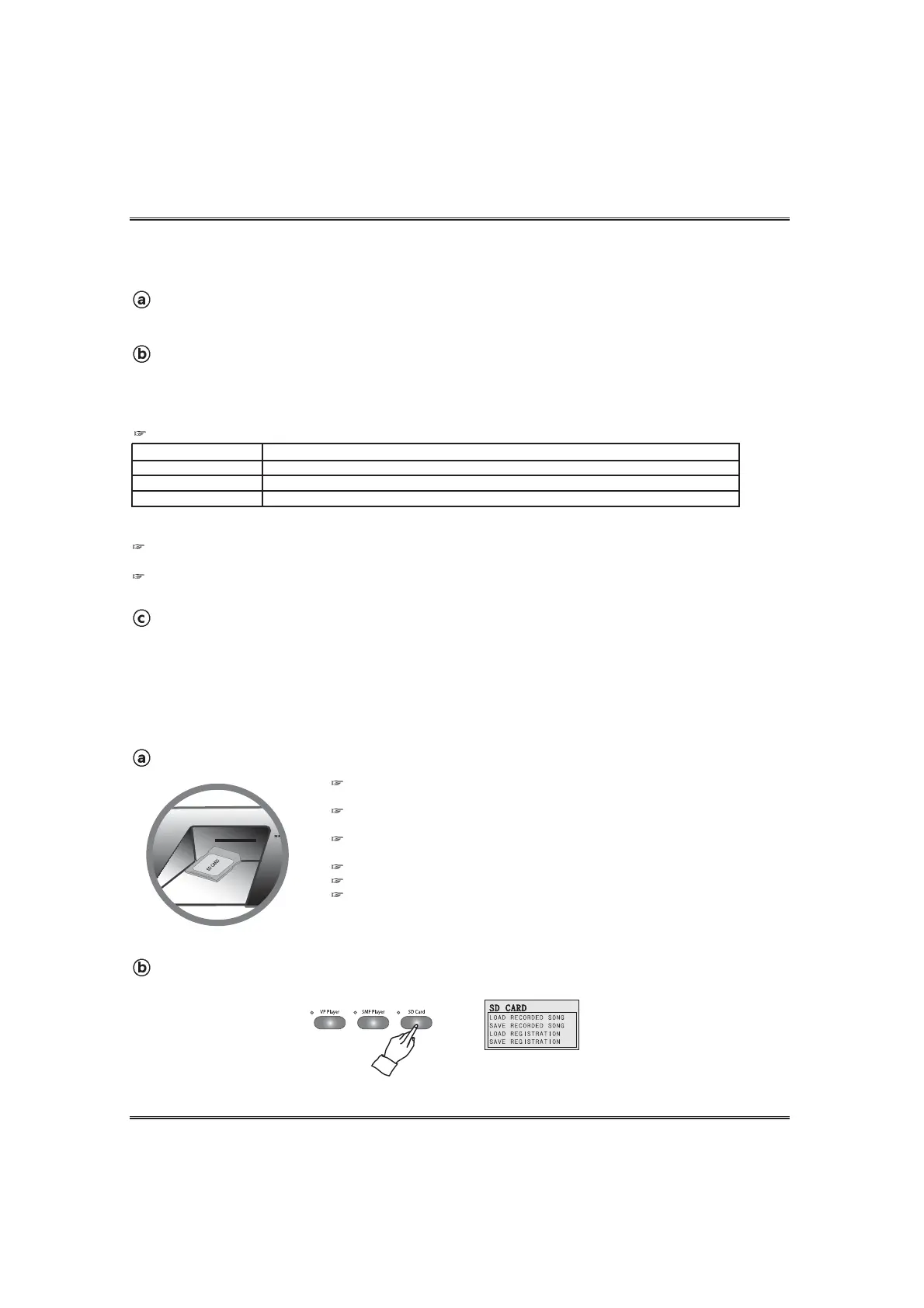
Insert an SD memory card into the SD memory slot.
Call up the SD card menu.
Press the SD CARD button. The LCD screen shows the SD card menu.
SAVING A RECORDED SONG INTO AN SD MEMORY CARD
After recording a song, the recorded song can be saved into the SD memory card.
Supported SD memory cards: This piano cannot support High Speed SD memory
card 'SD HC'
We recommend to use only an SD memory card with this piano.
Proper operation is not guaranteed when any other types of card use.
If there is no SD memory card in the SD memory card slot, the LCD screen shows the
SD card error pop-up display.
Be sure to orient the SD memory card correctly when inserting it.
Never try to force an SD memory card into the SD card slot when you feel resistance.
Never remove the SD memory card from the card slot or turn off the piano while card
data is being accessed by a save, read or load operation. Doing so can corrupt the data
on the memory card or even damage the card slot.
PLAYBACK OF THE RECORDED SONG WITH MOVING KEYS
The moving keys function can be operated with the Record function.
Turn on the VP POWER switch in the headphone box. (see the VP POWER SWITCH
section page 13.)
Select the moving keys channel. (see the MOVING KEYS CHANNEL section page 23.)
To call up the moving keys pop-up display, press and hold the SETUP button and press the VP
PLAYER button. In the moving keys pop-up display, go to the VP player by using the DATA UP and
DOWN buttons and select the desired moving keys channel by using YES and NO buttons.
Start playback of the recorded music.
Start playback of the recoered music in the normal way. (see the RECORD section on page 48.)
When turning on the piano, the moving keys channel of the record player is set OFF. (Default value is 'OFF') So, If you don't
change the option, the record player will work without moving keys.
NOTE When using the record player with moving keys, the piano does not make sound by playing keyboard.
Channel Option
TR 1
TR 2
Off
Description
Piano moves keys of the recorded notes of the track 1.
Piano moves keys of the recorded notes of the track 2.
Piano Playbacks a recorded music without moving keys.
MOVING KEYS CHANNEL OPTIONS OF THE RECORD PLAYER
Piano does not move the key in the layered voice channel, the split voice channel, and accompaniment channels, even if the
recorded track has these data.



 To Next Page