22
ped
Seng up the pedestrian open distance and pedestrian auto-close me.
From Ready status
rdy
NB! The runme setup must be completed rst before the
pedestrian setup can be aempted.
The factory default pedestrian opening is 1000 mm.
The factory default auto-close me is 2 seconds. The mer
range is 1 – 254 seconds.
PLEASE NOTE!! If no safety beams are installed then the
pedestrian mode reverts to 3 step mode where the gate
will not auto-close. A set of safety infra-red beams must
be installed using the technique indicated in this manual to
allow for auto-closing in pedestrian mode. The safety beam
funcon on this control card conforms to the CE safety
standards.
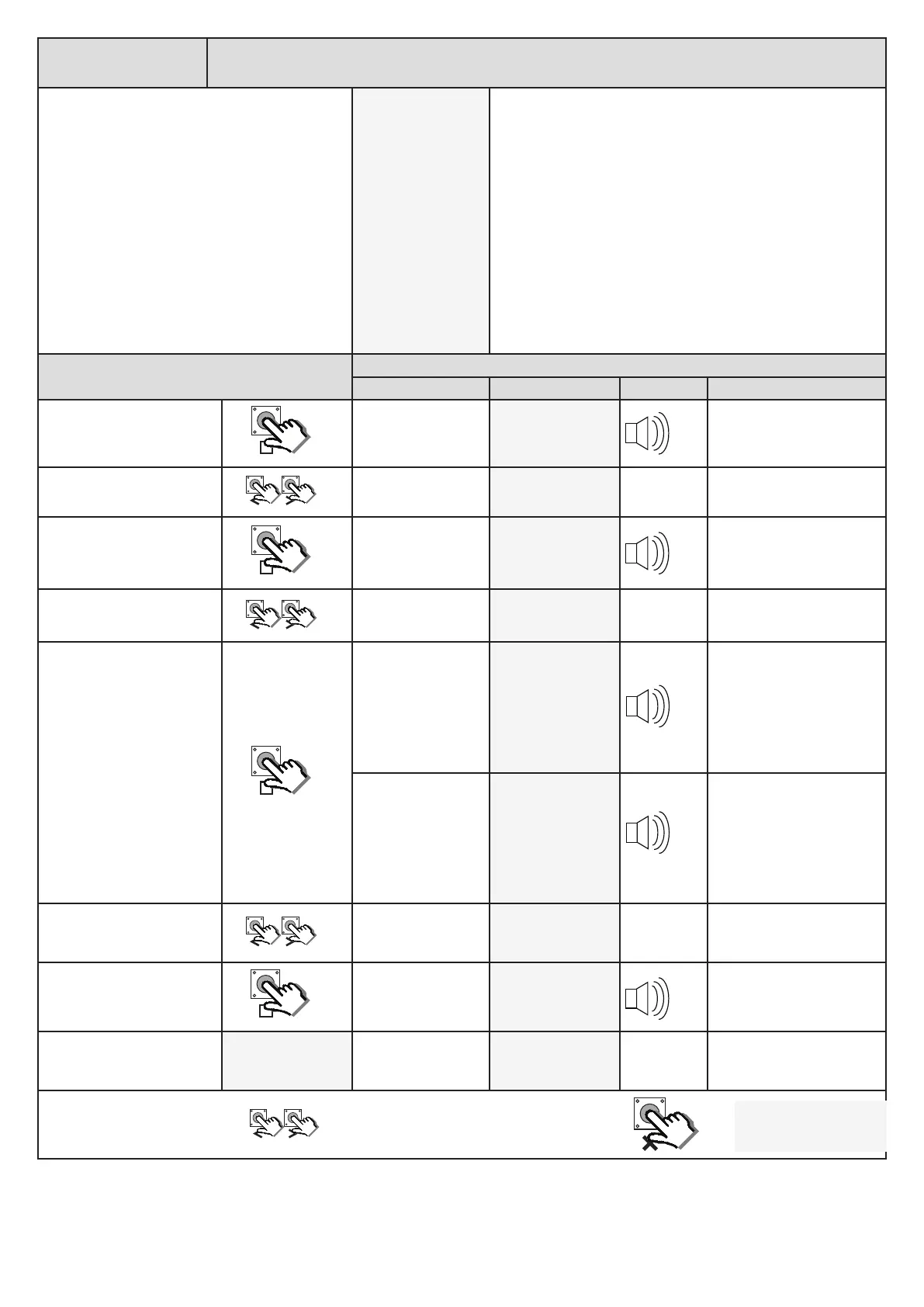
Acon
Response
Descripon Display Buzzer Gate
To enter the program menu.
Press and hold the buon
unl buzzer beeps.
Display and buzzer
conrms.
pr9
Scroll < or > to select the
pedestrian seng opon.
Display scrolls
through opons.
ped
With “Ped” on the display,
press and release .
Display shows current
pedestrian opening
distance. in 100mm
increments.
01.0
Scroll < or > to the required
seng.
Display changes
respecvely.
00.7
With required seng
displayed, press and release
.
If irb mode has not
been congured then
the display briey
shows the new
seng is saved and
reverts back to the
programming opons
list.
ped
If irb mode has been
congured then the
display briey shows
the new seng
is saved and then
displays the current
pedestrian mode
auto-close me.
002
Scroll < or > to the required
seng if necessary.
Display changes in
seconds with each
buon press.
001
With required seng
displayed, press and release
.
Display briey shows
the new seng is
saved and buzzer
conrms.
001
Aer display conrms new
seng.
001
Display returns to
programming menu
opons list.
ped
x2
x1
x2
x2
x2
Scroll le or right to next
program opon.
OR
rdy
EXIT back to standby
status


 To Next Page
 Loading...