28
inf
Receiver programming and setup.
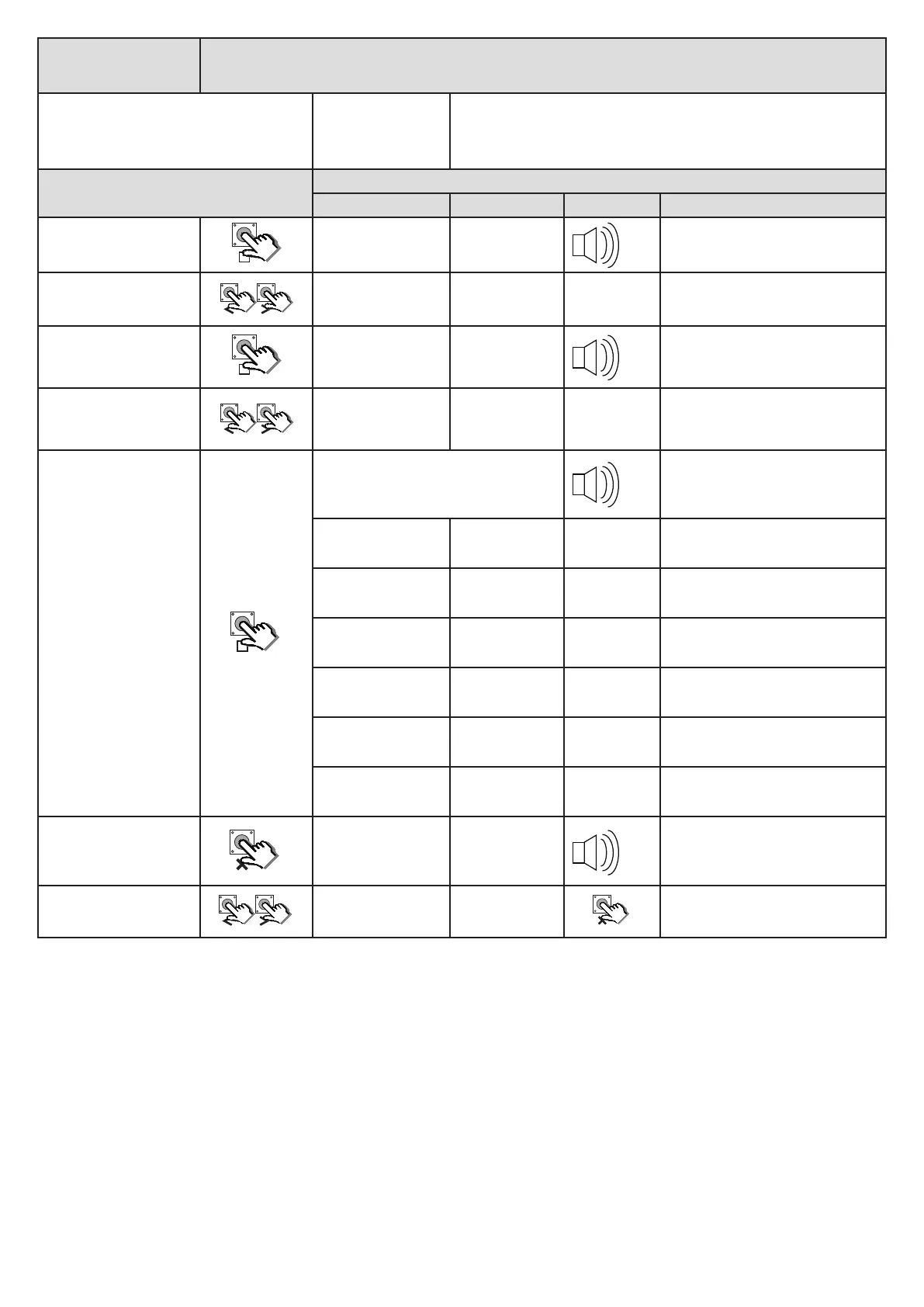
Viewing the receiver version and informaon. “inF”
From Ready status
rdy
The gates can be in any posion when performing this roune.
Acon
Response
Descripon Display Buzzer Gate
To enter the program
menu. Press and hold
unl buzzer beeps.
Display changes to
“Prg” and buzzer
beeps.
pr9
Not appicable.
Use the < or > buons and
scroll unl “rc” displays
Display changes with
each buon press.
rc
Not appicable.
With “rc” on the display,
press and release .
Display changes to
“Lrn” and buzzer
beeps once
lrn
Not appicable.
Use the < or > buons to
select “inf”
Display changes with
each buon press.
inf
Not appicable.
With “inF” on the display,
press and release .
Buzzer beeps once and the display scrolls
through the receiver informaon. Note
the posion of the decimal point each
me the display changes.
Not appicable.
Users already in
memory.
010
Not appicable.
of
Not appicable.
User memory
capacity.
032
Not appicable.
Soware version.
0.02
Not appicable.
Hardware version.
00.3
Not appicable.
Device idencaon.
002.
Not appicable.
When done, press and
release X to return
to the main receiver
programming menu.
Display changes to
“inf” and buzzer
beeps once
inf
Not appicable.
Scroll < or > to next
program opon.
OR
EXIT back to
Ready status
rdy
x2
x1
x1
x1


 To Next Page