32
Basic operang features.
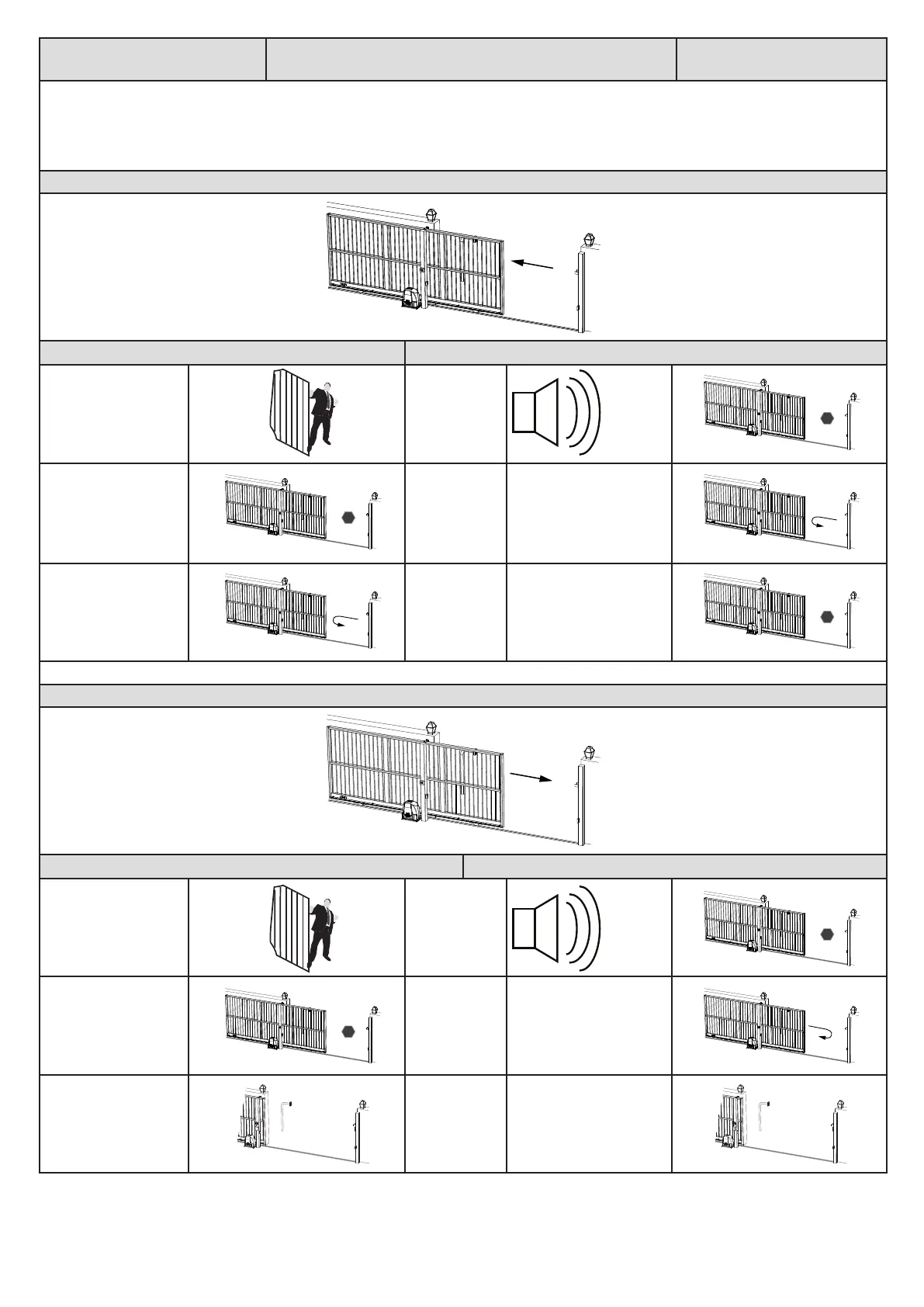
Collision sensing and safety overload rounes
User manual reference -
Page 7
In the case of the gate colliding with an obstrucon, such as a person passing through the entrance way, the collision sensing will automacally
detect the collision and the system will run a safety overload roune. If at anyme the gate collides four mes consecuvely with an obstrucon
without reaching either the closed or open posion succesfully, the unit will iniate mulple collision lock-out. This safety feature is indicated by a
connuous beep tone while holding any trigger buon in and the display shows “coL”. To clear this condion, acvate the manual release and clear
the obstrucon. Re-engage the manual release as per page 10 of this manual and connue to use the system as per normal.
Safety overload roune while gate is opening.
Acon Response
Gate collides with a
pedestrian for example.
Gate stops
opening.
Once gate has stopped.
Gate reverses
momentarily
to release
pressure.
No buzzer tones.
Aer reversing
momentarily.
Gate stops and
waits for next
trigger to close.
No buzzer tones.
Safety overload roune while gate is closing.
Acon Response
Gate collides with a
pedestrian for example.
Gate stops
closing.
Once gate has stopped.
Gate reverses
back to the full
open posion.
No buzzer tone.
Aer reversing to the
full open posion.
Gate remains
in the full open
posion unl
the next trigger
to close.
No buzzer tone.
x1
STOP
STOP
STOP
x1
STOP
STOP


 To Next Page