4-8
DRIVER
CONT
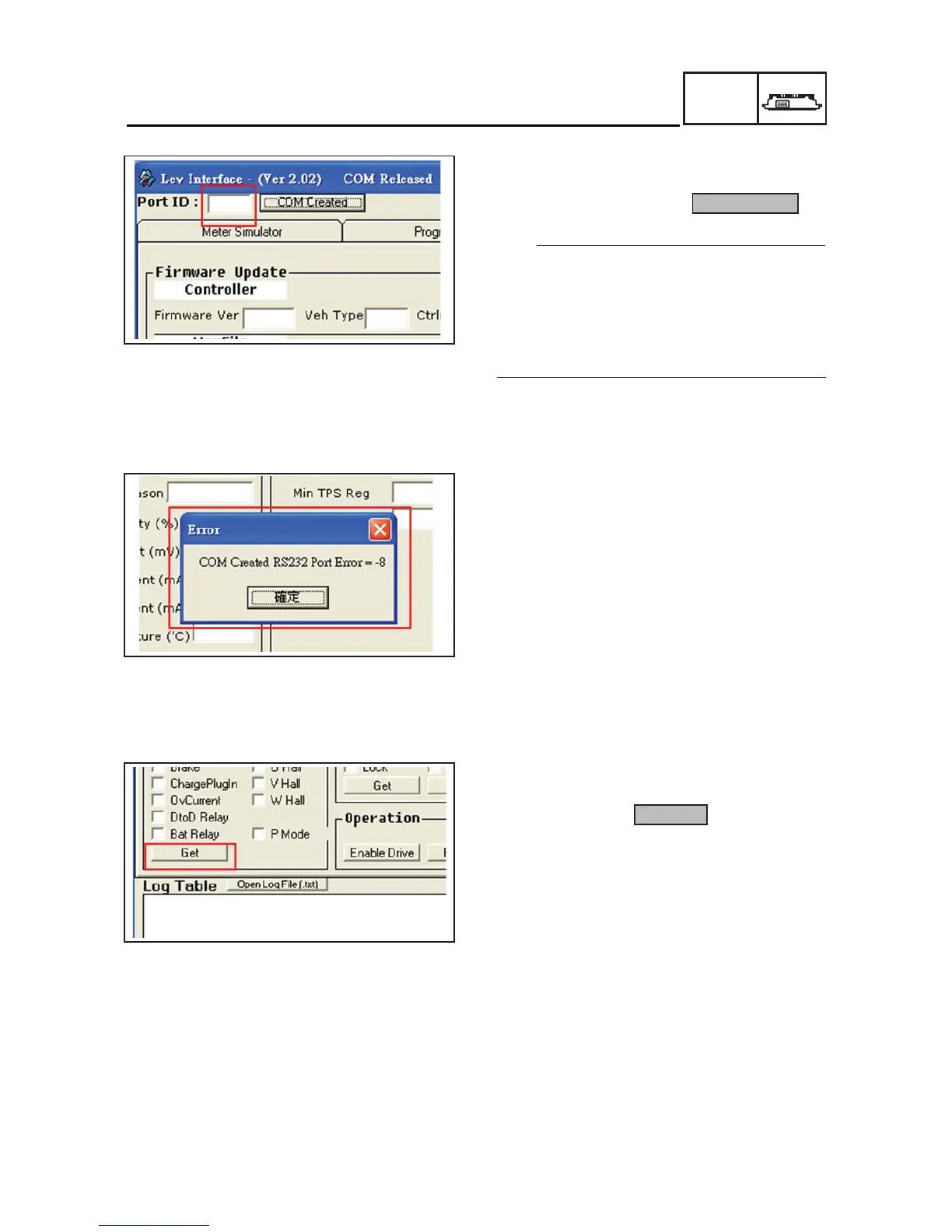
• Fill in LEV in the selected frame for connecting
to the COM port of the computer, such as filling
3 for COM 3 after clicking COM Created .
The COM port position has gotten by click my
FRPSXWHUĺFOLFNULJKWNH\ERDUGĺclick contents
ĺFOLFNKDUGZDUHĺGHYLFHNHHSHUDIWHULQVWDOO
WKHWHVWLQJLQWHUIDFHVRIWZDUHDQGFRQQHFWGULYHU
and computer.
7KHVRIWZDUHRI:LQGRZV;39LVWD
are suitable for use the steps.
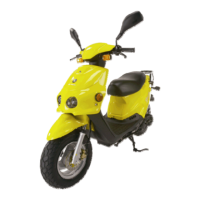
,IRQOLQHFRQQHFWLRQIDLOVDZURQJPHVVDJH
ZLQGRZZLOODSSHDUDVLOOXVWUDWHGLQWKHOHIW
3OHDVHFRQILUPZKHWKHUWKHZLULQJFRQQHFWLRQ
is installed completely and COM port setting is
correct.
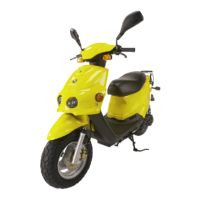
• After successful on-line connection, please
click on the frame Get .
TIP


 To Next Page