i
Table of Contents
Section 1: Read Me First!......................................................... 1
Capabilities and Specifications: IntelliMap 320 ...................... 2
How Eagle GPS Works ................................................................. 4
How To Use This Manual: Typographical Conventions.............. 8
Section 2: Installation & Accessories .................................. 11
GPS Antenna/Receiver Module Installation.............................. 11
Power Connections...................................................................... 12
Mounting the Unit: Bracket, In-Dash or Portable .................... 13
Bracket Installation................................................................ 14
In-Dash Installation ............................................................... 15
Portable Installation............................................................... 16
Other Accessories........................................................................ 18
Section 3: Basic GPS Operations ......................................... 21
Keyboard ..................................................................................... 21
Power/Lights (On and Off) ......................................................... 22
Main Menu .................................................................................. 22
Pages ........................................................................................... 24
Satellite Status Page .............................................................. 24
Navigation Page...................................................................... 25
Map Page................................................................................. 28
Background Map vs. Mapcreate Map Content ...................... 29
Basic GPS Quick Reference ..................................................33
Find Your Current Position........................................................ 34
Moving Around the Map: (Zoom & Cursor Arrow Keys)........... 34
Selecting Any Map Item With the Cursor ................................. 35
Searching..................................................................................... 35
Set a Waypoint............................................................................ 37
Navigate To a Waypoint ............................................................. 39
Set Man Overboard (MOB) Waypoint........................................ 40
Navigate Back To MOB Waypoint............................................. 40
Navigate To Cursor Position On Map........................................ 41
Navigate To a Point of Interest.................................................. 43
Creating and Saving a Trail....................................................... 43
Displaying a Saved Trail ............................................................ 45
Navigating Trails........................................................................ 45
Transfer Custom Maps and GPS Data Files ............................. 48
Cancel Navigation....................................................................... 51
Section 4: Advanced GPS Operations................................. 53
Find Distance From Current Position To Another Location .... 53
Find Distance From Point To Point ........................................... 53
Icons............................................................................................. 54


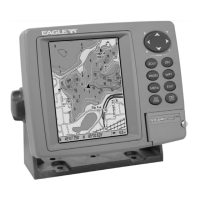
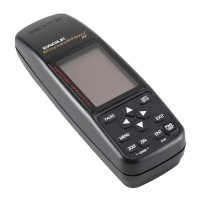
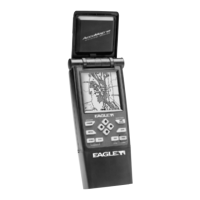
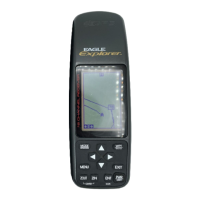


 To Next Page