69
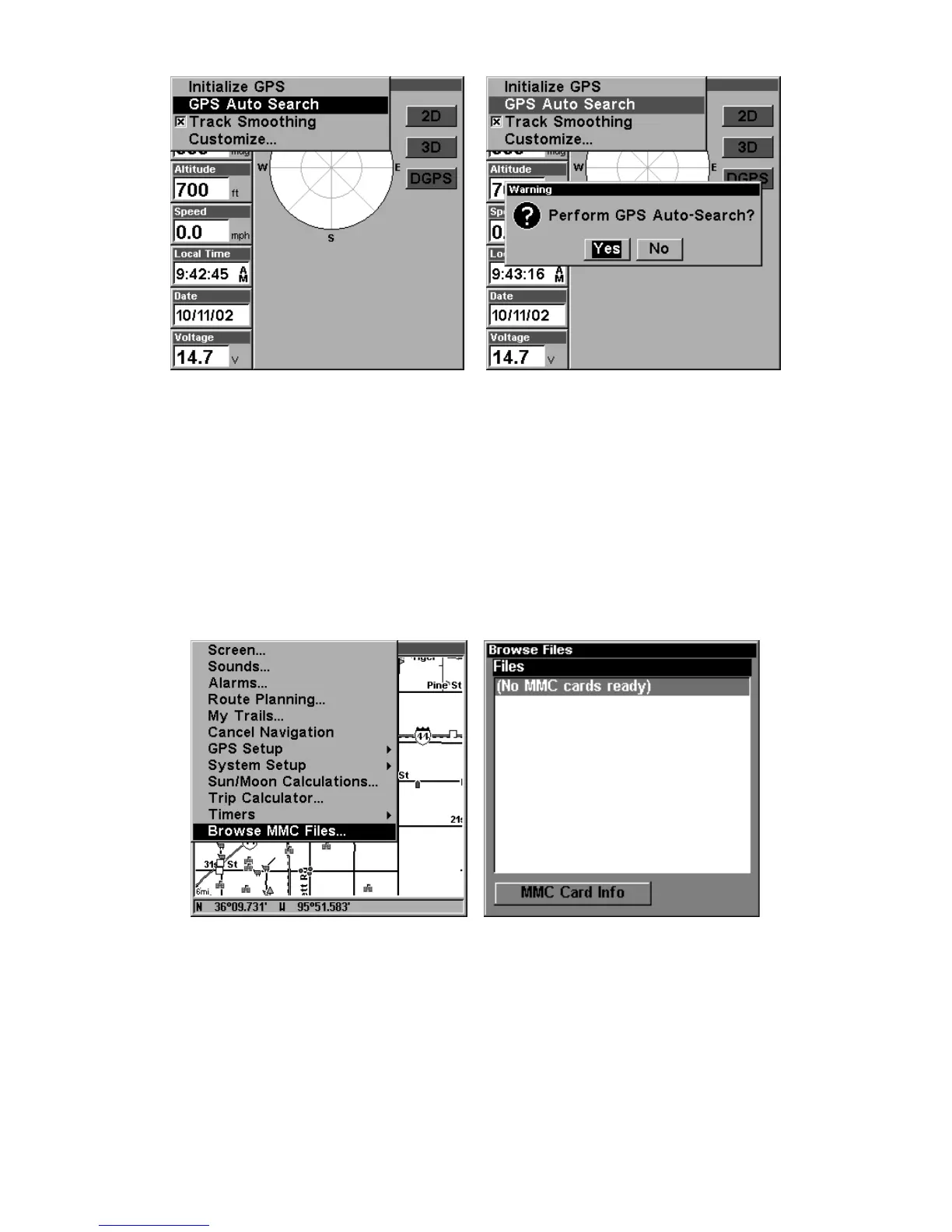
GPS Auto Search on the Satellite Status Menu.
You can force the unit to immediately kick into auto search mode.
Here's how:
1. Press
PAGES
until you are on the Satellite Status screen.
2. Press
MENU
|
ENT
|← to
Y
ES
|
ENT.
Check MMC Files and Storage Space
To check MMC Files:
Press
MENU
|
MENU
|↓ to
B
ROWSE
MMC F
ILES
|
ENT.
Main Menu, left, MMC File Browser, right.
Coordinate System Selection
The Coordinate System Menu lets you select the coordinate system to
use when displaying and entering position coordinates.



 To Next Page