16
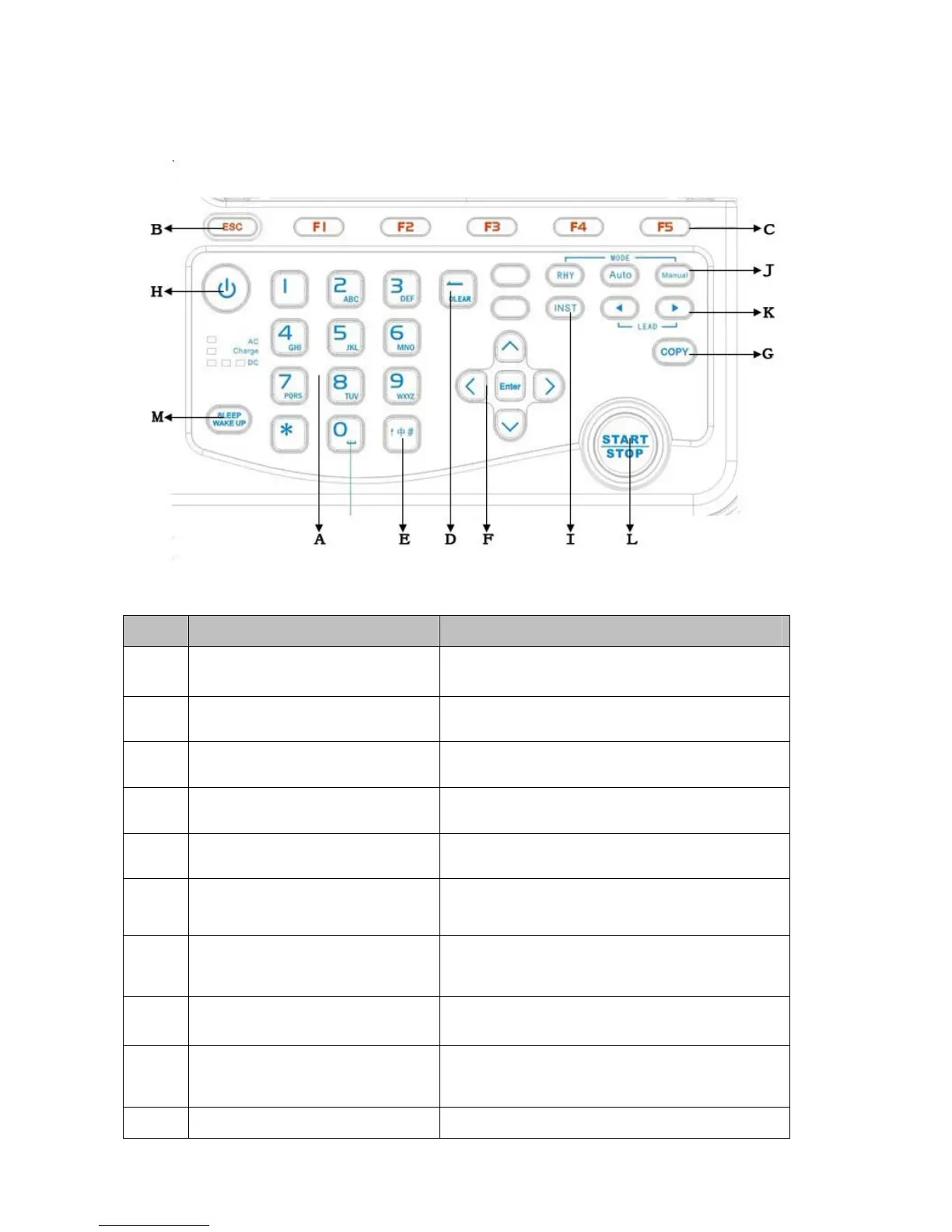
3.1.5 Keyboard and its functions
Sign Button name Function description
A Numbers and letters input Enter numbers, letters and signs
B ESC Cancel operation
C Function buttons Select screen menu functions
D Backspace Delete the character to the left of the cursor
E Input method Choose the input methods: English / Numbers
F Five-way navigation buttons Up, down, left, right and action.
G Copy button
Copy the last ECG signals when the system
works in automatic model.
H ON/OFF Turn on or off the ECG.
I Reset
Make lead input fast and stable and reset lead
print output
J Recording mode Select recording modes: manual, automatic and



 To Next Page