30
Rhythm mode: under rhythm mode, users can select rhythm lead group and record its rhythm
waveforms.
5.3.1 Manual Mode
Under manual mode, “Manual 1”, “Manual 2”, “Manual 3” and ”Manual 6” ( “Manual 6” is
applicable for EM-601 only) can be selected by pressing 【manual】button.
Manual1: ECG is set to display single lead. The users can record the ECG waveforms for a single
lead;
Manual 2: ECG is set to display two leads simultaneously. The users can record the ECG
waveforms for two leads;
Manual 3: ECG is set to display three leads simultaneously. The users can record the ECG
waveforms for three leads;
Manual six leads: ECG is set to display six leads simultaneously. The users can record the ECG
waveforms for six leads; (Note: “Manual 6” is applicable for EM-601)
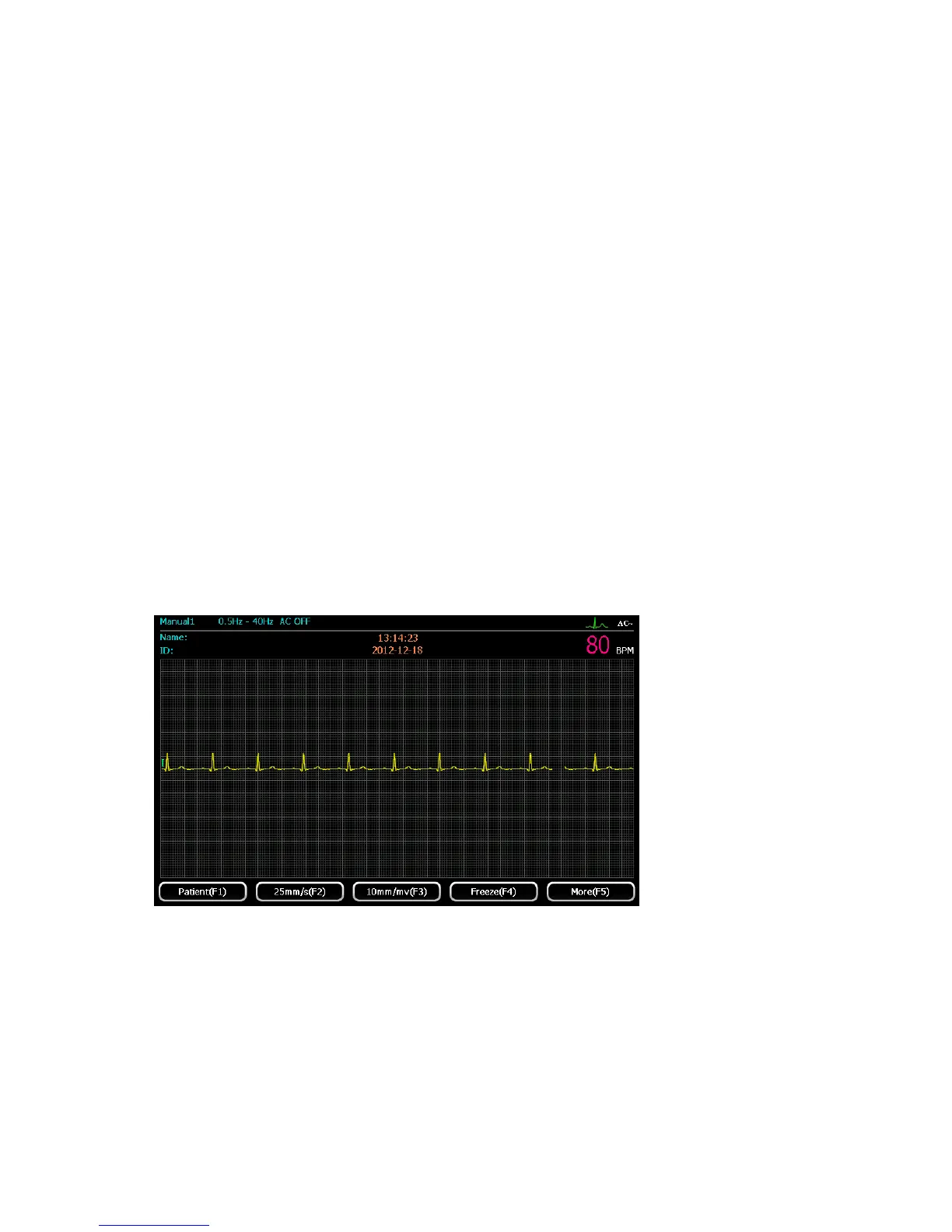
Manual1
Select “Manual 1” mode by pressing 【manual】 button. Users can select one lead in 12 leads to
display. The display interface is shown as the below:
1)Press 【F2】 to set required paper speed. Four kinds of speed are available for selection:
6.25mm/s, 12.5mm/s, 25mm/s and 50 mm/s;
2)Press 【F3】to set sensitivity level. Four kinds of sensitivity are available for selection:
2.5mm/mV, 5mm/mV, 10mm/mV and 20mm/mV;
3)When waveforms are stable, press 【START/STOP】button to start printing records (record



 To Next Page