39
5.6.1 Management Setup
5.6.2 Print setup
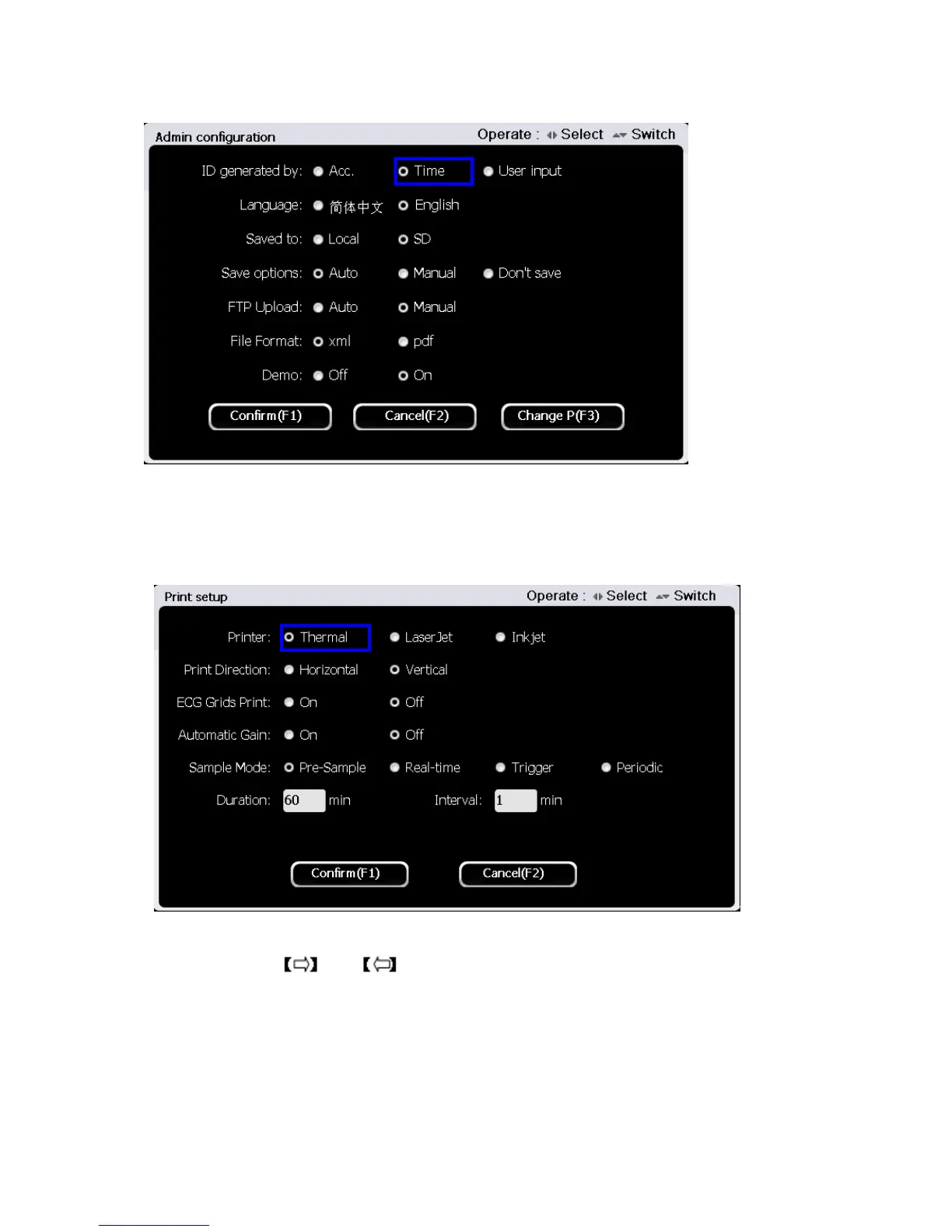
Press button【1】to enter print setup interface in the system setup interface. The interface is
shown as the figure below:
At the print setup interface, use 【▲】and【▼】button to select setting items among Printer, Record order and ECG
grids print, and then use and to set
Printer: Thermal Printer, Laser Printer and Ink Printer.
Record order: sequential and simultaneous.
ECG grid print: enable and disable grid printing on the recording paper
1)When the record order is set to be sequential, the leads will acquire data sequentially.
2)When the record order is set to be simultaneous, the leads will acquire data simultaneously.



 To Next Page