40
Press 【F1】 button to save print setup and return, or press 【F2】 button to cancel and return.
5.6.3 Auto analysis setup
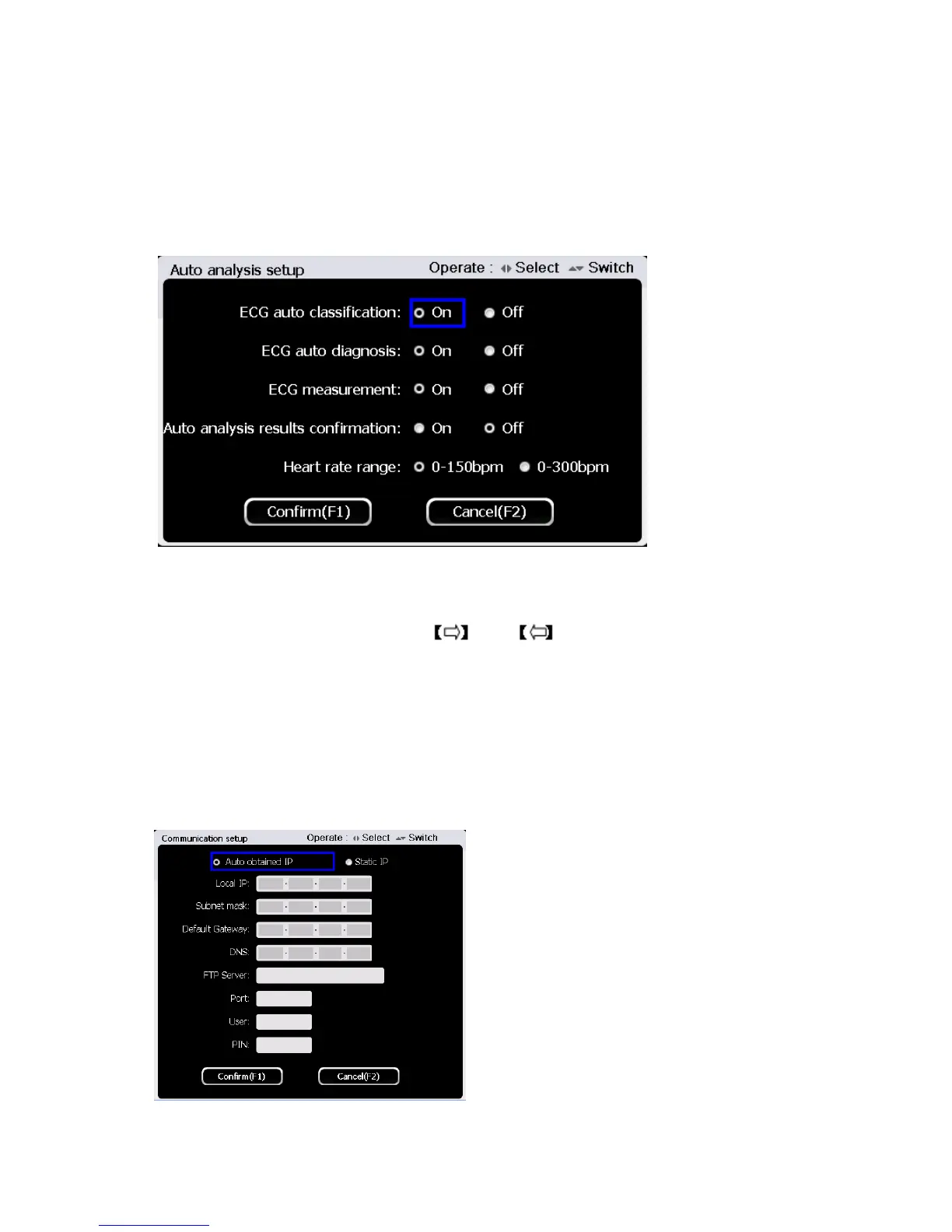
Press button【2】to enter auto analysis setup at the system setup interface. The interface is shown as
below:
In auto analysis setup interface, use 【▲】and【▼】button to select setting items among “ ECG auto
classification”, “ECG auto analysis function”, “ECG measurement”, “Auto analysis results
confirmation “and ” Heart rate range”. use and to “enable” and “disable”.
Press 【F1】 button to save auto analysis setup and return, or press 【F2】 button to cancel and
return.
5.6.4 Communication setup
Press【3】to enter communication setup at the system setup interface. The interface is shown as
figure below:
At the communication setup interface, use 【▲】and【▼】button to select setting items, and use



 To Next Page