43
At the time and date setup interface, use 【▲】and【▼】button to select setting items of “date
format”, “date”, “time format” and “time”, and use and button and number key to
set and input.
Date/Time: users can set current date and time. Date and time will be displayed on the main User
interface;
Date format: yyyy—mm—dd, mm—dd—yyyy and dd—mm—yyyy;
Time format: 24-hour and 12-hour
Press【F1】 button to save time and date setup and return, or press 【F2】 button to cancel and
return.
5.6.9 Lead selection setup
Press button【8】to enter lead selection setup at the system setup interface. For details, please refer to
chapter 5.4.
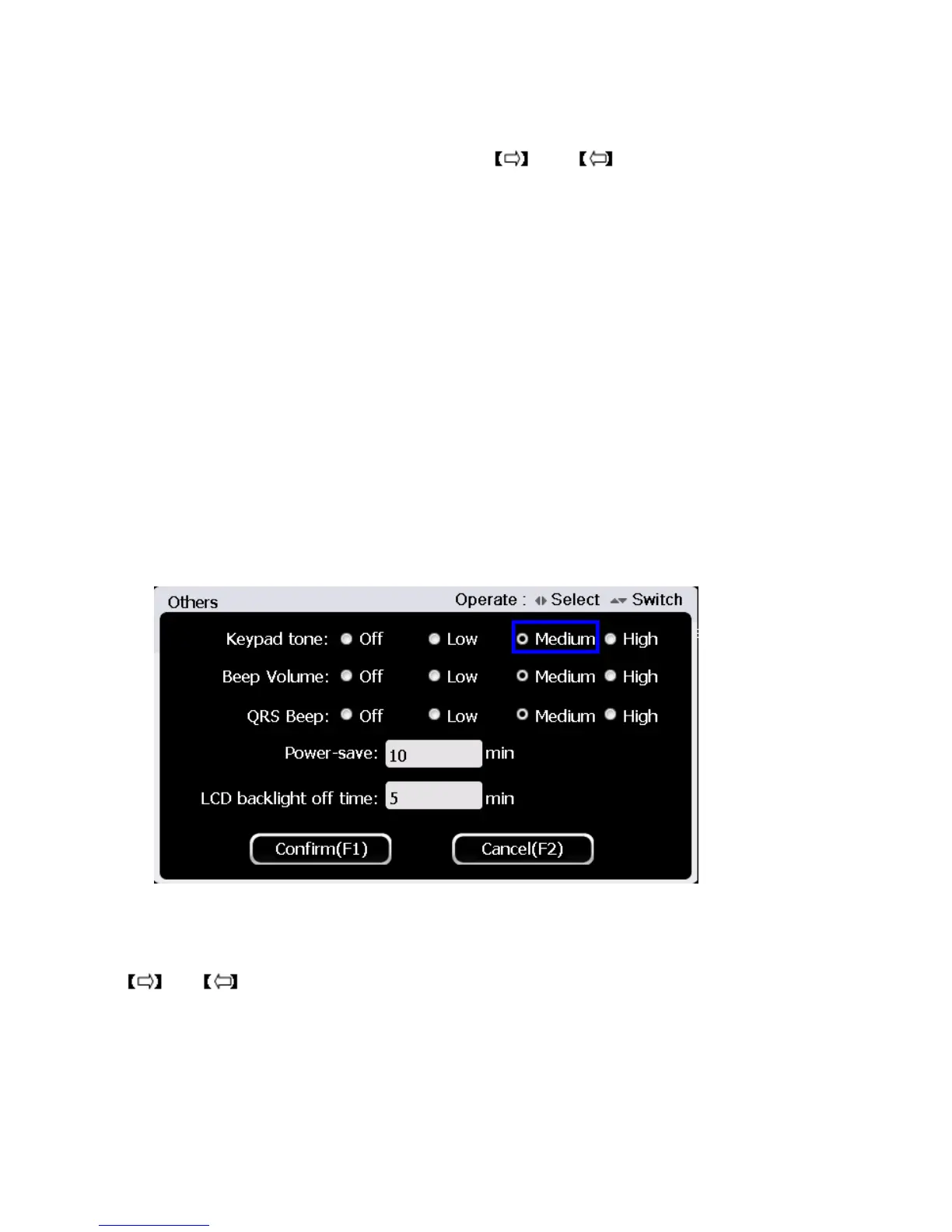
5.6.10 Others
Press button【9】to enter other setup at the system setup interface, the interface is shown as
below:
At the other function setup interface, use 【▲】and【▼】button to select setting items among
“keypad tone”, “Beep volume”, “QRS Beep”, “Power-save” and “LCD backlight off time”, and use
and button and number key to select and input.
Press 【F1】 button to save others setup and return, or press 【F2】 button to cancel and return.



 To Next Page