Operation
Section 5
Digital Satellite Receiver Page 5 - 11
© 2001 EchoStar International Corporation
All rights reserved
5
3.1. TO SET A TIMER
CAUTION
Note that the VCR timer does not start or program your video recorder (VCR). You
have to set the timer of your VCR also to the same time as on the receiver. Please
refer to the user’s guide of your VCR how to record from a satellite receiver. On
quite a lot of VCRs you have to select the so called external channel (E1)
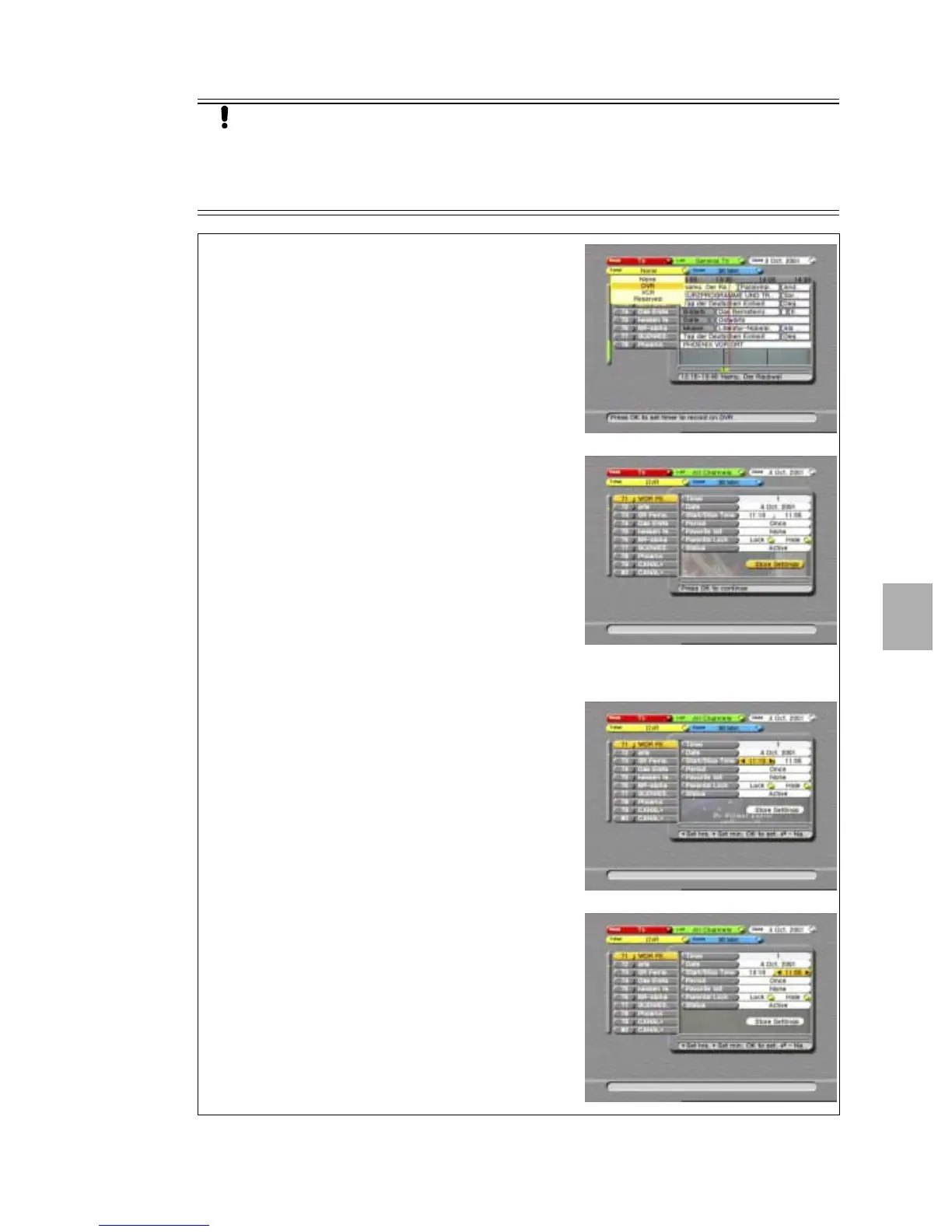
1. On the RCU, press the EPG key.
2. If EPG data is available, select a program in the
future (right of the red line in the EPG window);
3. If no EPG data is available, select the correct
channel.
4. Read the available help text for information.
5. On the RCU press the YELLOW key.
6. Select the required timer.
7. When the timer appears, if necessary:
8. Change the date:
a. use thekey, to go to the Date;
b. read the available help text for information;
c. press the OK key to change the date;
d. in the calendar, select the required date;
e. press the OK key to return to the timer.
NOTE
Be aware that the shown EPG start/stop time might
not be the same as the actual start/stop times,
because of last minute program changes.
9. Change the start time:
a. use thekey, to go to the Start Time;
b. read the available help text for information;
c. press thekeys to set the hours;
d. press the OK key to go to the minutes;
e. press thekeys to set the minutes.
10. Change the stop time:
a. use thekey, to go to the Stop Time;
b. read the available help text for information;
c. press thekeys to set the hours;
d. press the OK key to go to the minutes;
e. press thekeys to set the minutes.











 To Next Page