EC-PM-80320 User's Manual
- 22 -
Subnet Mask: The subnet mask of the printer wireless card. You can modify it if necessary.
Security Mode: The security mode of the printer wireless card. You can modify it if necessary.
If the connection between printer and computer is exceptional, please restart the printer or modify
“Channel’ in “AP Client”.
(2) AP connected printing
AP connected printing is a way of printing which connects the printer with the wireless equipment by
the outer hotspot.
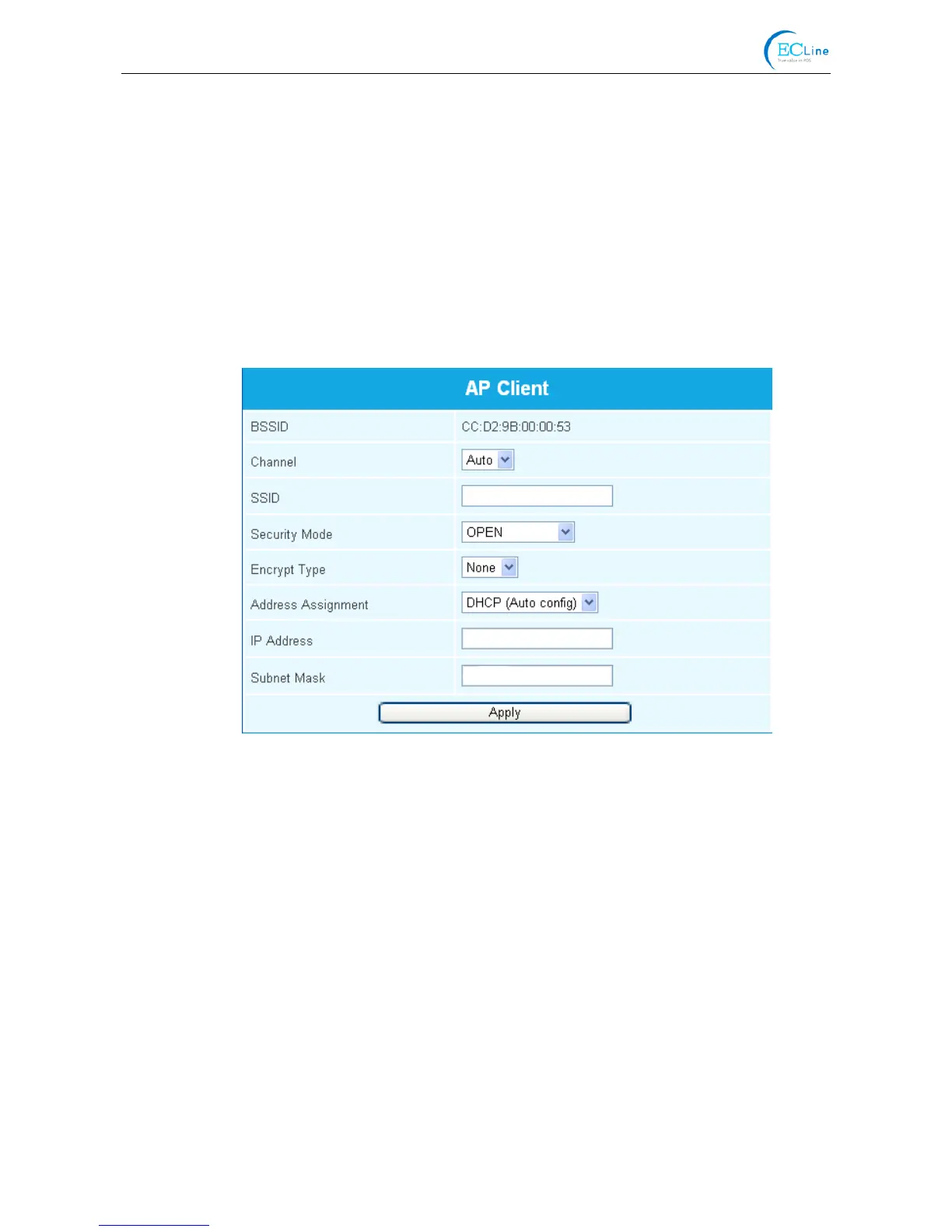
“AP Client” (as shown in Figure 7) includes the setting parameters of AP connection. Please fill in the
information of current outer hotspot in the corresponding place. The parameters of the printer
should match that of the current outer hotspot so as to make the communication successful. Please
input them correctly.
Description in “AP Client”
BSSID: The address of the printer wireless card in “AP Client”, which is the MAC address. (Valid
when it’s in AP connected printing)
Channel: Select the corresponding channel according to the hotspot setting (Automatic is
recommended).
SSID: The Wi-Fi name of the current hotspot.
Security mode: Select the corresponding security mode according to the hotspot setting.
Encrypt type: Select the corresponding encrypt type according to the hotspot setting.
Acquiring and Setting the Security Mode and Encrypt Type
There are three ways to acquire security mode and encrypt type:
(1) Get the security mode and encrypt type according to the corresponding network information
given by the network administrator
(2) Find them by entering the router of hotspot with the administrator’s account.
(3) Find them through Windows operating system and the steps are shown below (Take WIN XP
as an example):
Figure 7



 To Next Page