EC-PM-80320 User's Manual
- 41 -
Chapter 4 Installing and Replacing the Roll Paper
The printer can install the paper which should be 80mm wide conveniently. How to deal with the
paper will be explained in details in this chapter.
4.1 Paper Installation Steps
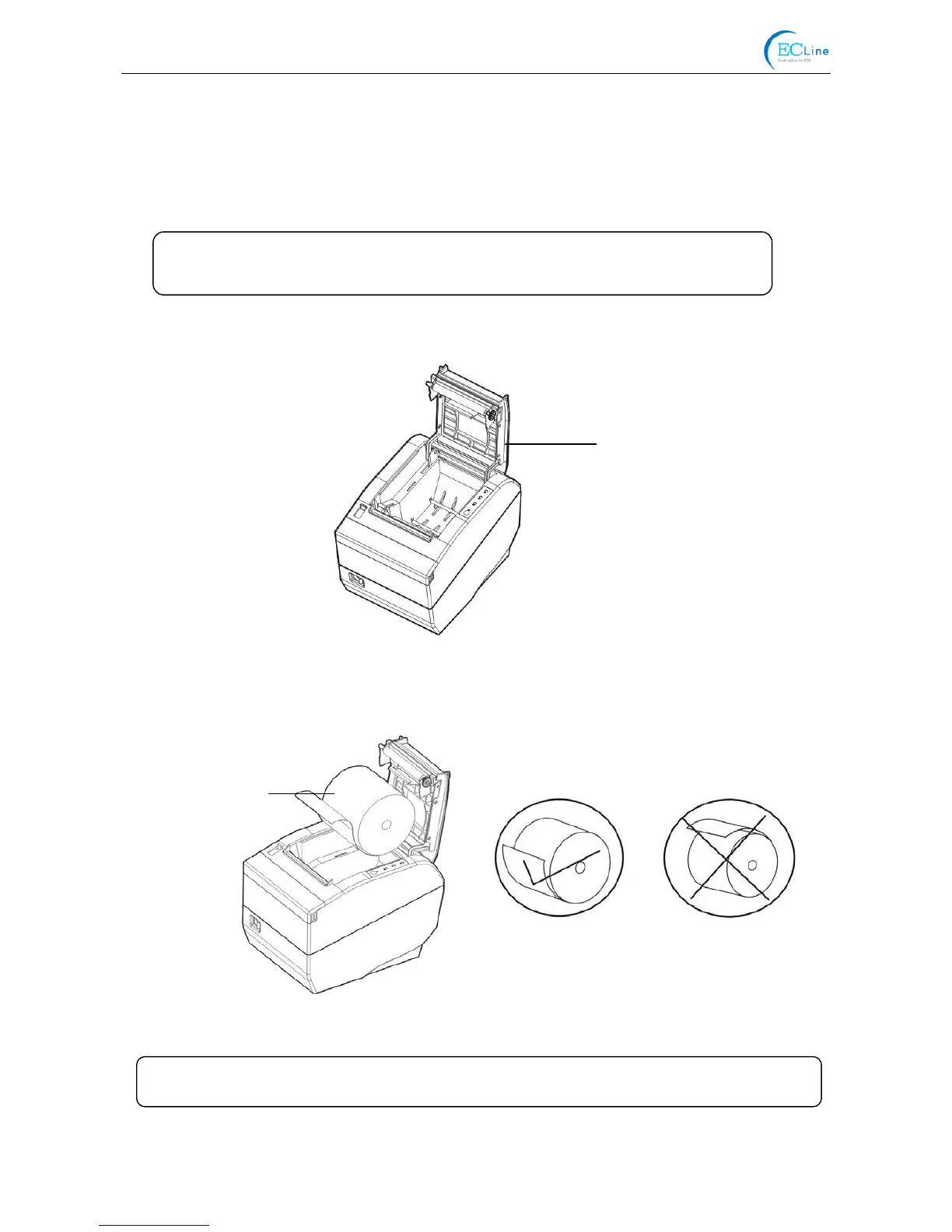
1. Push the cover-open lever, open the upper cover.
2. Load the roll paper into the paper holder.
3. Pull out a small amount of paper as shown in Figure 4-3.
Figure 4-2 Load the roll paper
Figure 4-1 Open the upper cover
Upper Cover
Error
Correct
Roll Paper
Note: 1. Don’t touch the thermal print head after printing to avoid getting burned.
2. Don’t pull the paper out directly with your hand.
Note: Paper head should be placed down and pulled towards the pape



 To Next Page