EC-PM-80320 User's Manual
- 40 -
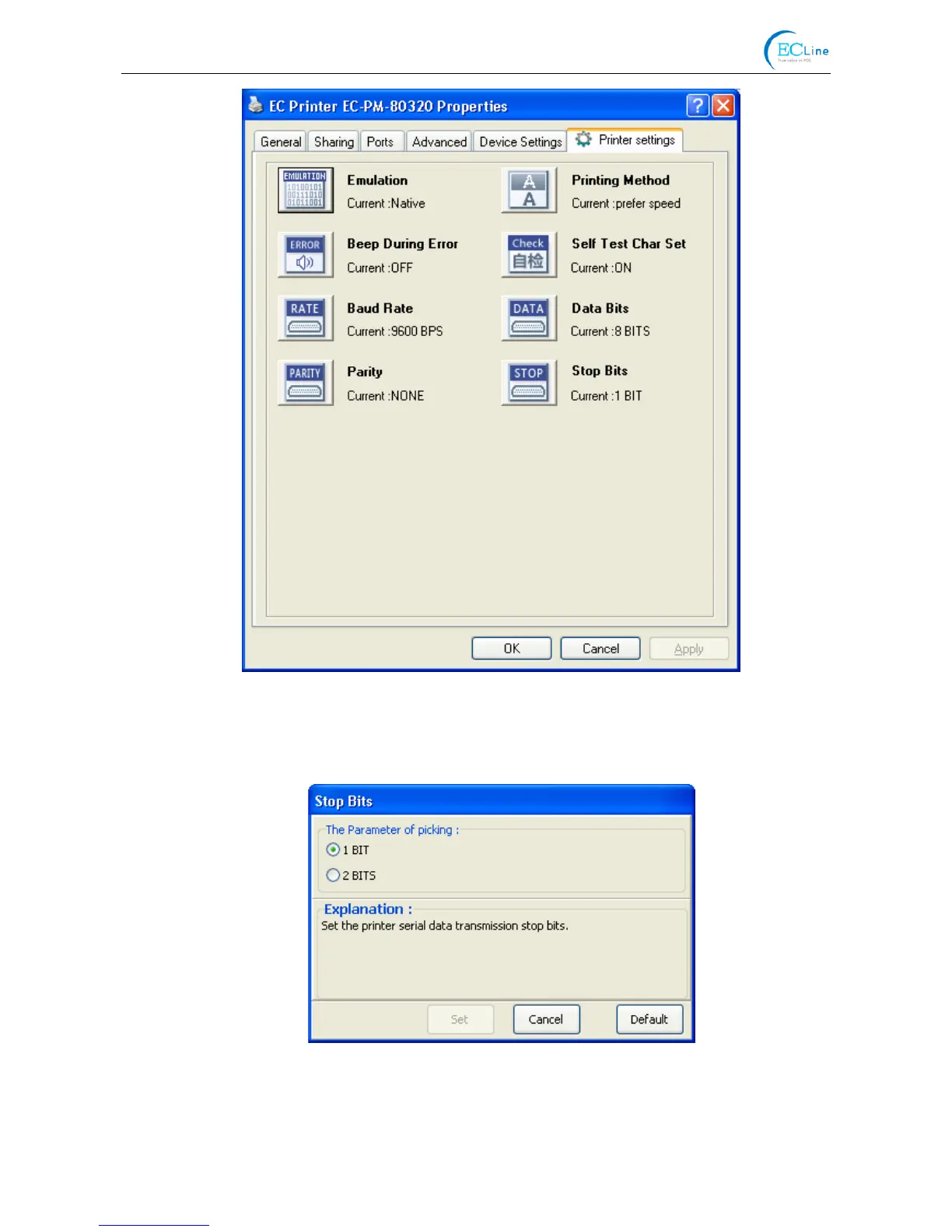
6. To set parameter, first click the parameter icon, then open the parameter setting window. There
are Parameter options, Explanation and Control buttons in the window. Select the corresponding
parameter and click “Set”; the printer will change the setting at the time it receives the command.
Click “Cancel” to return to the upper window and click “Default” to display the default settings of
this menu items.
7. If you want to set several parameters, please refer to the previous point and set the parameter
one by one.
8. When the setting is finished, click “Set” to exit the window of “Properties”.
9. Restart the printer and the new settings take effect.



 To Next Page