BAT-I2 USER MANUAL
17
Chapter 2
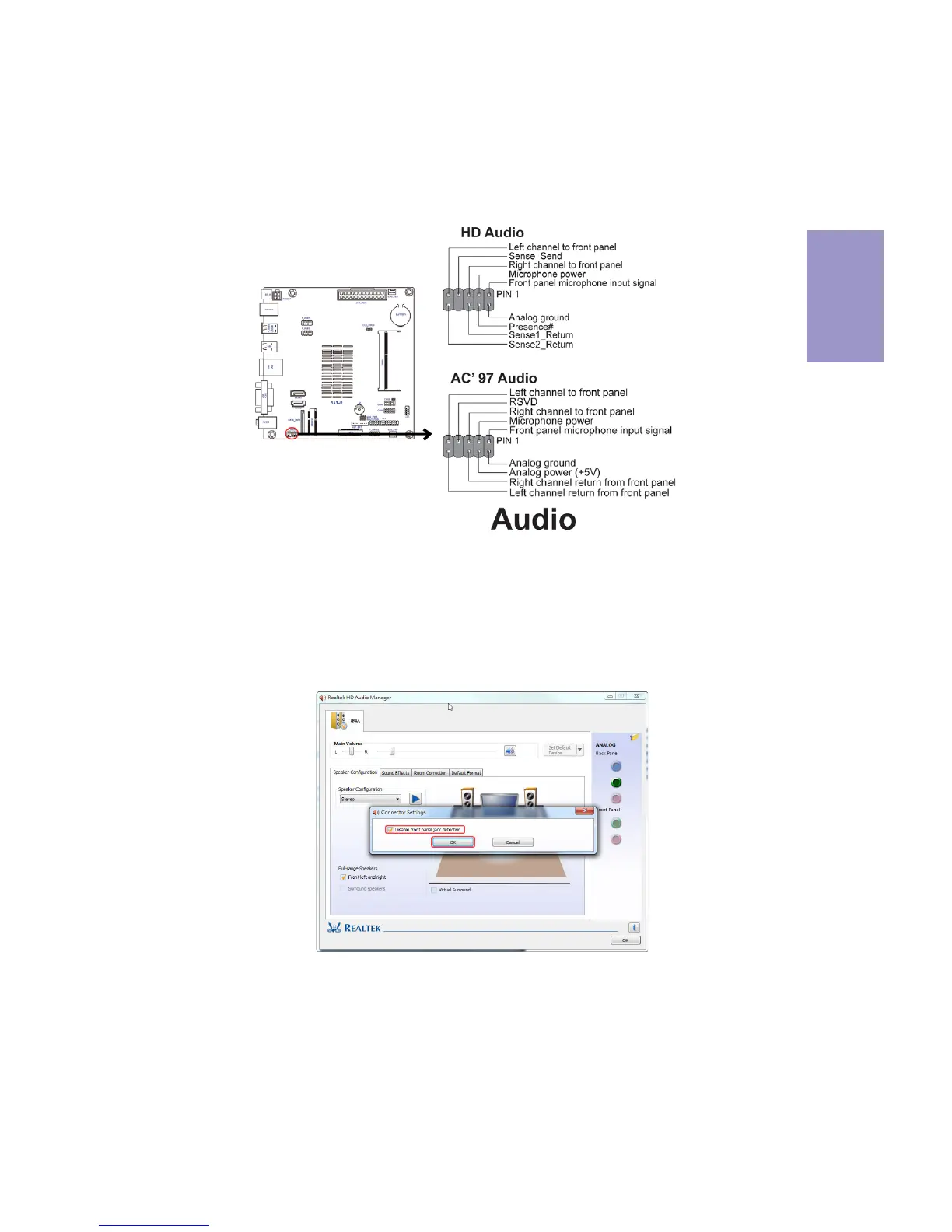
The front panel audio header allows the user to install auxiliary front-oriented
microphone and line-out ports for easier access. This header supports HD audio by
default. If you want connect an AC
’ 97 front panel audio to HD onboard headers,
please set as below picture.
7. F_AUDIO: Front Panel Audio Header
If you use AC’ 97 Front Panel, please tick off the option of “ Disabled Front Panel
Detect
”. If you use HD Audio Front Panel, please don’ t tick off “Disabled Front Panel
Detect
” .
* For reference only
AC’ 97 Audio Configuration: To enable the front panel audio connector to
support AC97 Audio mode.


 To Next Page