EasyManua.ls Logo

ECS K7S6A - Installing the Mainboard in a Case

ECS K7S6A
80 pages
Print Icon
To Next Page IconTo Next Page
To Previous Page IconTo Previous Page
Loading...
13
I
I
n
n
s
s
t
t
a
a
l
l
l
l
i
i
n
n
g
g
t
t
h
h
e
e
M
M
a
a
i
i
n
n
b
b
o
o
a
a
r
r
d
d
i
i
n
n
a
a
C
C
a
a
s
s
e
e
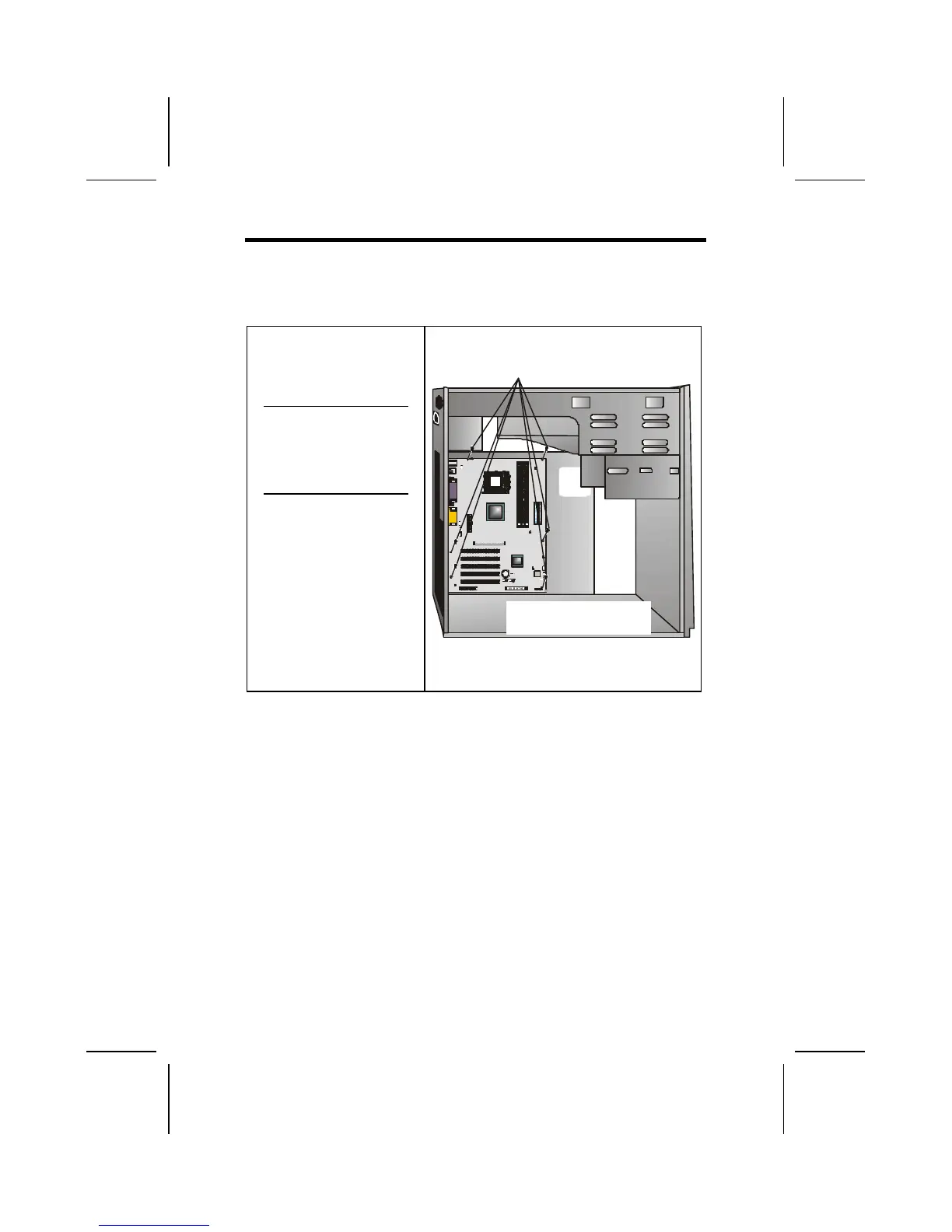
Refer to the following illustration and instructions for installing
the mainboard in a case:
This illustration shows
an example of a main-
board being installed in
a tower-type case:
Note: Do not over-
tighten the
screws as this
can stress the
mainboard.
Most system cases have
mounting brackets in-
stalled in the case,
which correspond to the
holes in the mainboard.
Place the mainboard
over the mounting
brackets and secure the
mainboard into the
mounting brackets with
screws.
2. Secure the screws in the
mainboard holes that align
with the chassis holes
1. Place the mainboard
over the case fasteners
The mainboard has a set of I/O ports on the rear edge. En-
sure that your case has an I/O template that supports the I/O
ports and expansion slots.

Table of Contents

Related product manuals