32
C
C
o
o
n
n
n
n
e
e
c
c
t
t
i
i
n
n
g
g
I
I
/
/
O
O
D
D
e
e
v
v
i
i
c
c
e
e
s
s
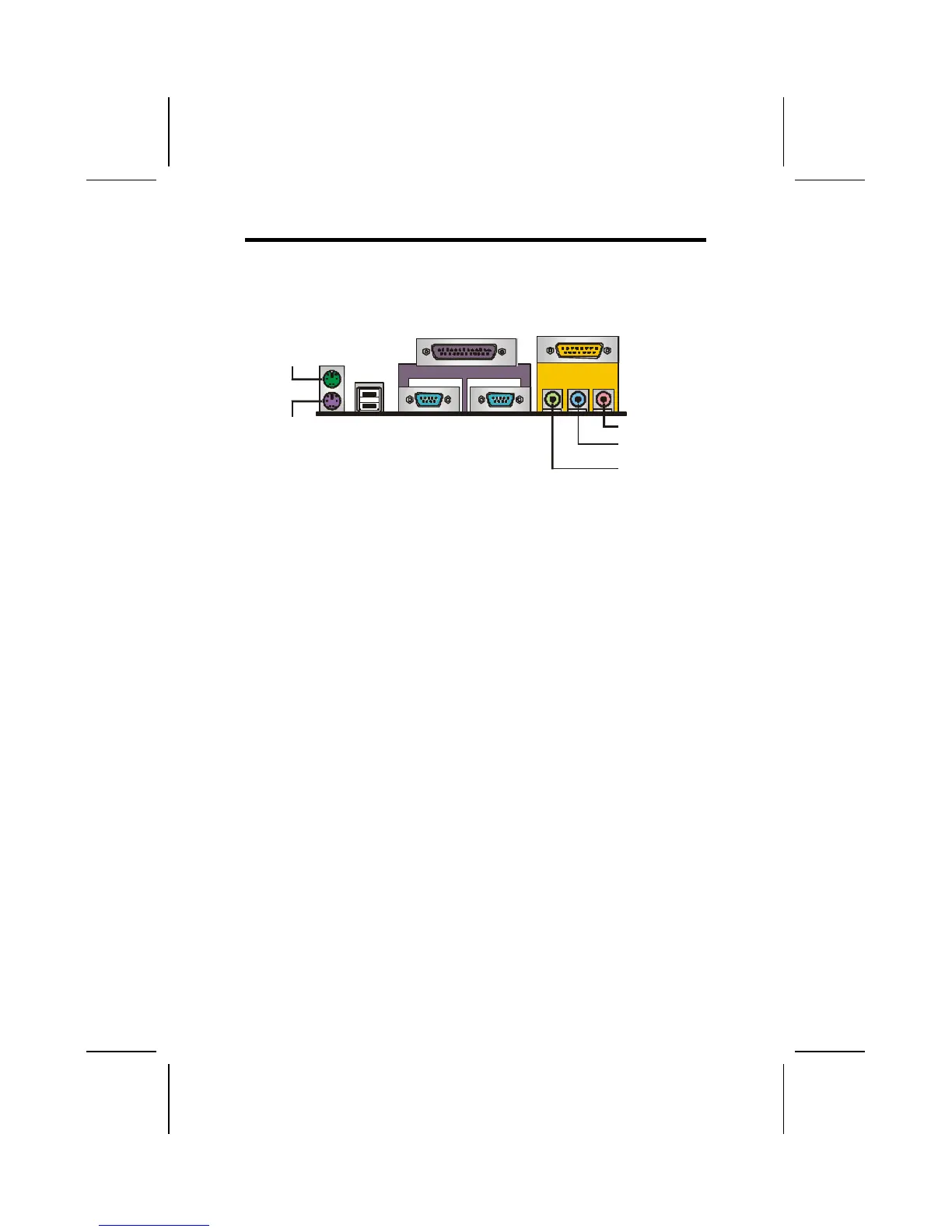
The backplane of the mainboard has a full set of I/O ports:
PS/2
mouse
PS/2
keyboard
USB
ports
Parallel port (LPT1)
Serial port
COM 1
Serial port
COM 2
Line-in
Game port
Microphone
Line-out
1. Use the upper PS/2 port to connect a PS/2 pointing
device. Use the lower PS/2 port to connect a PS/2
keyboard.
2. Use the USB ports to connect USB devices.
3. Use LPT1 to connect printers or other parallel commu-
nications devices.
4. Use the COM ports to connect serial devices such as
mice or fax/modems. COM1 is identified by the system
as COM1/3. COM2 is identified by the system as
COM2/4.
5. Use the game port to connect a joystick or a MIDI de-
vice.
6. Use the three audio ports to connect audio devices.
The left side jack is for a stereo line-out signal. The
middle jack is for a stereo line-in signal. The right side
jack is for a microphone.



 To Next Page