20
Installation Procedure
The mainboard accommodates three memory modules. You
must install at least one module in any of the three slots. Each
module can be installed with 32 MB to 512 MB of memory; to-
tal memory capacity is 1.5 GB (PC200/PC266 DIMM) or 1.0
GB (PC333 DIMM).
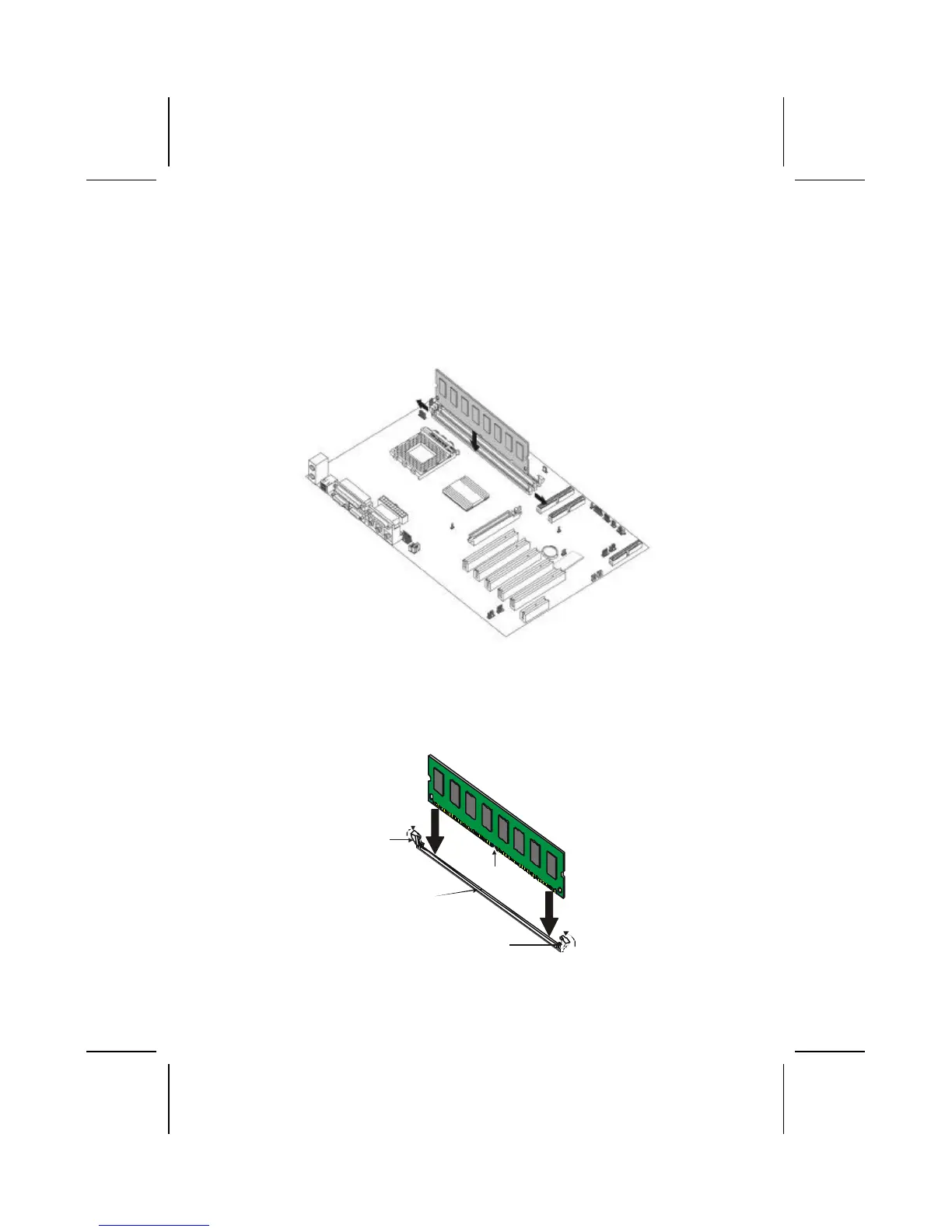
1. Align the memory module with the slot. The DIMM
slots are keyed with notches and the DIMMs are keyed
with cutouts so that they can only be installed correctly.
Check that the cutouts on the DIMM module edge
connector match the notches in the DIMM slot:
Cutout
Notch
Latch
Latch
2. Push the latches on each side of the DIMM slot down.



 To Next Page