Home
ECS
Motherboard
K7S6A
Page 33 (Connecting Optional Devices)
ECS K7S6A - Connecting Optional Devices
80 pages
Manual
Save Page as PDF
To Next Page
To Next Page
To Previous Page
To Previous Page
Loading...
27
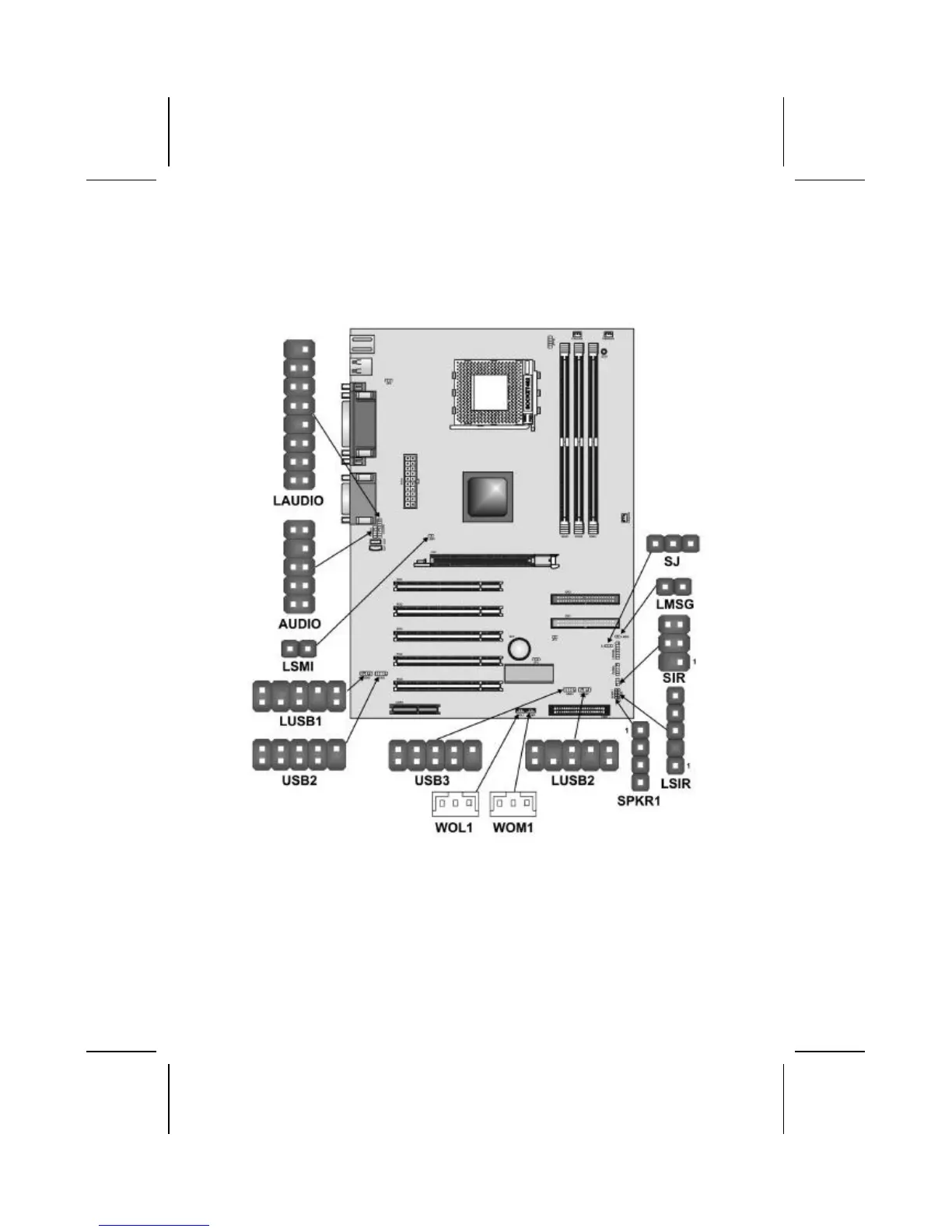
Connecting Optional Devices
Refer to the following for information on connecting the mai
n-
board’s op
tional devices:
AUDIO: Front Audio Connector
This connector is used to attach to Audio equipment embe
d-
ded into or attached to the case.
32
34
Table of Contents
Main Page
Default Chapter
3
Canadian Department of Communications
3
Declaration of Conformity
3
About the Manual
4
Table of Contents
5
CHAPTER 1 Introducing the Mainboard
7
Introduction
7
Checklist
7
Standard Items
7
Features
8
Mainboard Components
10
Choosing a Computer Case
12
CHAPTER 2 Installing the Mainboard
13
Safety Precautions
13
Quick Guide
14
Checking Jumper Settings
15
Setting Jumpers
15
Checking Jumper Settings
16
Jumper Settings
17
Installing the Mainboard in a Case
19
Connecting Case Components
20
The Panel and Lpanel Connectors
21
Installing Hardware
22
Installing the Processor
22
Cpu Installation Procedure
23
Install Memory Modules
25
Installation Procedure
26
Installing a Hard Disk Drive/CD-ROM
27
Installing a Hard Disk Drive
28
Installing a Floppy Diskette Drive
30
Installing Add-On Cards
31
Connecting Optional Devices
33
Connecting I/O Devices
38
External Connector Color Coding
39
CHAPTER 3 Using BIOS
40
About the Setup Utility
40
The Standard Configuration
41
Entering the Setup Utility
42
Updating the BIOS
43
Using BIOS
44
Standard CMOS Features
44
Date and Time
45
Advanced BIOS Setup Option
47
Advanced Chipset Features Option
51
Advanced Dram Control
52
Integrated Peripherals Option
54
Power Management Setup Option
59
Pm Wake up Events
63
PNP/PCI Configuration Option
64
Pci Health Status Option
66
Shutdown Temperature
66
Frequency/Voltage Control
67
Load Fail-Safe Defaults Option
68
Load Optimized Defaults Option
68
Set Password Option
69
Save & Exit Setup Option
70
Exit Without Saving
70
CHAPTER 4 Using the Mainboard Software
71
About the Software CD-ROM
71
Auto-Installing under Windows 98
72
Running Setup
73
Manual Installation
75
Utility Software Reference
75
Recovery Genius
76
APPENDIX A Setting Jumpers
78
Jumper Settings
78
The Panel and Lpanel Connectors
80
Related product manuals
ECS K7S5A
41 pages
ECS K7SOM+
43 pages
ECS K7S5A Pro
44 pages
ECS K7VMM+
44 pages
ECS KAM1-I
61 pages
ECS KM400-M2
67 pages
ECS KV2 Extreme
111 pages
ECS G31T-M7
54 pages
ECS G41T-M7
68 pages
ECS H81H3-M
74 pages
ECS H81H3-M4
30 pages
ECS H61H2-M2
66 pages



 To Next Page