We recommend that you use an address from a block
that is reserved for private use. This address block is
192.168.1.1- 192.168.255.254
Select this checkbox to enable the secondary LAN IP.
The two LAN IP must be in the different network.
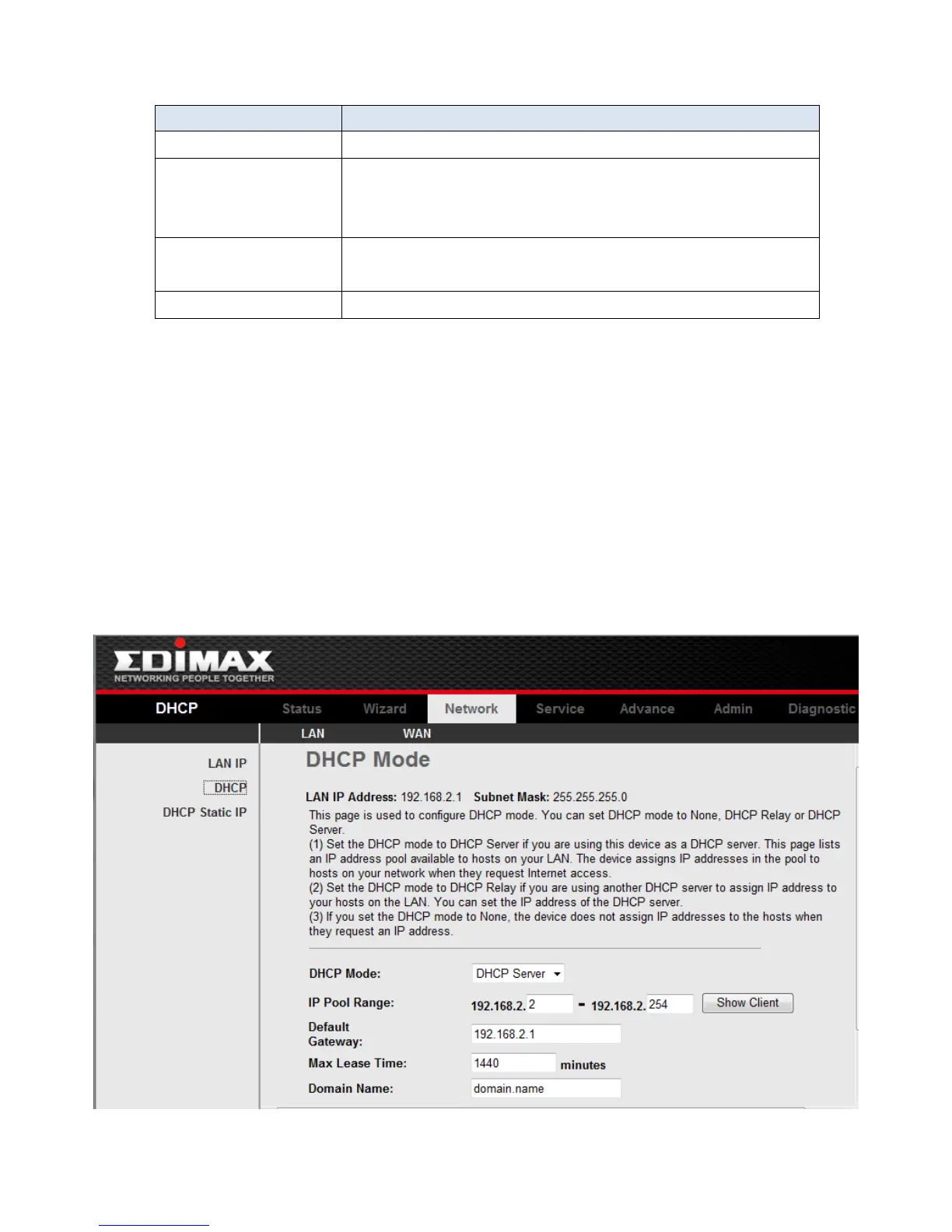
3-4-2 DHCP Settings
DHCP(Dynamic Host Configuration Protocol) allows the individual client(computers) to
obain the TCP/IP configuration at start-up from the centralize DHCP server. You can
configure this router as a DHCP server or disable it. DHCP server can assign IP address, an IP
default gateway and DNS server to DHCP clients. This router can also act as a surrogate
DHCP server(DHCP Proxy) where it relays IP address assignment from a actual real DHCP
server to clients.
If the DHCP was disabled, the screen of Fig 3.4.2-1 appears. You can enable/disable
DHCP Server or DHCP Proxy.
Fig 3.4.2-1



 To Next Page