59
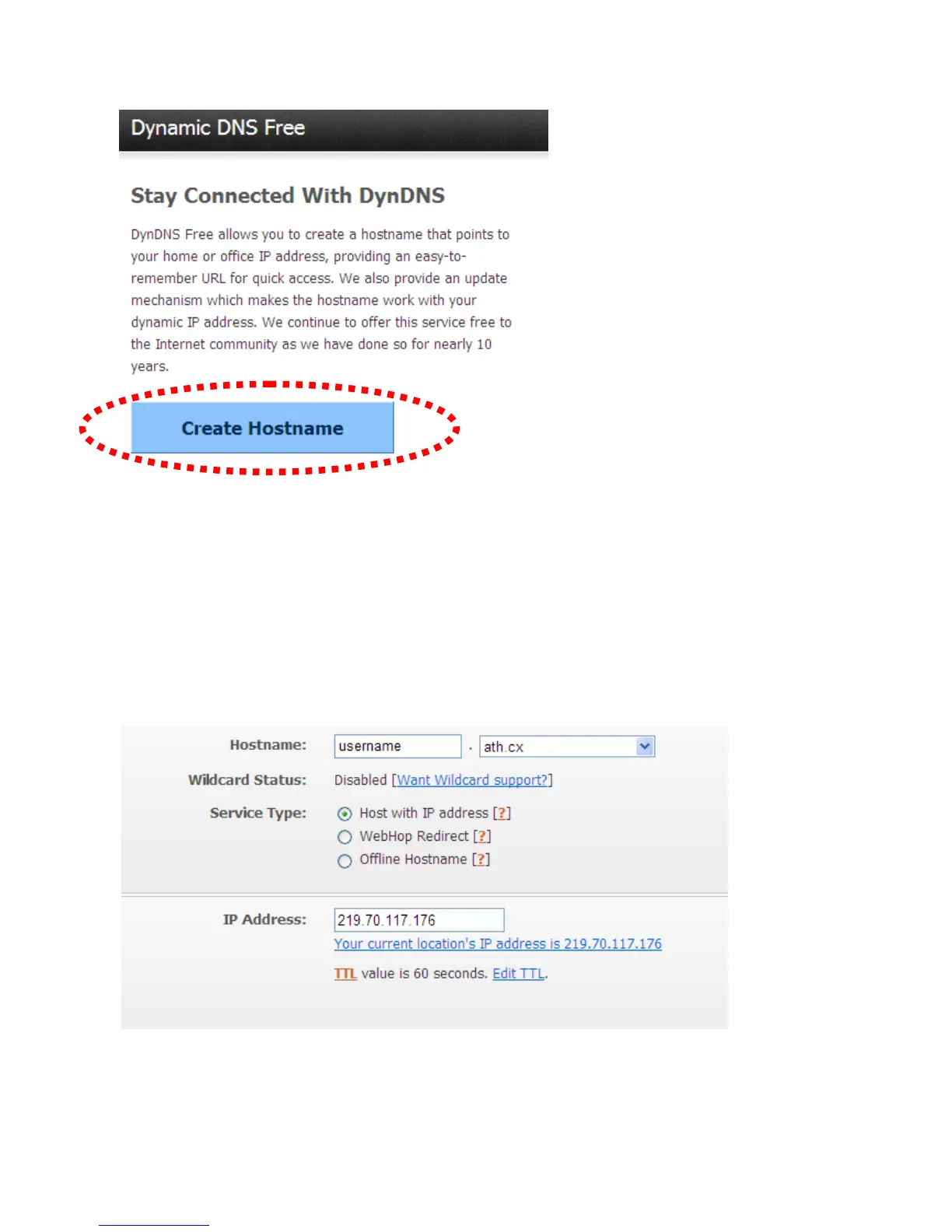
7. Click the ‘Create Hostname’ button.
8. In this page:
Input the hostname of your choice in the ‘Hostname’ field,
Select a domain name from the dropdown menu,
Select ‘Host with IP address’ for ‘Service Type’,
Input the current IP address in the ‘IP Address’ field (or click the link below to
use the detected IP address to fill this field’.



 To Next Page