- AB600A5010 Instruction Manual
6.10 Control display of signal position and stop position
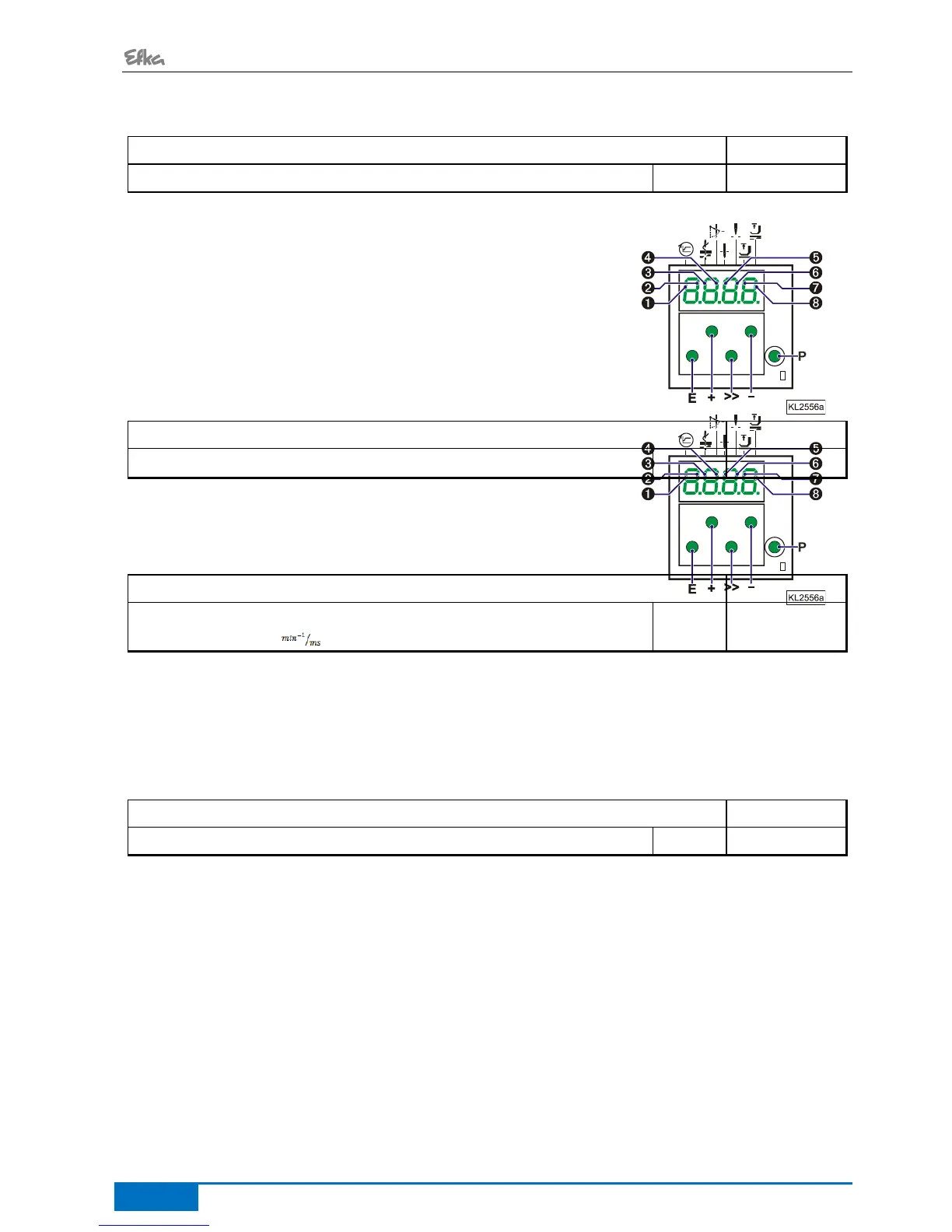
Display of position 1 and 2
corresponds to position 1 On
corresponds to position 1 Off
corresponds to position 2 On
corresponds to position 2 Off
Determine by means of parameter 269 whether the drive is to stop exactly on the position (Parameter 269 =0)
or some increments after the position.
6.12 Braking Characteristics
Braking ramp running
Braking ramp stop
Braking ramp for n < 350 when drive stopped
Parameter 207 regulates the braking effect between speed stages
Parameter 208 influences the braking effect for the stop
Parameter 219 influences the braking effect before the stop
The following applies to all setting values: the higher the value, the stronger the braking reaction!
6.13 Braking Power at Standstill
Braking Power at Standstill
This function prevents unintentional "wandering" of the needle at standstill.
The effect can be checked by turning the hand wheel.
The braking power is effective at standstill
- at stop in the seam
- after the seam end
The effect can be set
The higher the set value, the stronger the braking power


 To Next Page