8.5 AIRFLOW DIRECTION
Adjustment of the vertical and horizontal louvers will change airflow direction of the indoor unit
to prevent discomfort and/or uneven room temperatures.
CAUTION: To reduce the risk of injury, read all instructions!
DO NOT: Put fingers into the panel of the blower and suction side. The high-speed fan inside
may cause injury.
DO NOT: Operate the unit for extended periods of time in COOL or DRY mode with the
vertical airflow direction set with too much of a downward angle. This could cause
condensation to form on the surface of the vertical louver and allow moisture/water droplets to
drop onto furnishings or the floor.
DO NOT: Move the vertical louver manually, as this could cause it to become out of sync. If
this occurs, follow these steps:
1. Turn off the power to the unit.
2. Remove the wireless module from the back of the front cover.
3. Turn off the power to the circuit at the breaker.
4. Wait a few seconds and turn the power back on at the breaker.
5. Reinstall the wireless module into the front cover.
6. Turn the power to the unit back on.
NOTE: After a quick restart, the vertical louver may remain static for
approximately 10 seconds.
NOTE: The open angle of the vertical louver should not be set too small when
using COOL or HEAT mode, as it will restrict airflow and reduce performance of
the unit.
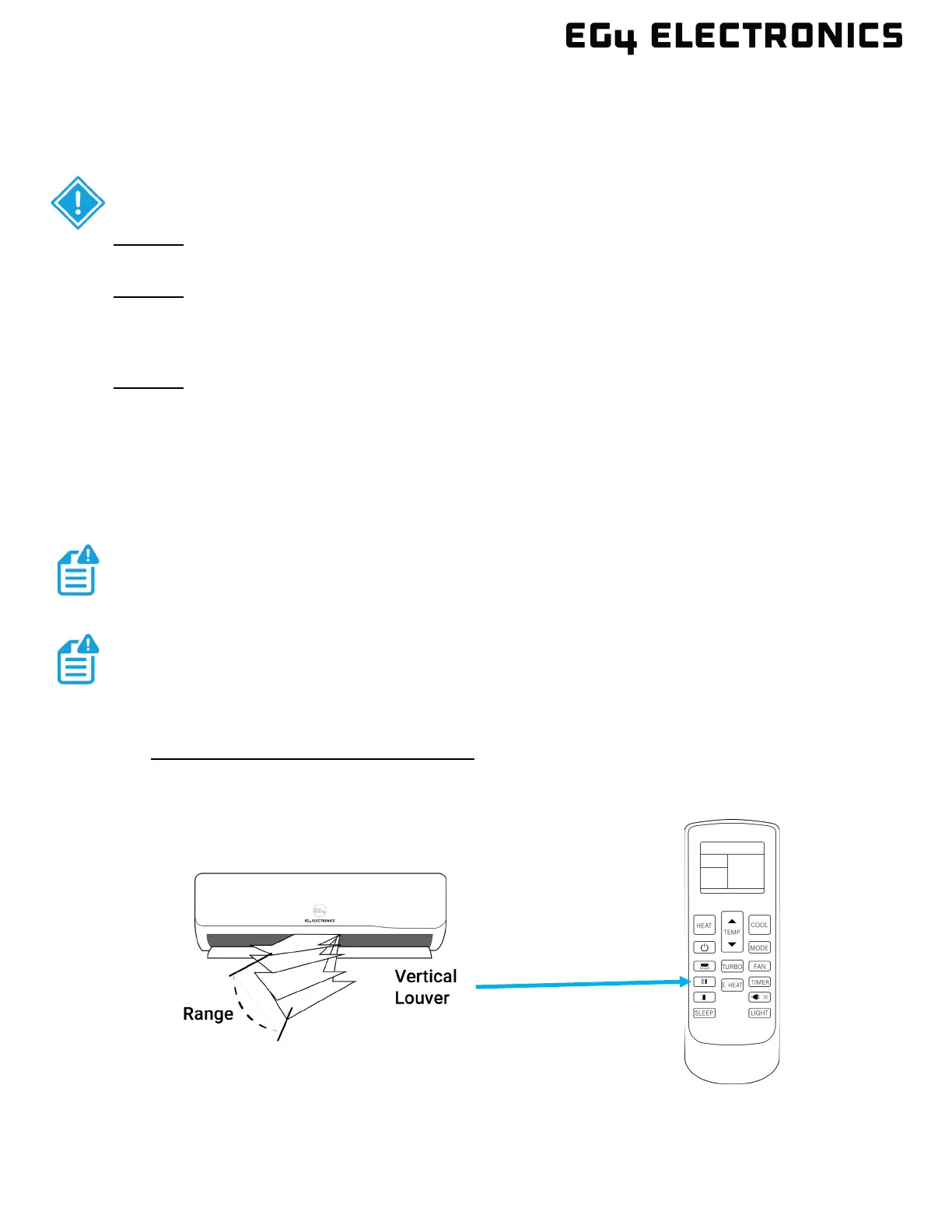
Vertical Airflow “Up/Down” Adjustment:
This function is performed by using the SWING/DIRECT button on the remote control, while
the unit is operating. The vertical louver can move in small increments for each press, or
continuously swing up and down automatically.


 To Next Page