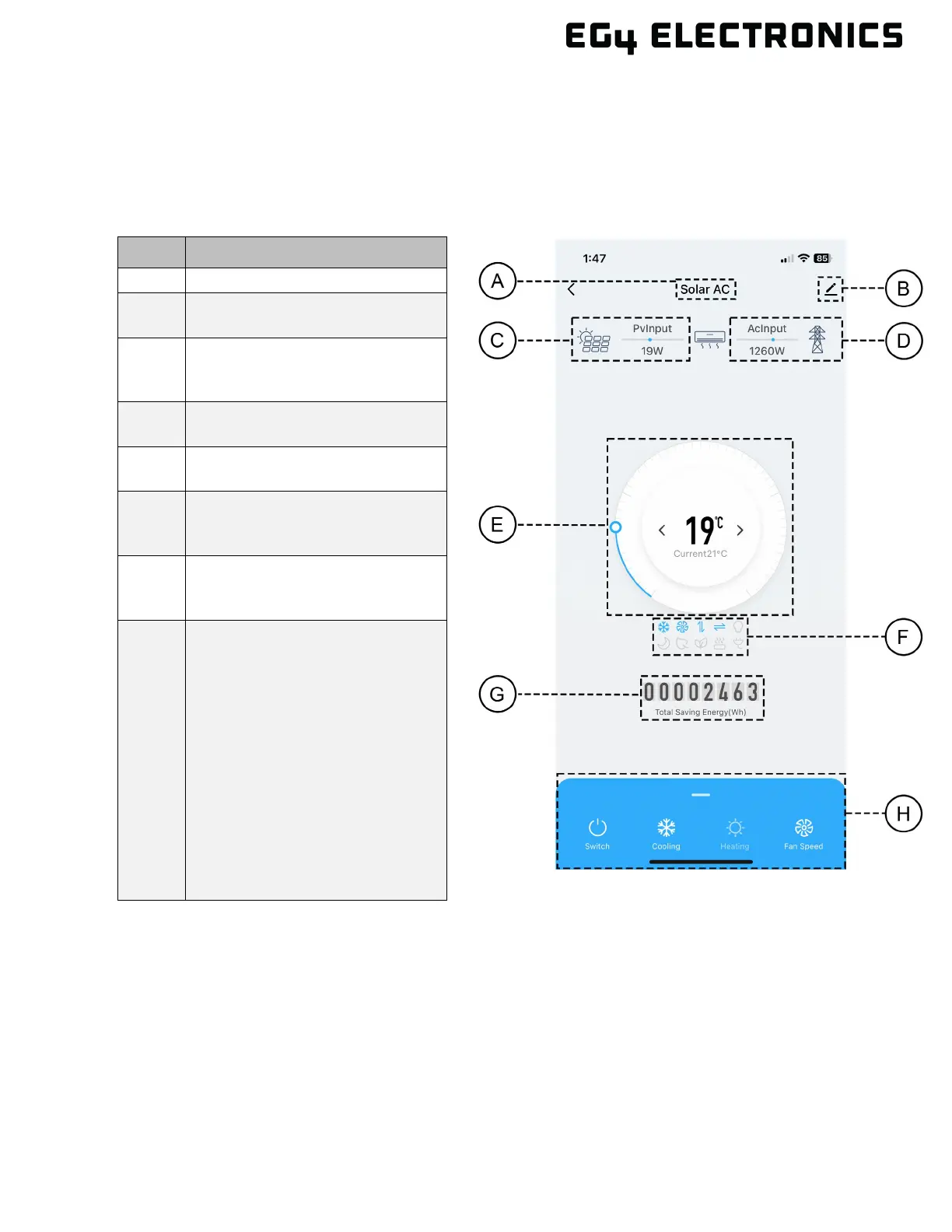
9.1 USING THE APP
The following information demonstrates some of the settings that can be displayed and set
using the phone app.
B
Select to edit settings within the
APP
C
Real time PV input measured in
watts (Will only function on
D
Real time AC input measured in
watts
E
Displays current temperature
and set temperature.
F
The illuminated icons represent
features that are currently
G
Counter that displays the
cumulative energy saving in
H
A pull-up menu that provides
settings for the following:
• Power
• Cooling
• Heating
• Fan Speed
• Mode
• Vertical
• Light
• Eco
• Sleep
• C°/F°
•


 To Next Page