With second screen on, hold
Down
for 3 seconds to reset trip
With second screen on, hold
Up
for 3 seconds to change selected battery
3.1.2 EggRider screens
3.1.3 Main screen content
Settings, mode, levels, odometer and trip data is saved when the system is shut down from
Power
button. If the power supply is cut
before pressing the
Power
button, the data is not saved into the permanent memory.
Save settings
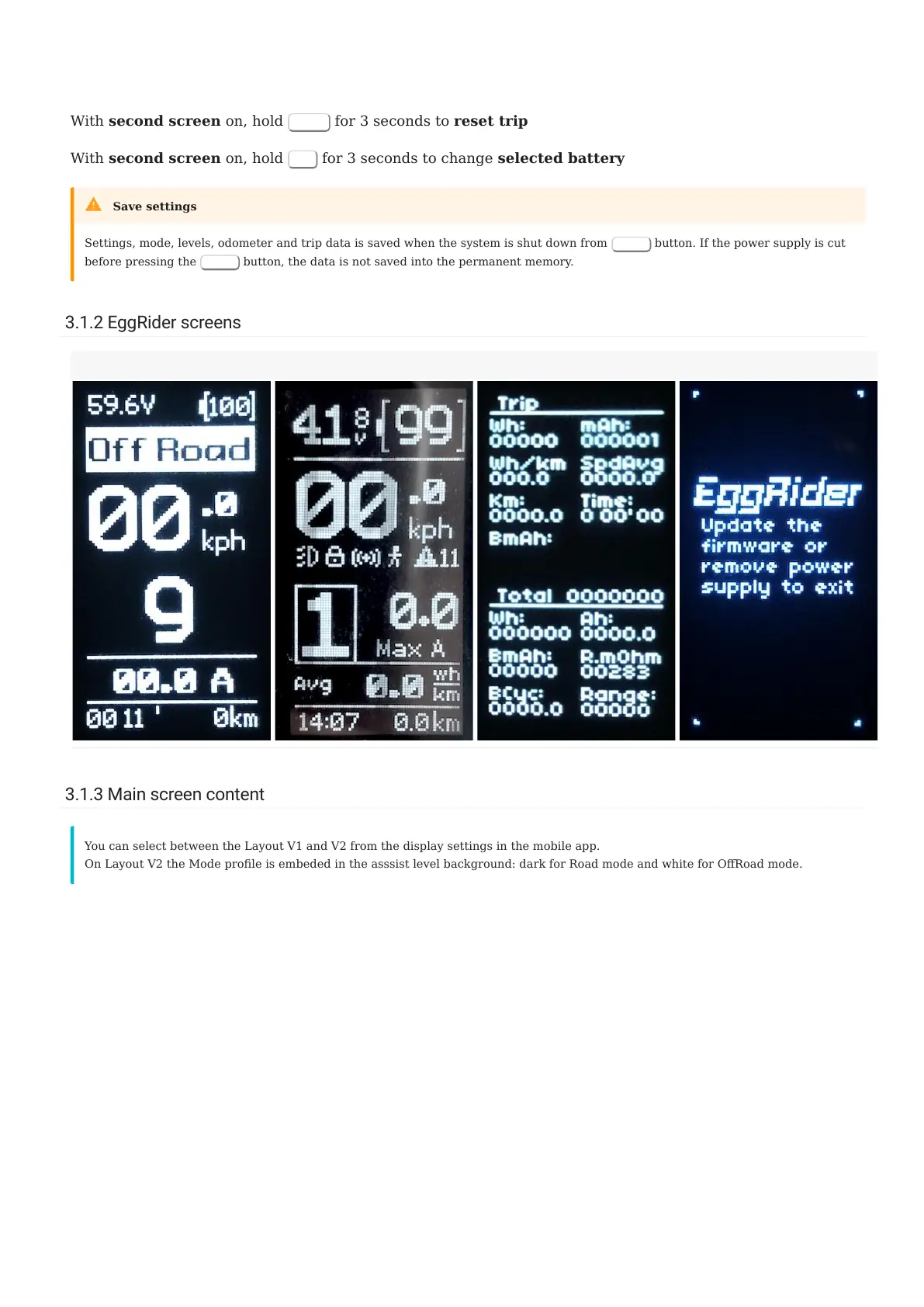
Main screen layout V1 Main screen layout V2 Second screen Update screen
You can select between the Layout V1 and V2 from the display settings in the mobile app.
On Layout V2 the Mode prole is embeded in the asssist level background: dark for Road mode and white for ORoad mode.
3.1.2 EggRider screens
- 11/89 -
Copyright © 2019 EggRider.



 To Next Page