3. Display
3.1 EggRider Display
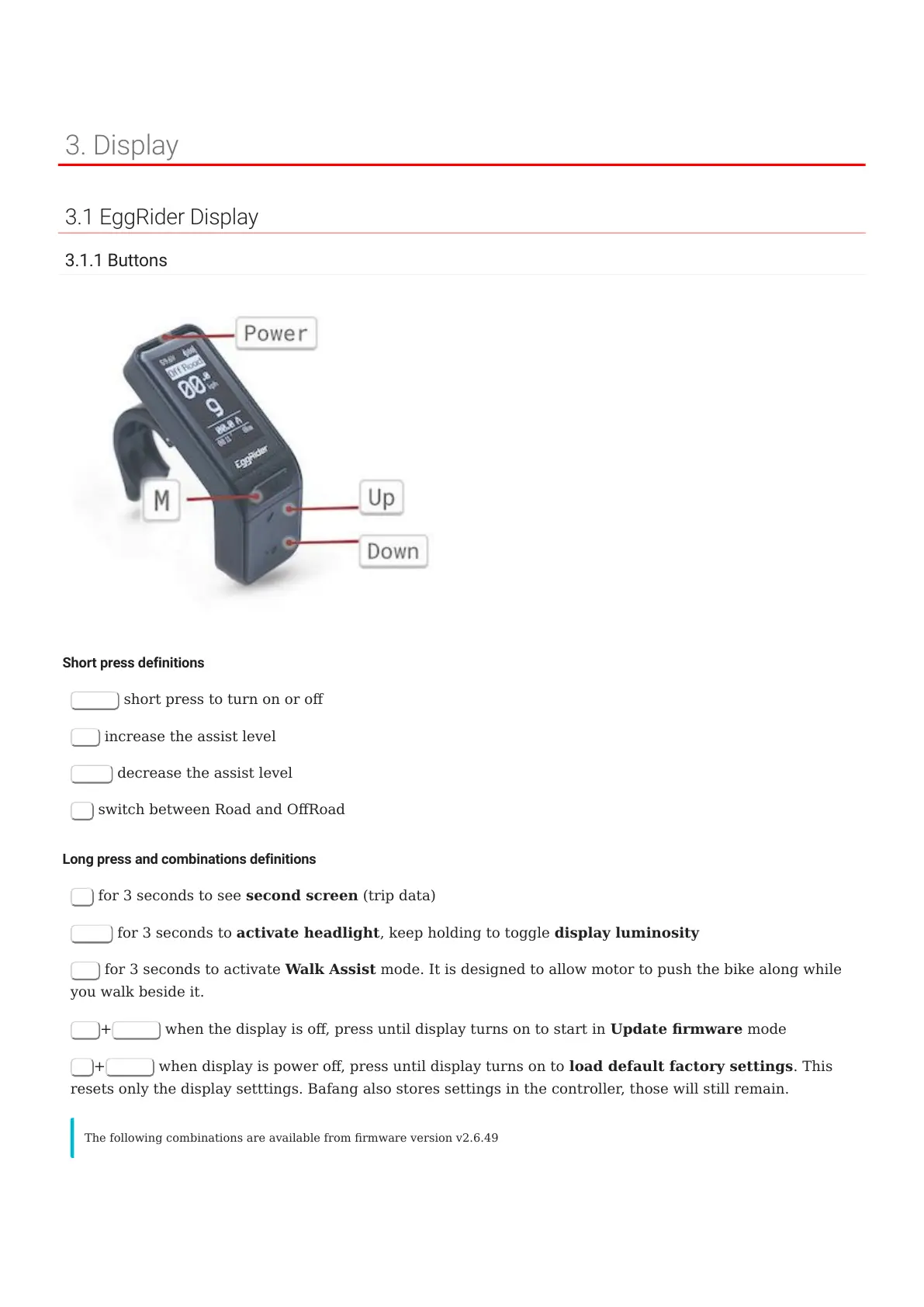
3.1.1 Buttons
Short press definitions
Power
short press to turn on or o
Up
increase the assist level
Down
decrease the assist level
M
switch between Road and ORoad
Long press and combinations definitions
M
for 3 seconds to see second screen (trip data)
Down
for 3 seconds to activate headlight, keep holding to toggle display luminosity
Up
for 3 seconds to activate Walk Assist mode. It is designed to allow motor to push the bike along while
you walk beside it.
Up
+
Power
when the display is o, press until display turns on to start in Update rmware mode
M
+
Power
when display is power o, press until display turns on to load default factory settings. This
resets only the display setttings. Bafang also stores settings in the controller, those will still remain.
The following combinations are available from rmware version v2.6.49
3. Display
- 10/89 -
Copyright © 2019 EggRider.



 To Next Page