2. EggRider display setup
2.1 Install display on your handlebar
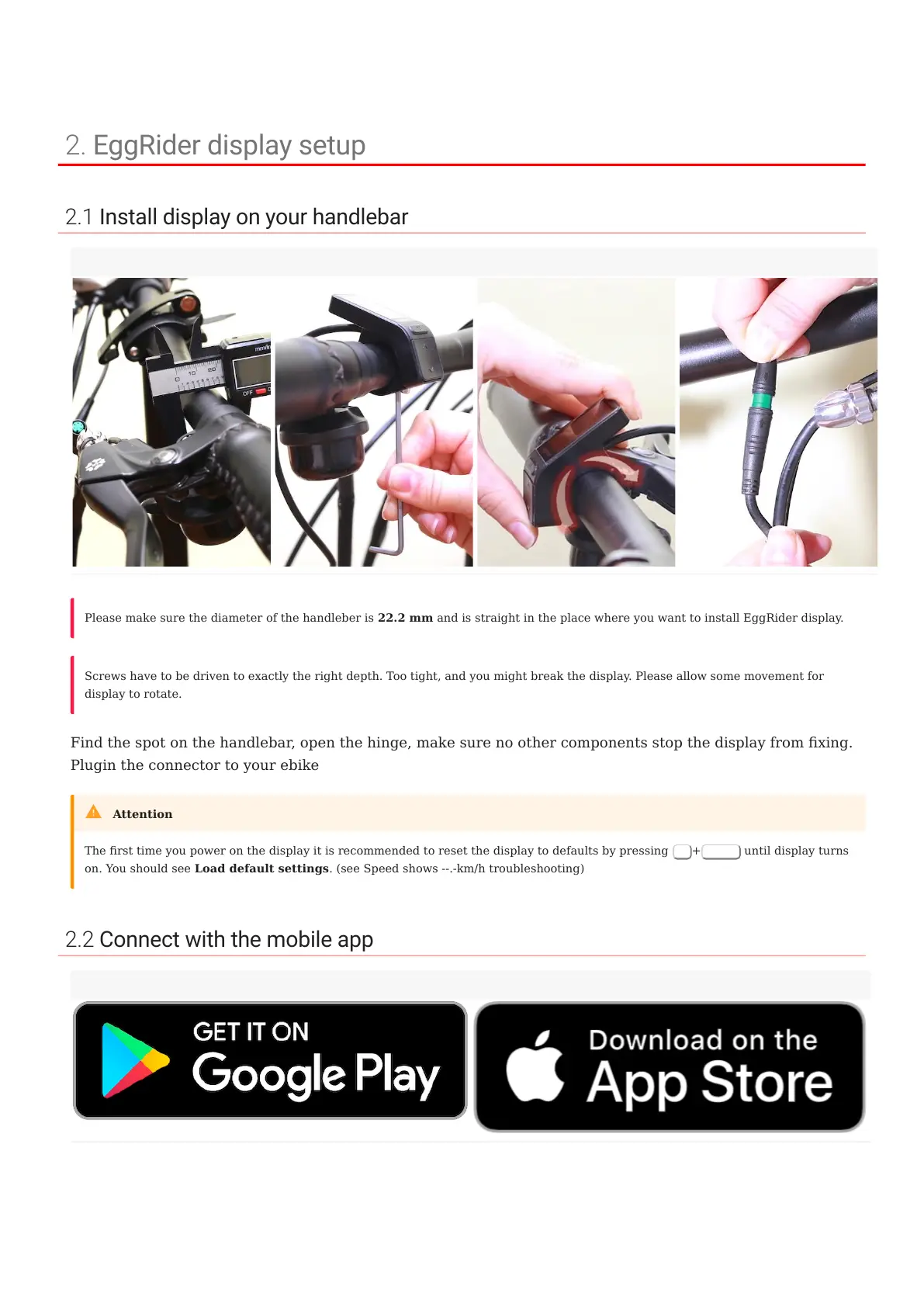
Find the spot on the handlebar, open the hinge, make sure no other components stop the display from xing.
Plugin the connector to your ebike
2.2 Connect with the mobile app
Measure handlebar Tighten the screw Allow slight rotation Plug-in the connector
Please make sure the diameter of the handleber is 22.2 mm and is straight in the place where you want to install EggRider display.
Screws have to be driven to exactly the right depth. Too tight, and you might break the display. Please allow some movement for
display to rotate.
The rst time you power on the display it is recommended to reset the display to defaults by pressing
M
+
Power
until display turns
on. You should see Load default settings. (see Speed shows --.-km/h troubleshooting)
Attention
2. EggRider display setup
- 6/89 -
Copyright © 2019 EggRider.



 To Next Page