6.4 EggRider V2 Mate X settings
All mate X version have Lishui controllers. For information about each setting option please consult the Lishui
settings page
Please check:
Current Limit
Running strategy
6.4.1 Settings example
Accessible from menu Lishui
If speed shows --.- km/h on EggRider display, please reset to default factory settings with the following procedure When the display
is o, press
M
+
Power
until display turns on. (You should see Load default settings)
Attention
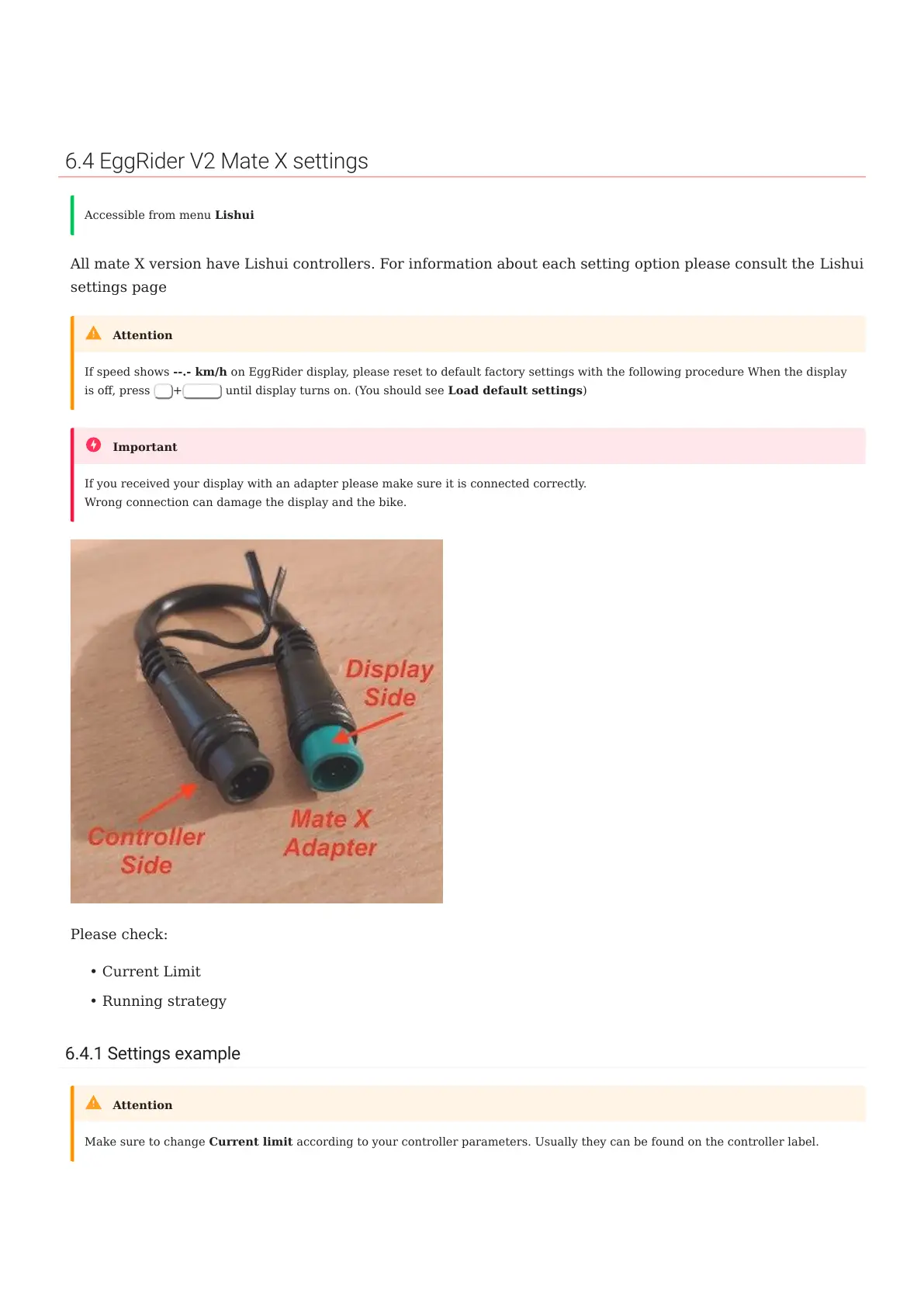
If you received your display with an adapter please make sure it is connected correctly.
Wrong connection can damage the display and the bike.
Important
•
•
Make sure to change Current limit according to your controller parameters. Usually they can be found on the controller label.
Attention
6.4 EggRider V2 Mate X settings
- 60/89 -
Copyright © 2019 EggRider.



 To Next Page