ELAN HOME SYSTEMS TS7 User’s Guide
© ELAN Home Systems 2010 | All rights reserved.
Page 38
AM/FM Tuner (Continued)
Editing / Deleting Favorites
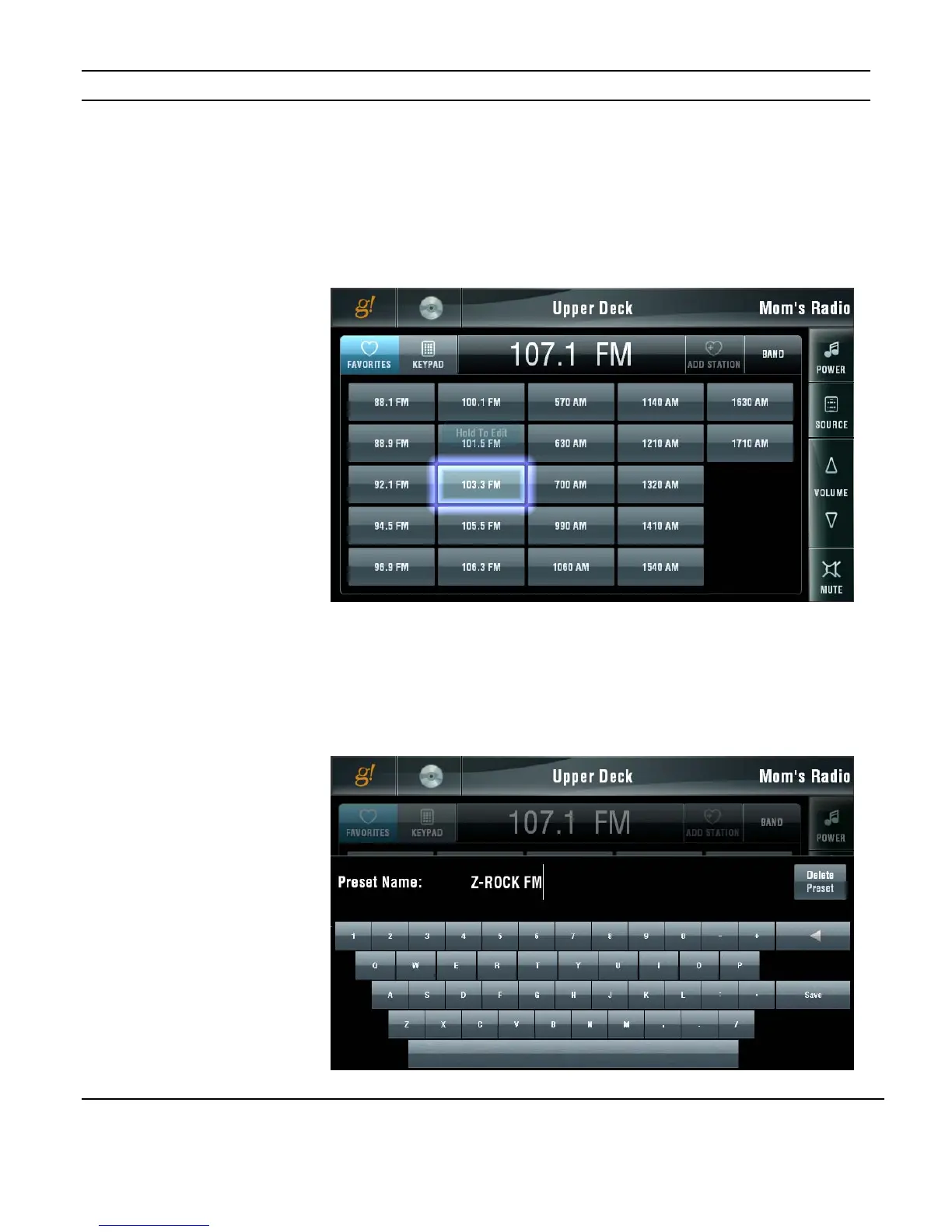
Once a station is added as a favorite you can edit the name or delete it from the FAVORITES
tab. On the FAVORITES tab select the station to be edited and press and hold the button
until the edit screen is displayed. You do not need to have the station tuned in to edit the
name.
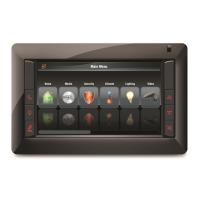
Use the keyboard to edit the name. Once you have renamed the station press the SAVE
button to keep your changes.
Press the DELETE PRESET button to remove the station from the FAVORITES list.
Figure 3-53:
Media Page
DT22 AM/FM
Editing Favorites
Figure 3-54:
Media Page
DT22 AM/FM
Deleting Favorites


 To Next Page