ENG man MAGO-EVO 03 MAGO-EVO Radio Remote Control
- Page 16 -
Verify that the new transmitter is correctly coupled with its respective receiver.
Power up the receiver.
Activate the radio remote control, controlling the LEDs of the Transmitter e the LED of the ENABLE on the receiver.
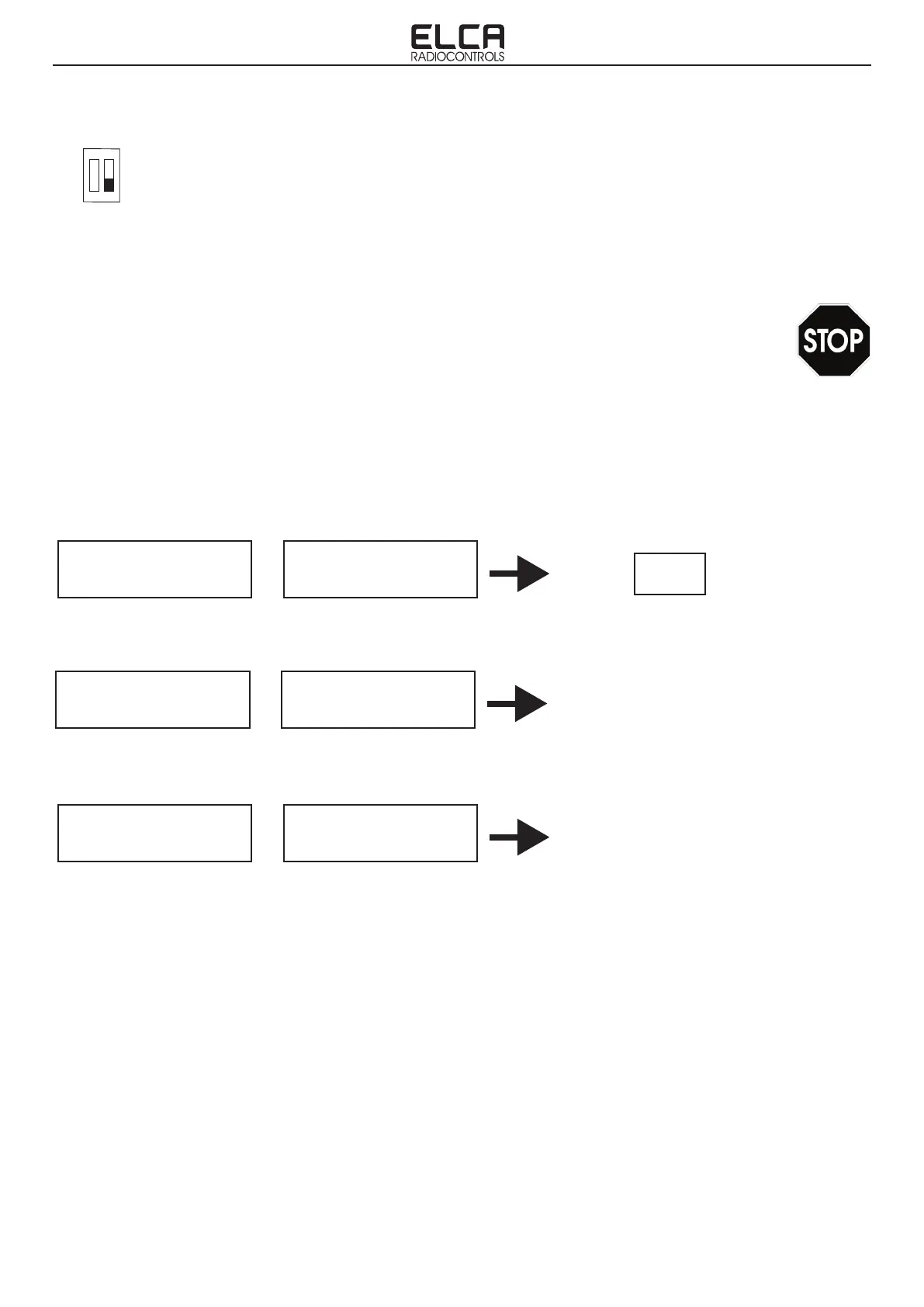
Compare the information received with the following table.
5. Power off the receiver. Wait until POWER LED turn on.
6. Set the dip-switch on motherboard with position 2 to OFF. Refer to the gure on page 12 paragraph 5.1 to identify
the position of the DIP switch.
7. ALWAYS verify that the new transmitter is correctly coupled with its respective receiver.(see paragraph 7.3).
8. Close the cover of the receiving unit.
7.3 COUPLING VERIFICATION
Verify the proper operation of all the commands, in particular the STOP command.
Check and if necessary restore the programmable functions dened by the user: start up sequence and autoshutoff.
IMPORTANT: Upon conrming that all is working properly, remove the data label from the old transmitter no longer
in use and apply it to the new transmitter. If this is not possible as it has been lost, destroyed or illegible, please
contact ELCA Service center for a replacement.
1 2
ON
Coupling not succeeded !
Repeat again:
- COUPLING procedure.
OK
TRANSMITTER
1)Transmitter successfully coupled but
receiver is Off and/or out of range:
- Power up the receiver and/or move closer
2) Transmitter was previously coupled but no
longer active as it has been replaced by a new
one.
RECEIVER
COUPLING
TRANSMITTER
RECEIVER
TRANSMITTER
RECEIVER
Fixed Green LED
Green LED ashing
Fixed Red LED
Green LED ashing
slowly
ENABLE LED
ashing
ENABLE LED
OFF
ENABLE LED
OFF


 To Next Page