DmPackagingGroup
s.r.l
StradadelCascinotto156,
10156,Torino(TO)-Italy
Tel:011.99.10.455
e-mail:
info@dmpackagingroup.com
To stop a homing in progress, simply press the STOP on the TOP7.
It's possible to access the “Homing environment” also from the “Manual environment “ by
pressing the button on the lower left corner of the screen (with triangle and line icon)
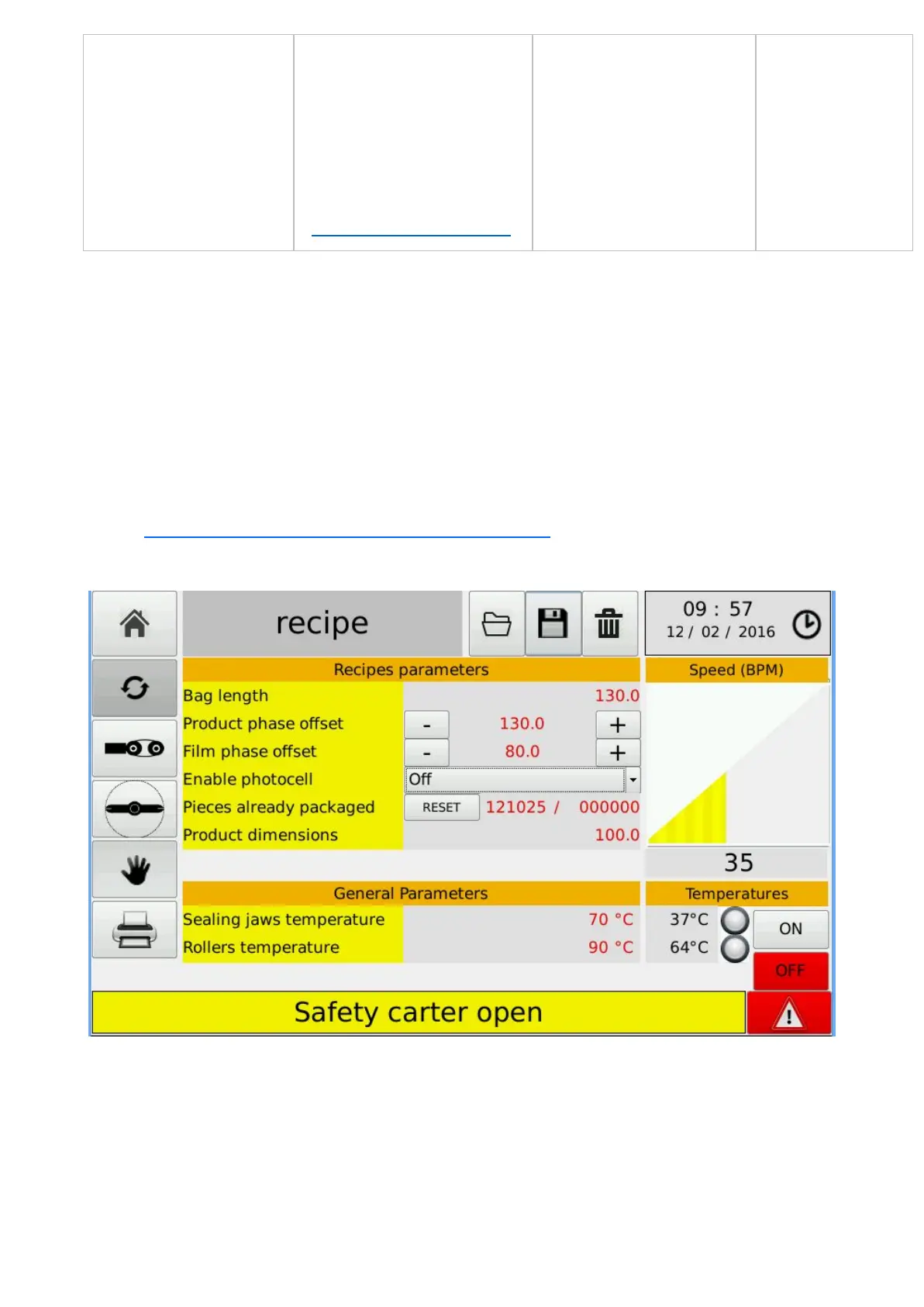
3.2 – “ WORK ENVIRONMENT “ (AUTOMATIC)
In this environment you can perform the following operations on the current recipe:
-Configure the length of the current package (in the "package length" field) This operation
10


 To Next Page