DmPackagingGroup
s.r.l
StradadelCascinotto156,
10156,Torino(TO)-Italy
Tel:011.99.10.455
e-mail:
info@dmpackagingroup.com
● during calibration is carried out an ON / OFF adjustment. Is possible that during the
procedure , the temperature of the system could go beyond or below the set target.
This is absolutely normal.
● After starting the calibration, the routine can be stopped with the STOP button.
Beware, that before restarting the module, you must correctly complete the whole
routine.
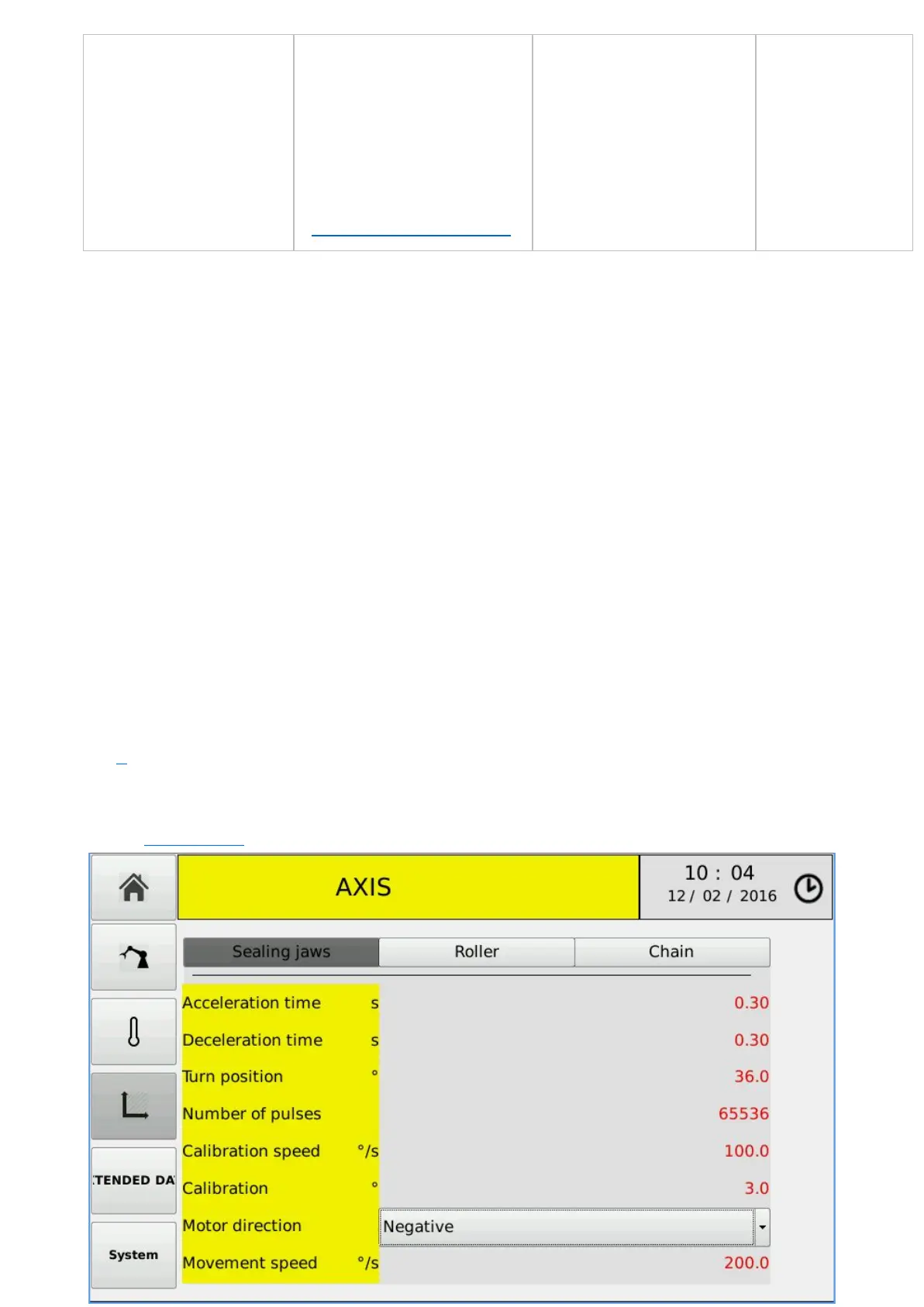
The left side of the screen contains buttons to access other areas of the software. From
top to bottom these buttons allow access to:
● main menù
● manufacturer parameters
● temperature controllers(current environment)
● axis
● extended data (environment control of the axis parameters)
● system (the system menu of TOP7 PLC)
3.12 – AXIS
33


 To Next Page