DmPackagingGroup
s.r.l
StradadelCascinotto156,
10156,Torino(TO)-Italy
Tel:011.99.10.455
e-mail:
info@dmpackagingroup.com
● An.out. (Analog Outputs): allows you to set the value in volts of the analog outputs;
the plus and minus buttons increase and decrease respectively of 0.5 Volt the
current value of the analog output. You can enter any value (between -10 and +10)
by pressing on the current value and entering the desired value. The stop button
resets the analog output current. Warning: Setting a value of frequency determines
the forcing of 10V to the corresponding analog output of the same slot. Setting a
value of analog output determines the forcing of 50 kHz on the corresponding
frequency output of the same slot.
RESOURCES
The environment allows you to test the standard peripherals of the device and configure
the same. It is divided into categories based on the configuration of the power board /
COM:
● MESSAGES: It allows you to change the messages displayed on the screen TEST
IO | DIG.IN .; you can save the file that contains the messages on a USB key by
pressing the SAVE button, modify it with a text editor and then upload it via the
LOAD button;
● LED: It allows you to start a procedure to verify correct operation of the leds on the
front of the device;
● BUZZER: It allows you to start a procedure to verify correct operation of the buzzer
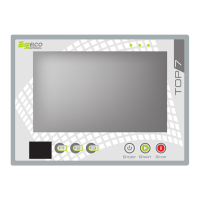
● KEY: ;It allows to check the correct operation of the TOP7 keys
● USB: It allows to check the correct operation of the USB component of the device;
● NETWORK: It allows you to configure the network settings of the device; change
the settings and press the confirmation button on the right side of the screen;
42


 To Next Page