CTC-1132 868AM 2007.07.18
24
to the “testing” method being utilized for the
mobile phones
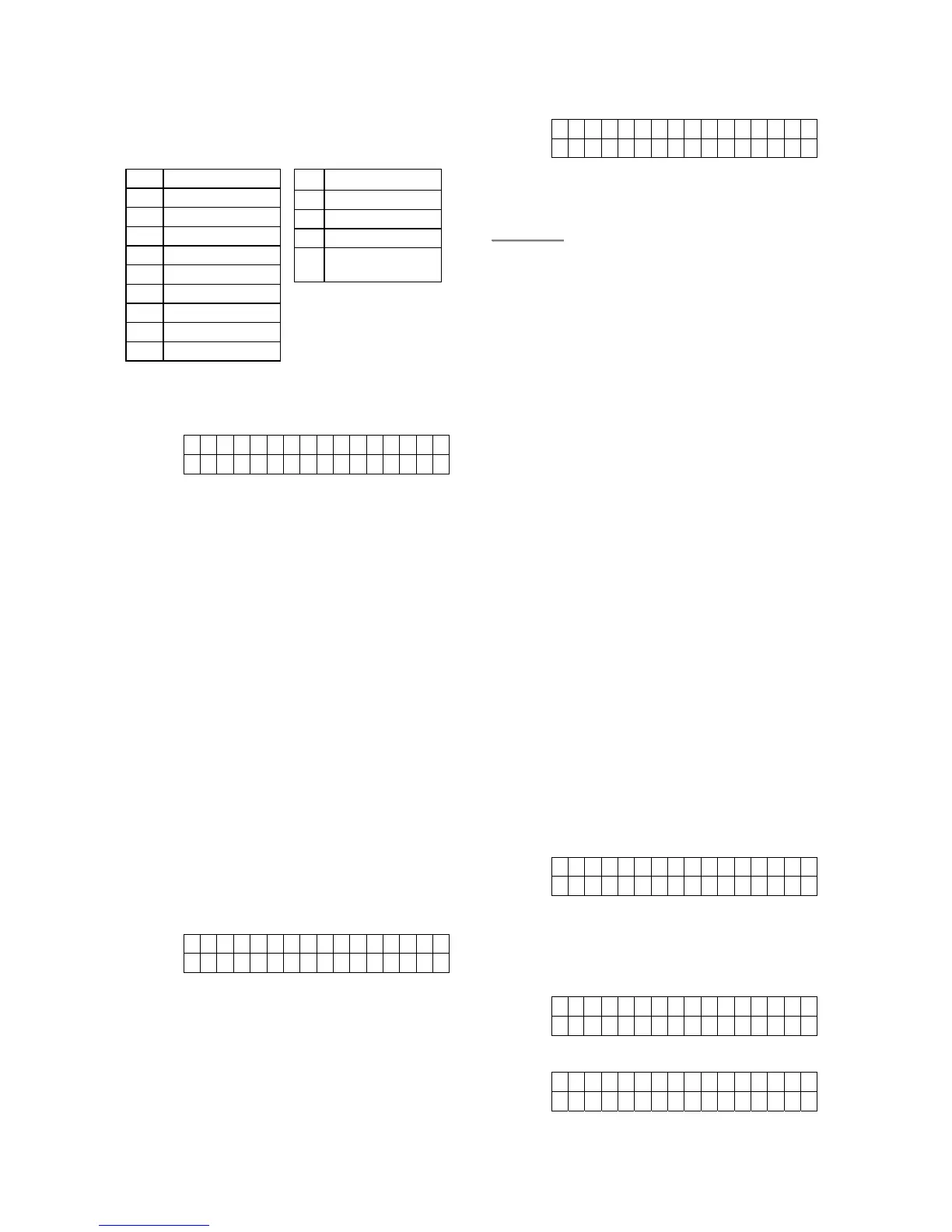
The keys have the following functions:
‘When the message is completed, press “OK”
to see the next display:
S a v e
Q u i t
Press “Save” to save the newly edited SMS or
exit this section back to Programming Menu by
press “Quit”.
Step 2. Press “OK” when the cursor is moved
to the choice of your decision.
When “Save” is chosen, the saved
SMS message will be sent when any
alarm is triggered and displayed again
on the LCD when the “SMS Editor” is
selected again.
VII. SMS Keyword
For sending remote commands to control the
operation of the Receiver 1 & 2 and Outputs
using SMS message, a personalized password
is required for CTC-1132 to recognize your
authority. To set a personalized keyword
different from “Pin Code” (factory default),
select “SMS Keyword“ in Programming Main
menu.
C h a n g e K e y w o r d ?
P i n c o d e + O K
1. Keyword Editor
Step 1. Press “OK” to confirm.
Step 2. The next display will prompt you to
enter your preferred “keyword” from
minimum of 1 character to a maximum
of 10-character and press “OK” when
done. .
K e y w o r d e d i t o r
....... . . . +OK
Step 3. The system returns to Main
Programing Menu automatically.
<
<
N
N
O
O
T
T
E
E
>
>
) If there is no character entered, there
is no “Keyword” set up in the system.
) Without “Keyword” programmed in the
system, Remote Commanding of
CTC-1132’s Receivers and Outputs
via SMS will also be disabled..
VIII. Country Code
If the user send a SMS message ended by “00”,
CTC-1132 will study the telephone number
from the received message ,then, send a
confirmation message back.
However, each service provider may add
different pre-fix code in front of the telephone
number, which mostly is the country code.
Therefore, when CTC-1132 is sending the
confirmation message, the pre-fixed country
code may need to be delected in some cases.
So, if the confirmation message can be send
successfully, you can escape this section.
But, if the message sending is unsuccessful,
you will need to delect the pre-fixed country
code first.
Step 1. To enter the country code, press “OK”
for select Country Code menu then
press “OK” and the following screen
will appear. Key in user’s country
code then press “OK”.
Count r y C o de
....... . . . . . . ...
For example:
Norway’s country code is 47, so you
then type 47 under the country code.
It becomes as the following.
Count r y C o de
47..... . . . . . . ...
Step 2. Press “OK”. The next screen displays.
R e p l a c e m e n t
....... . . . . . . ...
Under most of the conditions, you will
1 1
2 2ABC(abc)
3 3DEF(def)
4 4GHI(ghi)
5 5JKL(jkl)
6 6MNO(mno)
7 7PQRS(pqrs)
8 8TUV(tuv)
9 9WXYZ(wxyz)
0 0<space>/-&’.”+:
* *
# #
S Backward space
T Forward space
4
Delete character
and backspace



 To Next Page