L L L
ON
ON
OFF
OPERATION PROCEDURE
Sleep Function
Timer Function
Operation Modes of Timer Function
Press Sleep button (S) to select the Sleep function. After Sleep function is activated, air conditioner will be
automatically turned off after 7 hours. If Timer function is also activated, the air conditioner will be turned on or
off according to Timer setting.
Press one of the following buttons to cancel Sleep function:
ON/OFF button (N)
SLEEP button (N)
Press Timer button (K) to activate Timer operation . After each pressing Timer button, one of the
following four operation modes will be displayed on LCD display. Timer operation mode appears in arrow
directions in turn and indicator on the unit will light up when Timer function is in operation.
Note: After a power failure (when the unit in Timer mode), the unit will be automatically turned to stand-by mode
and the Timer operation will be cancelled. To resume the use of Timer function, follow the above instructions
T1: timing of the first time everyday; T2: timing of the second time everyday; T1wk: timing of Saturday; T2wk
timing of Sunday.
T1 and T2 are two everyday timings, representing different time periods. Such time period will be repeated
everyday.
T1wk and T2wk are the timing of the weekend. The timer indicator lights up when timer is activated. T1wk is
only used for Saturday's timing and is valid only at that day, T2wk is only used for Sunday's timing and is
valid only at that day.
The everyday timing will be turned off when operating at the weekend. The WK timer must be activated before
every weekend.
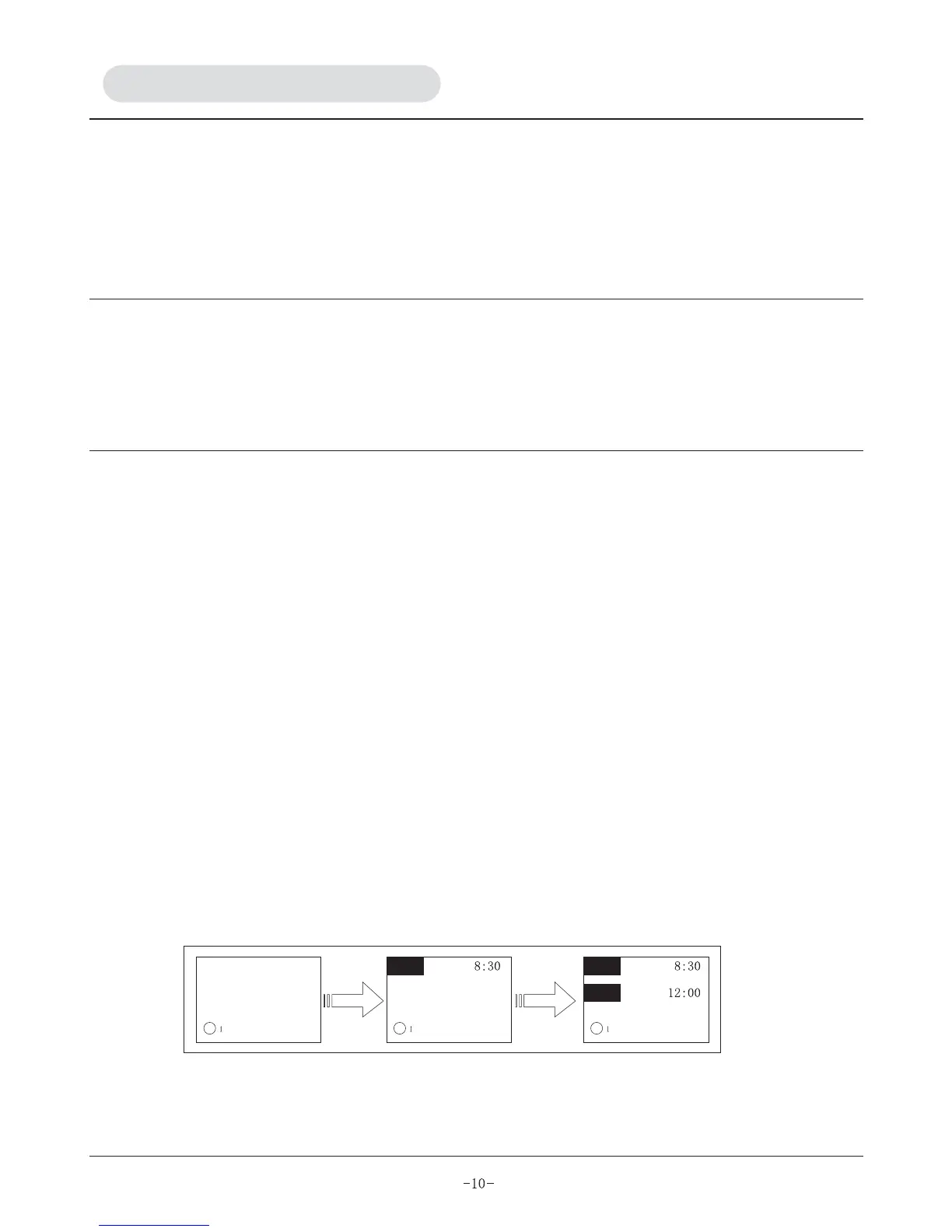
This mode enable you to set the operation time, refer to figure 1
A) Press timer button (K) to select T1, T1 blinks.
B) Press "SET" button (L) , "ON" will appear.
C) Press up and down button (O) & (P) respectively to adjust start time of operation.
D) Press "SET" button (L) again to activate timing start function, "OFF" will appear at the same time.
E) Repeat step (c) to set the closedown time.
F) Press "SET" button (L) to activate timing closedown function. The buzzer will sound and end the timing
setting.
This mode enables you to set the operation time, refer to figure 2.
A) Press timer button (K), T2 will appear and blink.
Four operation modes are available:
1. T1 the first time timing startup and closedown everyday
2. T2 the second time timing startup and closedown everyday


 To Next Page