L L L
ON
ON
OFF
L L L
ON
ON
OFF
WK WK WK
L L LL L L
ON
ON
OFF
WK WK WK
OPERATION PROCEDURE
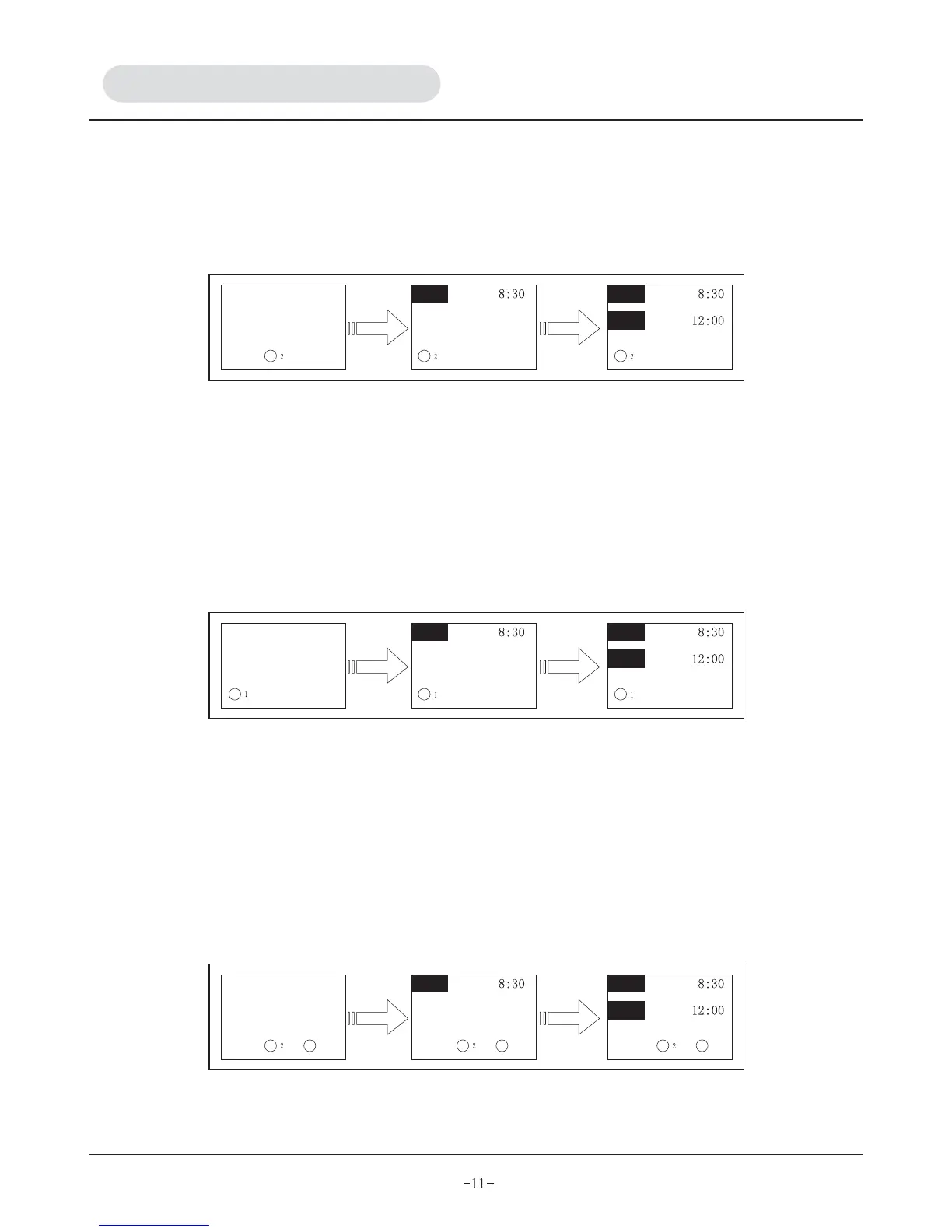
B) Press "SET" button (L), "ON" will appear.
C) Press up and down button (O) & (P) respectively to adjust start time of operation.
D) Press "SET" button (L) again to activate timing start function, "OFF" will appear at the same time.
E) Repeat step (c) to set the closedown time.
F) Press "SET" button (L) to activate timing closedown function. The buzzer will sound and end the timing
setting.
3. T1wk timing of Saturday
This mode enables you to set the operation time, refer to figure 3.
A) Press timer button (K) to select T1wk, T1wk blinks.
B) Press "SET" button (L), "ON" will appear.
C) Press up and down button (O) & (P) respectively to adjust start time of operation.
D) Press "SET" button (L) again to activate timing start function, "OFF" will appear.
E) Repeat step (c) to set the closedown time.
F) Press "SET" button (L) to activate timing closedown function. The buzzer will sound and end the timing
setting.
4. T2wk timing of Saturday
This mode enables you to set the operation time, refer to figure 4.
A) Press timer button (K) to select T2wk, T2wk blinks.
B) Press "SET" button (L), "ON" will appear.
C) Press up and down button (O) & (P) respectively to adjust start time of operation.
D) Press "SET" button (L) again to activate timing start function, "OFF" will appear.
E) Repeat step (c) to set the closedown time.
F) Press "SET" button (L) to activate timing closedown function. The buzzer will sound and end the timing
setting.
5. Clear
Apply this mode to cancel timer function, press timer button (K) and press clear button (Q) to terminate the
timer function.


 To Next Page